
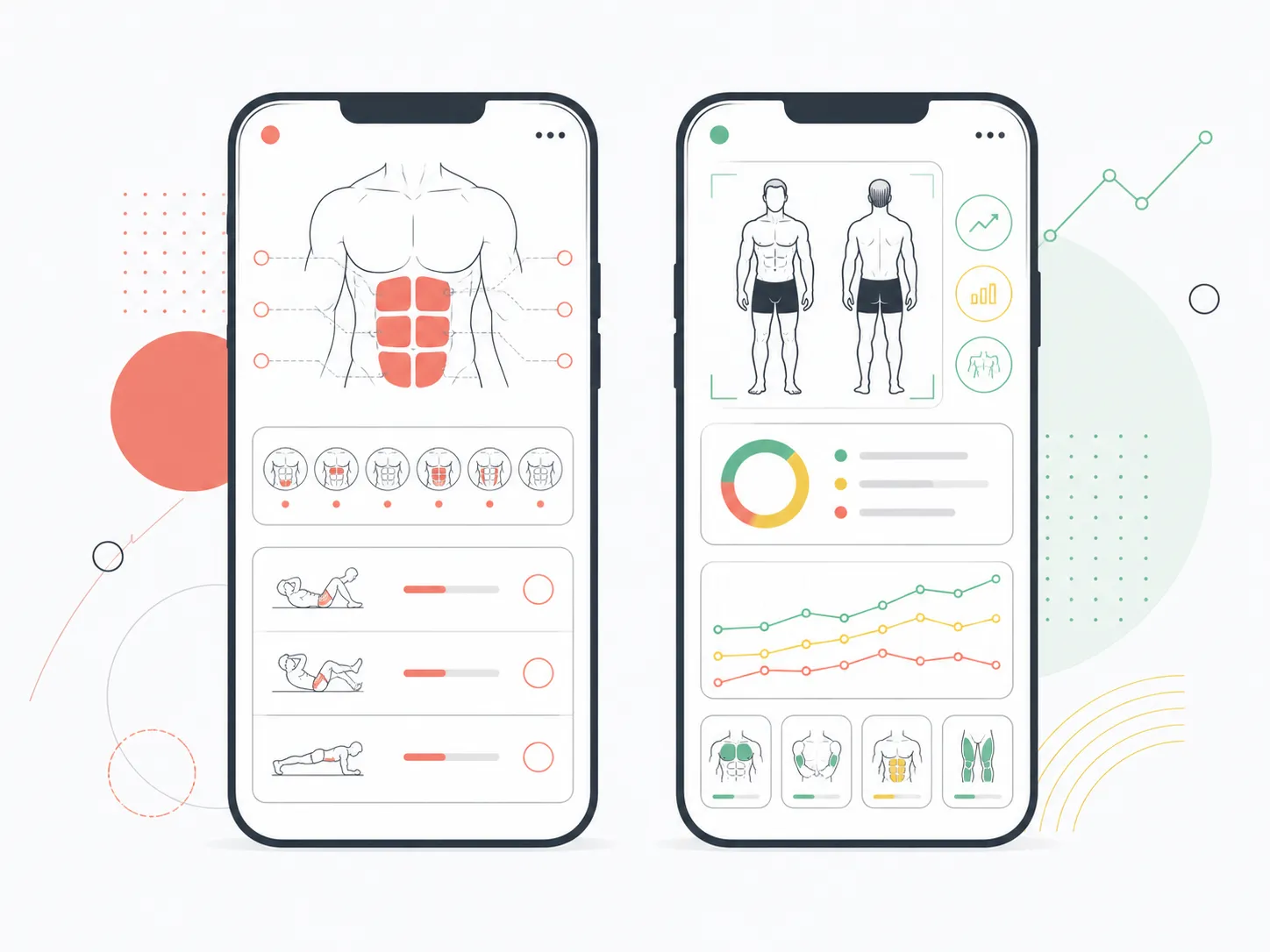
Quick answer: Choose AbsMaxx if your main goal is a dedicated abs programme with six-zone scans, guided core workouts, and Apple Watch support. Choose GainFrame if you want full-body progress photos, body-fat and muscle trends, AI coaching, workout context, and nutrition in one timeline. Both now include food logging.
You can take one torso photo, get an abs score, and still have no idea whether the rest of your cut is moving in the right direction. You can also track your whole physique and still want a core routine that tells you exactly what to do today.
That is the real AbsMaxx vs GainFrame decision. The old comparison framed food logging as an AbsMaxx advantage. GainFrame now has food logging too, so that shortcut no longer works.
The useful split is narrower and clearer. AbsMaxx turns an ab scan into core training. GainFrame turns progress photos into a broader record of body composition, muscle development, weight, recovery, workouts, and nutrition.
Which is better in 2026: AbsMaxx or GainFrame?
AbsMaxx is better for someone whose primary objective is building and revealing their abs. Its current product pages describe six ab-zone scores, a programme weighted to weak zones, guided workout sessions, rest timers, a six-pack preview, Apple Watch support, widgets, calorie targets, and a food diary.
GainFrame is better for a lifter who wants to understand the entire physique over time. Each check-in can connect progress photos with estimated body fat, FFMI, lean mass, 12 muscle-group scores, weight trajectory, recovery, workouts, Coach, and food intake.
Three details decide this comparison:
- Training scope: AbsMaxx specializes in core execution. GainFrame follows full-body progress.
- Timeline depth: GainFrame is designed to compare months or years of photos, including pictures already in your camera roll.
- Nutrition: Both apps now offer food logging, so compare the logging workflow and the surrounding product rather than checking a simple yes-or-no box.
What does AbsMaxx do well?
AbsMaxx gives the abs their own product instead of treating them as one row inside a full-body report. According to its official features page, one photo produces six zone scores, and those scores can influence scheduled training days and exercise selection.
That focus is useful. If your immediate question is whether lower abs, obliques, symmetry, or deep-core work deserves more attention, a specialist interface can get you from scan to session quickly.
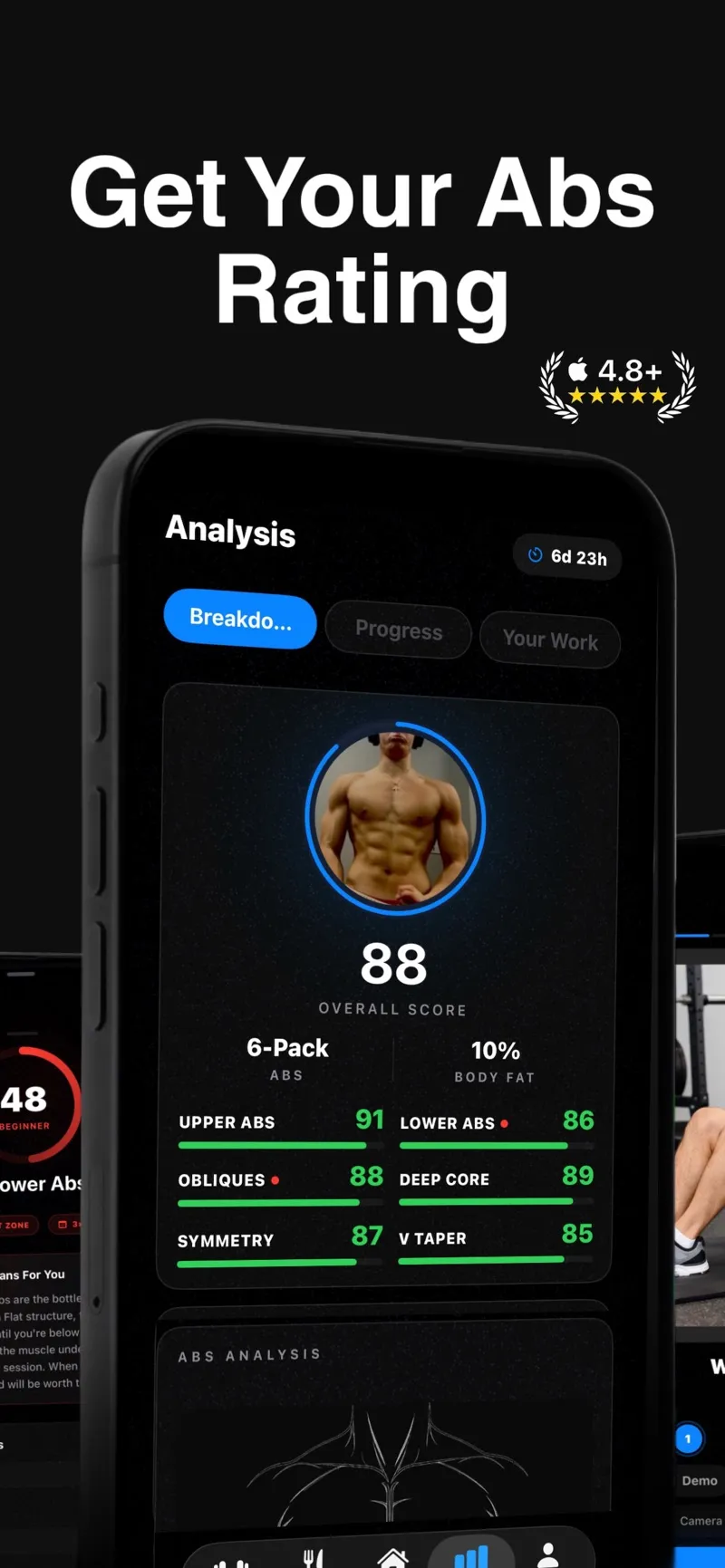
The current AbsMaxx App Store presentation centers the product on one overall rating plus six ab and core zones.
AbsMaxx also has several execution features GainFrame does not position itself around: native core programmes, set and rep logging, rest timers, an Apple Watch companion, a home-screen workout widget, and an App Clip demo. The US App Store lists a 4.7 rating from 644 ratings as of August 13, 2026, giving AbsMaxx a much larger public review base than GainFrame.
The limitation follows directly from the strength. AbsMaxx has a tight midsection lens. It is less suited to questions about shoulder development, chest balance, back progress, leg development, FFMI, or whether your whole-body transformation matches your training block.
What does GainFrame do well?
GainFrame is a progress-photo and body-composition system built for people who already train. A check-in can show estimated body fat, weight, physique score, and a plain-language read, while deeper reports break the physique into 12 muscle groups across front and back poses.
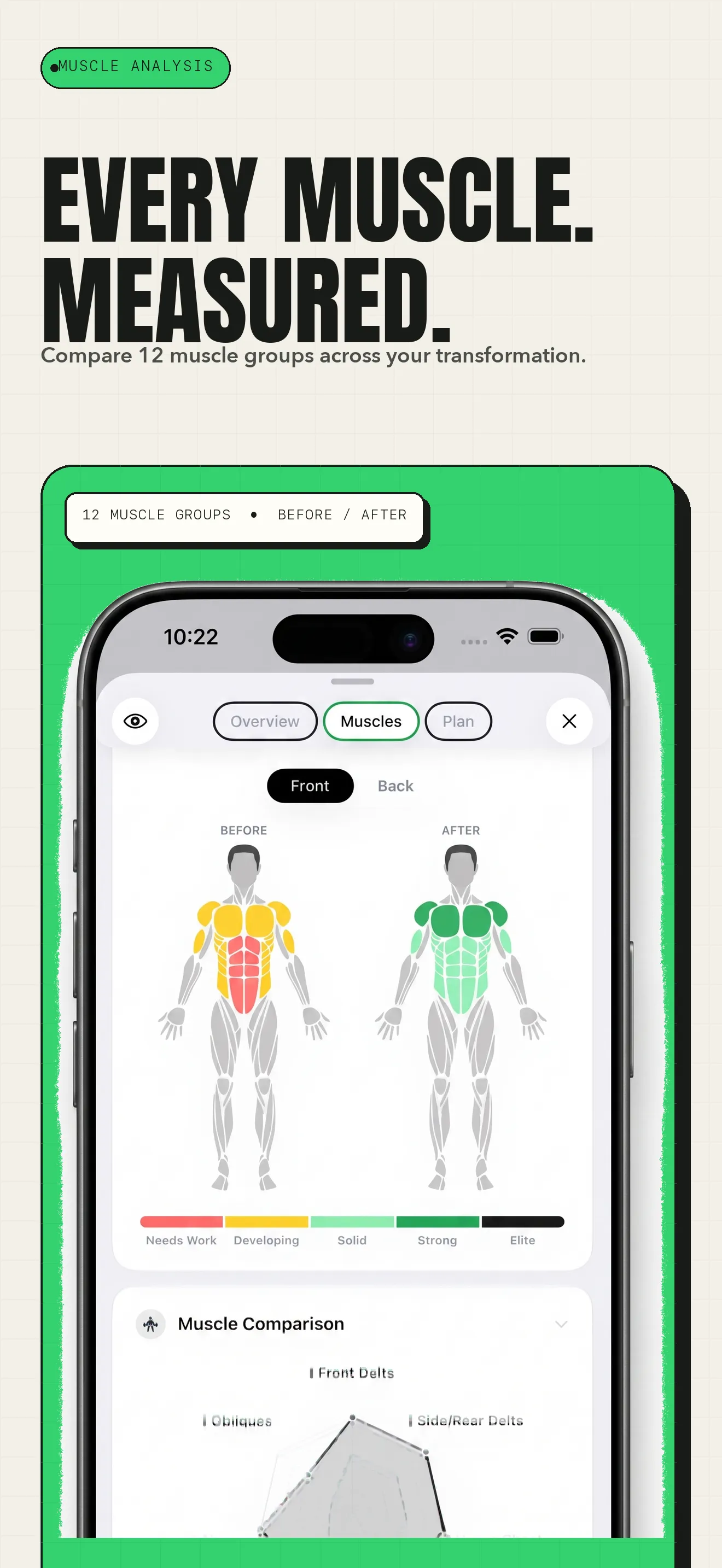
GainFrame compares 12 muscle groups across a transformation, extending well beyond an abs-only score.
The timeline is the bigger difference. GainFrame can scan existing camera-roll photos, surface likely progress pictures, classify them by pose, and rebuild a history that may reach back years. Compare then pairs any two check-ins with estimated body-fat change, weight change, score change, muscle trends, and a Coach read grounded in the photos and connected training data.
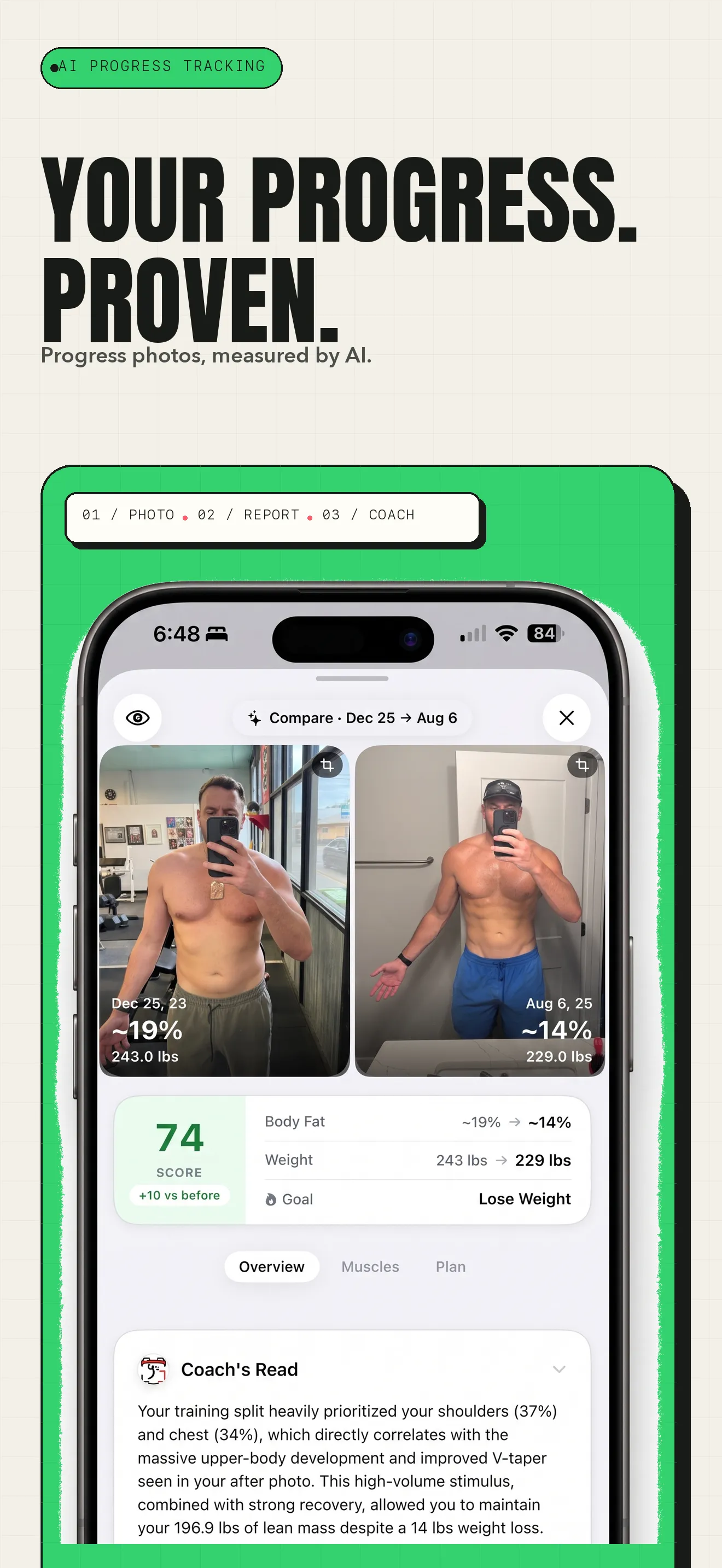
GainFrame treats the photo as one point in a longer transformation, with body-fat, weight, score, and training context together.
GainFrame also connects Apple Health, Hevy, and Strava data to Coach. That makes it a stronger fit when you want to ask why weight jumped, whether recovery is suppressing performance, or which muscle group has actually improved during a cut.
Its limitations matter. GainFrame is available on iPhone and iPad, and it is not an Android option. AI features send the selected photos for secure model processing, although GainFrame does not store them on its servers. The estimates are fitness signals rather than medical measurements.
Does GainFrame have food logging now?
Yes. GainFrame's current Food tab includes calorie and macro targets, barcode scanning, Nutrition Facts label scanning, voice logging, search, manual entry, Apple Health nutrition data, and recent adherence patterns.
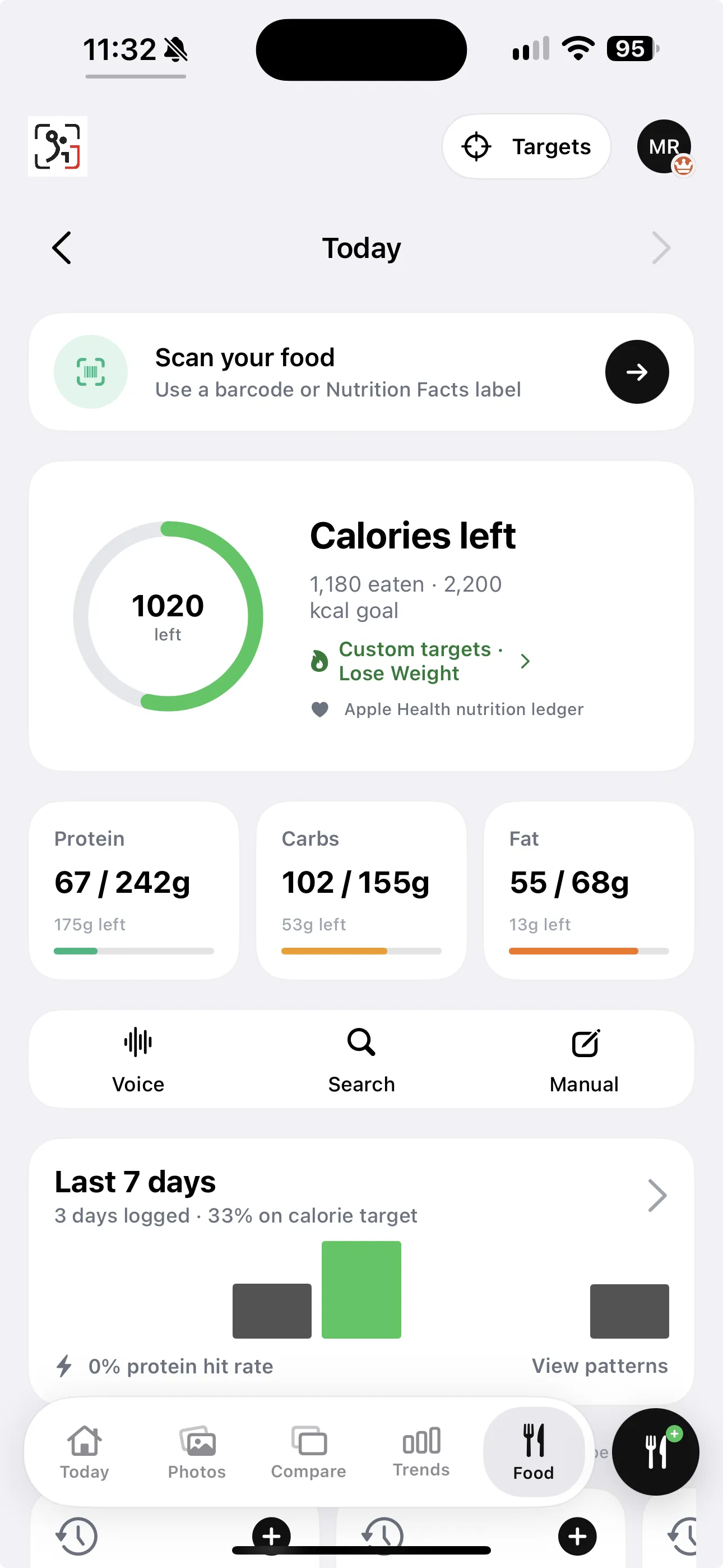
GainFrame's current Food tab supports barcode or Nutrition Facts scanning, voice, search, and manual logging, with calorie and macro targets plus seven-day patterns.
This corrects the biggest outdated claim in AbsMaxx's comparison. GainFrame's food diary is now part of the product, and it sits beside physique, weight, training, and recovery data.
AbsMaxx still has a credible nutrition workflow of its own. Its site advertises barcode scanning or search, calorie and macro targets, locally stored diary entries, and a food lookup service. One App Store reviewer praised the overall product while asking for a more accurate calorie tracker, and version 2.5.7 specifically says it fixed the nutrition tracker.
The deciding question is how you want food data used. AbsMaxx keeps nutrition close to a core programme. GainFrame places it inside a wider progress story, where calories and protein can be viewed alongside check-ins and body-composition trends.
How do AbsMaxx and GainFrame compare side by side?
| Feature | AbsMaxx | GainFrame |
|---|---|---|
| Primary focus | Abs zones and core training | Full-body visual progress |
| Photo analysis | Overall rating plus six ab/core zones | Body fat, FFMI, lean mass, physique score, 12 muscle groups |
| Food logging | Barcode and search | Voice, search, barcode, label scan, manual |
| Calorie and macro targets | ||
| Guided native workouts | Core programmes | Training guidance plus external workout integrations |
| Apple Watch workout companion | ||
| Before and after analysis | Visual charts and comparisons | Photo alignment, deltas, muscle comparison, share cards |
| Import existing photo history | Not advertised as an automated history scan | Camera-roll discovery and pose classification |
| Future physique image | One-time six-pack preview | Goal-based Future You at 3, 6, or 12 months |
| AI Coach context | Abs scan and core plan | Photos, food, weight, recovery, Health, Hevy, and Strava |
| Account required to start | No | No |
| US App Store rating | 4.7 from 644 ratings | 5.0 from 46 ratings |
| Best for | Dedicated abs and core execution | Whole-physique progress over time |
Feature sets, ratings, and offers were checked against the official product pages and US App Store listings on August 13, 2026.
Who should use AbsMaxx?
Choose AbsMaxx if abs are the project. You want a dedicated scorecard, a core programme that responds to zone feedback, built-in set and rep sessions, rest timers, and the option to tick through a workout from Apple Watch.
AbsMaxx also makes sense if you want to try a short core session through an App Clip before installing the full app. Its narrow focus reduces the amount of unrelated data you have to navigate.
The fit becomes weaker when your goal is a full recomp, lean bulk, or long cut where shoulders, chest, back, legs, body fat, weight, recovery, and training volume all matter together.
Who should use GainFrame?
Choose GainFrame if your camera roll already contains the story you want to measure. Smart Import can turn existing gym photos into a pose-organized timeline, and Compare can show whether weight loss came with improved definition, preserved lean mass, or a better physique score.
GainFrame is also the better fit for lifters who already use Hevy or Strava and want visual progress interpreted alongside real workouts. Its nutrition tracker now closes the earlier food-logging gap without changing the product's full-body focus.
People who want a prescribed in-app ab routine and Apple Watch rest timers should still lean toward AbsMaxx. GainFrame's coaching and plan layer is broader, while AbsMaxx owns the focused core session.
What should you check before choosing either app?
- Decide whether your primary goal is visible abs or whole-physique progress.
- Confirm that your iPhone meets the current operating-system requirement. AbsMaxx currently requires iOS 18, while GainFrame requires iOS 17.
- Review the offer Apple shows on your account. Both listings contain multiple in-app purchase products.
- Standardize photo lighting, distance, pose, and time of day before judging any AI trend.
- Read each privacy disclosure and decide whether its data handling matches your comfort level.
- Give one workflow at least four consistent weeks before adding a second subscription.
How do pricing and value compare?
Both apps are free to download, and both use in-app purchases. The current US AbsMaxx listing includes $8.99 weekly, $11.99 monthly, annual offers from $19.99 to $49.99, and guest-scan packs. The variety suggests that the exact offer can depend on the entry point or promotion.
GainFrame's current US listing includes $5.99 and $7.99 monthly products plus $39.99 and $49.99 annual products. The price shown to a specific person can depend on the active App Store offer and eligibility.
Value follows the audience split. AbsMaxx bundles a specialized core programme with food and workout execution. GainFrame bundles full-body analysis, historic photo import, comparisons, connected training and recovery, Coach, Future You, and food logging.
Which app should you use in 2026?
Use AbsMaxx if you want today's core workout to come directly from an abs-focused scan. Its specialist zone model, workout sessions, Watch support, and App Clip give it a clear identity.
Use GainFrame if you want to measure the body you are building across months and years. Its advantage is the connected timeline: existing photos, new check-ins, food, weight, workouts, recovery, muscle groups, and Coach in one place.
First, name your primary outcome. Second, choose the product whose daily loop creates that outcome. Third, take standardized photos and log consistently for four weeks. Then judge the trend and the habit together.
The useful verdict: AbsMaxx is a core-training specialist. GainFrame is a full-body progress system. Food logging belongs in both columns now.
What are the most common questions about AbsMaxx vs GainFrame?
Is AbsMaxx better than GainFrame for abs?
AbsMaxx is the stronger fit when you want six-zone ab feedback to drive a dedicated core programme, guided workouts, and Apple Watch sessions. GainFrame is stronger when you want your abs evaluated inside a broader full-body progress system with body-fat estimates, 12 muscle groups, comparisons, training context, and food logging.
Does GainFrame have food logging?
Yes. GainFrame has a Food tab with calorie and macro targets, barcode and Nutrition Facts scanning, voice logging, search, and manual entry. It also shows recent calorie adherence and protein patterns. Older comparisons that say GainFrame lacks a food diary are out of date.
Which app is better for full-body progress photos?
GainFrame is built around full-body progress photos. It can import existing camera-roll photos, classify poses, compare any two check-ins, estimate body fat and FFMI, score 12 muscle groups, and connect the result with weight, recovery, and training. AbsMaxx is intentionally centered on the abs and core-training workflow.
Are AbsMaxx and GainFrame medical devices?
No. Both products describe their photo analysis as fitness-oriented AI estimates rather than clinical measurements. Lighting, pose, clothing, camera distance, and model behavior can change an individual result. Use either app for standardized trend tracking and motivation, while relying on qualified medical testing for diagnosis or treatment decisions.
Can I use AbsMaxx and GainFrame together?
Yes. A lifter could use AbsMaxx for a specialized core programme and GainFrame for whole-physique check-ins, comparisons, recovery context, and longer-term visual progress. The overlap in scans, nutrition, and subscriptions may feel redundant, so most people will get better value by choosing the app that matches their primary goal.
How much do AbsMaxx and GainFrame cost?
Both are free downloads with in-app purchases. The US App Store currently lists several AbsMaxx offers, including weekly, monthly, annual, and guest-scan products. GainFrame lists $5.99 and $7.99 monthly products plus $39.99 and $49.99 annual products. Apple may show different offers by account or storefront.
What sources support this comparison?
- AbsMaxx official features page for six-zone scans, programmes, food diary, Watch, widget, privacy, and App Clip details.
- AbsMaxx on the US App Store for the current rating, operating-system requirement, version history, privacy disclosure, and in-app purchase list.
- AbsMaxx's comparison of the two apps for the claims this article updates, including its outdated description of GainFrame's food logging and account model.
- GainFrame on the US App Store for current features, rating, compatibility, privacy disclosure, and purchase products.
- How GainFrame's AI body-composition analysis works for the methodology and limitations behind photo estimates.
- DEXA scan vs AI body composition for a practical look at how photo estimates differ from clinical testing.
Track the Whole Physique You Are Building
Import the progress photos you already have, run your first check-in, and connect food, weight, workouts, recovery, and muscle trends in one place.
Download GainFrame Free