
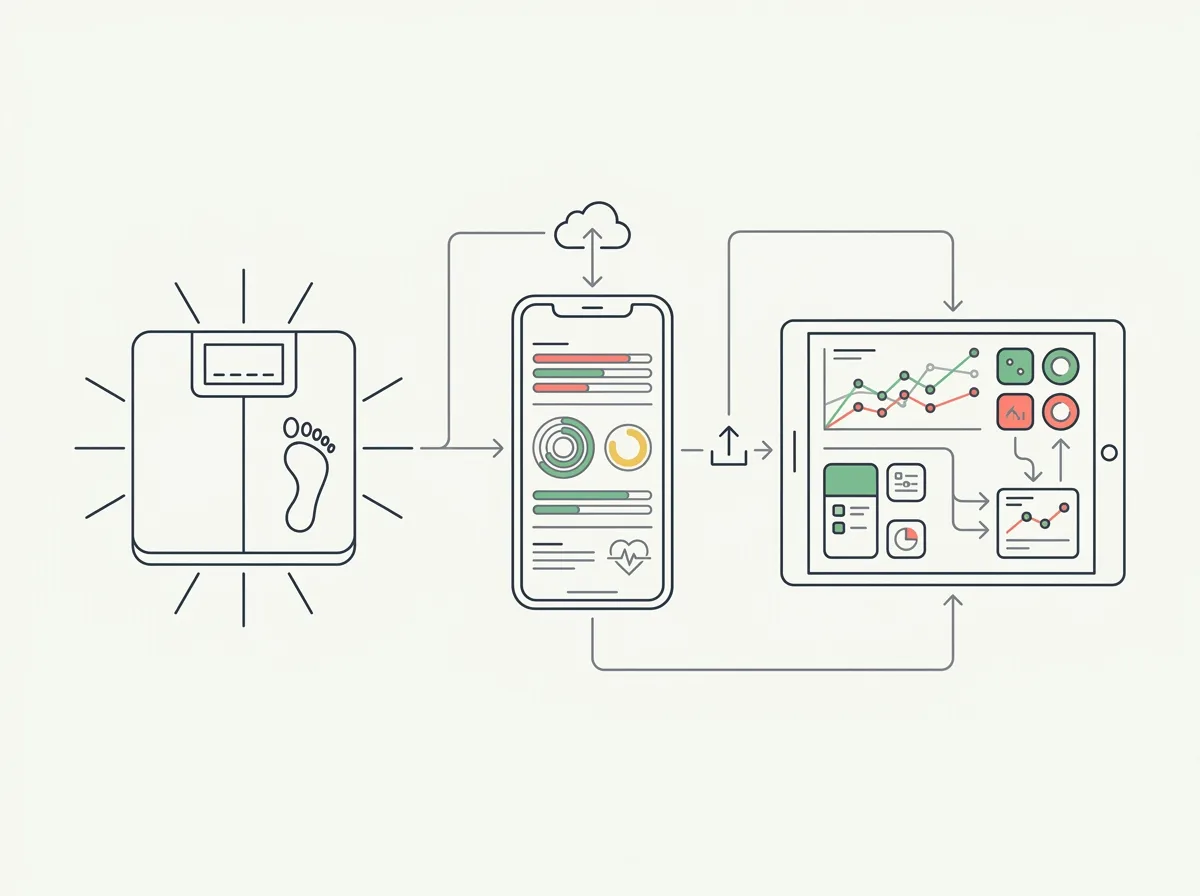
Quick answer: For an iPhone body fat scale, keep the compatible manufacturer app for setup and sync supported measurements to Apple Health. Use Health Auto Export when you need body-fat data files, or Happy Scale for weight trends. Neither is a universal scale-pairing replacement. Verify body-fat sharing separately from weight sharing.
The phrase “works with Apple Health” leaves a crucial question unanswered: which measurement reaches the app you want to use? A scale may send weight successfully while body-fat data remains in its own dashboard.
This guide compares data workflows for a scale you already own. For hardware choices, use our separate Apple Health smart-scale guide.
Research basis: Publisher documentation and US App Store information were checked September 24, 2026. We have not paired every scale with these apps. Michael Rode, founder of GainFrame, wrote this source-based guide.
Which iOS option should you choose?
| Your goal | Starting point | Body-fat support | Main limitation |
|---|---|---|---|
| See supported measurements in one place | Apple Health | Can display body-fat entries supplied by an authorized source | Does not guarantee direct pairing with your scale |
| Export body-fat records for a spreadsheet | Health Auto Export | Publisher explicitly lists Body Fat Percentage | The records must already exist in Apple Health and be readable by the app |
| Smooth day-to-day weight changes | Happy Scale | Its documented Health import is for weight | Do not choose it as your body-fat dashboard |
| Configure the scale or view proprietary metrics | Your scale's compatible manufacturer app | Depends on the model and its app | Some metrics may stay within that ecosystem |
Apple Health is built into the iPhone. The other two are third-party apps with different jobs. This is not a claim that every option reads every scale directly.
How does the data get from the scale to another app?
The usual workflow is scale → compatible manufacturer app → Apple Health → authorized destination app. Each connection needs its own support and permissions. Direct Bluetooth compatibility is a separate question from Apple Health compatibility.
Withings' export instructions direct you to Profile, Settings and “Export health data to Apple Health,” then let you choose available categories. RENPHO's Health-app FAQ likewise describes authorizing its app in Apple Health. Check the instructions for your exact model and app version.
Before buying another app, confirm that a recent body-fat record appears in Health itself. A destination app cannot import a record the source never supplied. Do not assume a proprietary visceral-fat score, metabolic-age estimate or segmental measurement transfers just because weight does.
When is Health Auto Export a useful choice?
Choose it when you want to work with recorded body-fat measurements outside the scale dashboard. The publisher's supported-data list includes body-fat percentage, weight, waist circumference and lean body mass. Its manual-export guide describes CSV and JSON output with date-range and aggregation controls.
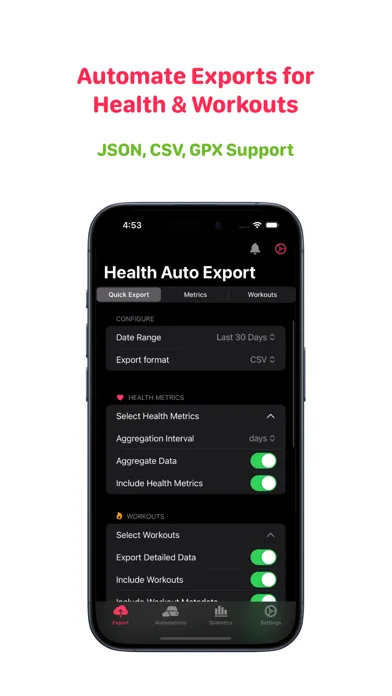
Publisher image from the Health Auto Export US App Store listing, checked September 24, 2026.
Run a small export and compare it with the entries in Health. Check dates, units and whether values have been summarized. A daily average and an individual measurement can differ even when both are correct. Exporting a record does not improve the accuracy of the original scale estimate.
Best fit: spreadsheet tracking and moving your own Health records into a chosen workflow. Check before paying: the export features included in the current purchase offer. Health Auto Export on iOS.
When is Happy Scale the better fit?
Happy Scale is worth considering when your main problem is interpreting weight fluctuations. Its Health-sync documentation describes importing weight entries and using the lowest entry when there are multiple weights for a day. That behavior is important if you expect its daily record to match every weigh-in in your scale app.
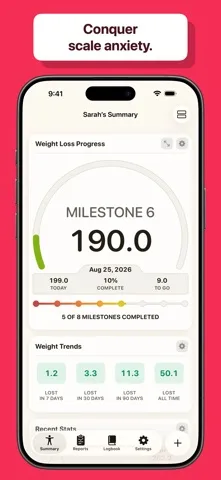
Publisher image from the Happy Scale US App Store listing, checked September 24, 2026.
Best fit: a weight-trend view alongside a separate body-fat record. Main limitation: the documented workflow here is weight import; do not assume it imports every body-composition metric. Check the subscription offer for the features you need. Happy Scale on iOS.
What if Apple Health is enough?
If your goal is simply to inspect readings, start there before adding another subscription. Apple's Health-data management guide explains app permissions and the sources behind each category. Review Weight and Body Fat Percentage separately. Open the relevant category and inspect its data and source information.
Only grant a destination app access to the categories you want it to use. If you later set up cloud exports, review the chosen destination as well. Permissions make sharing possible; they do not confirm that a particular scale or category is supported.
Why might weight sync while body fat does not?
| What you observe | What to check next |
|---|---|
| No new reading in the manufacturer app | Scale pairing, the selected user profile and the model's sync instructions |
| Weight arrives in Health but body fat does not | Whether the source offers body-fat export and has permission to write it |
| Body fat exists in Health but is missing elsewhere | Whether the destination supports that category and has read access |
| Two apps show different daily values | Timestamps, units, chosen sources and averaging rules |
| A proprietary metric is missing | Whether there is an explicitly supported export for that metric |
Record one fresh measurement, then follow it through each stage. This narrows the problem without deleting history or repeatedly changing multiple settings at once.
What should you know before changing your tracking setup?
Keep the manufacturer app until you have confirmed the replacement workflow. Export existing history if the app supports it, and compare a small set of dated records before relying on the new view. If you switch scales, label the change in your log rather than assuming the two body-fat estimates are interchangeable.
For the underlying measurement tradeoffs, see whether smart scales are worth it and our DEXA-alternative comparison. A more convenient chart can make tracking easier; it does not turn the original estimate into a laboratory measurement.
US App Store context, checked September 24, 2026: Health Auto Export was rated 4.3/5 from 399 ratings; Happy Scale was rated 4.9/5 from 57,960 ratings. These ratings describe different products and are not a body-fat accuracy comparison.
What else should you know?
Can a third-party iPhone app connect directly to any body fat scale?
No universal compatibility is established here. Direct pairing requires support for the specific scale, while Apple Health sharing requires a compatible source app and supported data categories. Keep the manufacturer app for setup unless the alternative explicitly documents your model and the functions you need.
Which third-party app can export body-fat data on iOS?
Health Auto Export explicitly lists Body Fat Percentage among its supported Health metrics and documents CSV and JSON exports. The measurements must already be available in Apple Health, and the app needs read permission. Test a short date range and compare its output with the original records before building a routine around it.
Does Happy Scale replace a body-fat scale app?
Use Happy Scale for its documented weight-tracking workflow, not as a promised replacement for scale setup or every body-composition metric. Its support documentation describes weight imports from Apple Health and a lowest-weight-per-day rule. Keep a separate body-fat record if that measurement matters to your tracking.
Why is my body-fat percentage missing from Apple Health?
Start by checking that the source app recorded the measurement, supports exporting that category and has permission to write it. Weight syncing successfully does not prove body-fat syncing is supported. Review the exact scale model and app instructions, then trace a new dated measurement through the connection.
Will a different app make my scale more accurate?
Displaying or exporting the same recorded value does not improve its underlying accuracy. A destination app may change aggregation, rounding or presentation, which can change what you see. Compare original entries and timestamps, and keep the measurement method consistent when using a trend to review progress.