
Quick answer: ChatGPT may offer a rough body fat guess from a photo, but it cannot directly measure fat mass or establish a clinically accurate percentage. Use consistent photos, explain the context, ask it to state uncertainty, and treat any number as a visual impression alongside your own progress records.
You ask for your body fat percentage and get a number with a decimal. An answer such as 18.7% looks specific enough to guide a cut. Yet that precision could come entirely from the wording of the response. No scanner weighed your fat mass.
A useful ChatGPT body fat percentage conversation starts with a narrower goal: describing a photo, spotting inconsistent conditions, and deciding what to record next. Here is a way to ask that gets more useful context without treating a chatbot's guess as a test result.
Can ChatGPT estimate body fat percentage from a photo?
It can interpret an uploaded image and may produce a visual estimate. Whether that estimate is close to your actual body composition is a separate question. OpenAI's image input documentation warns that image descriptions can be incorrect and that unclear images can produce less accurate answers. It does not establish ChatGPT as a validated body fat measurement tool.
A picture shows an external view. It cannot directly weigh fat, distinguish all the tissues underneath the skin, or measure visceral fat. Muscle size, pose, clothing, camera angle and lighting also affect what is visible. A confident sentence cannot resolve those missing inputs.
Use a response to help describe visible definition or compare photo conditions. For a broader introduction to visual estimates, see how to estimate body fat from a photo.
What should you do before uploading a body photo?
Start with your comfort level. You do not need to include your face, other people, identifying documents or the rest of your room. Use ordinary photo editing to crop those details locally before uploading. Wear clothing you are comfortable sharing; nudity is unnecessary for this workflow.
In ChatGPT, review Settings > Data controls. OpenAI says turning off Improve the model for everyone stops new conversations from being used for model training, while saved chats remain in history. Temporary chats have different rules and may be retained for up to 30 days for safety. See the current Data controls documentation for your account and workspace.
Those controls do not make an uploaded image an on-device analysis. If you prefer not to send a body photo to an online service, keep a local photo log and use measurements you record yourself.
Which photos and context make the conversation more useful?
Take a relaxed front photo and, if useful, a relaxed side or back view. Keep the camera upright at the same height and distance. Reuse the room, light source, clothing and time relative to training. The aim is to make comparison easier, rather than to find the angle that gives the lowest estimate.
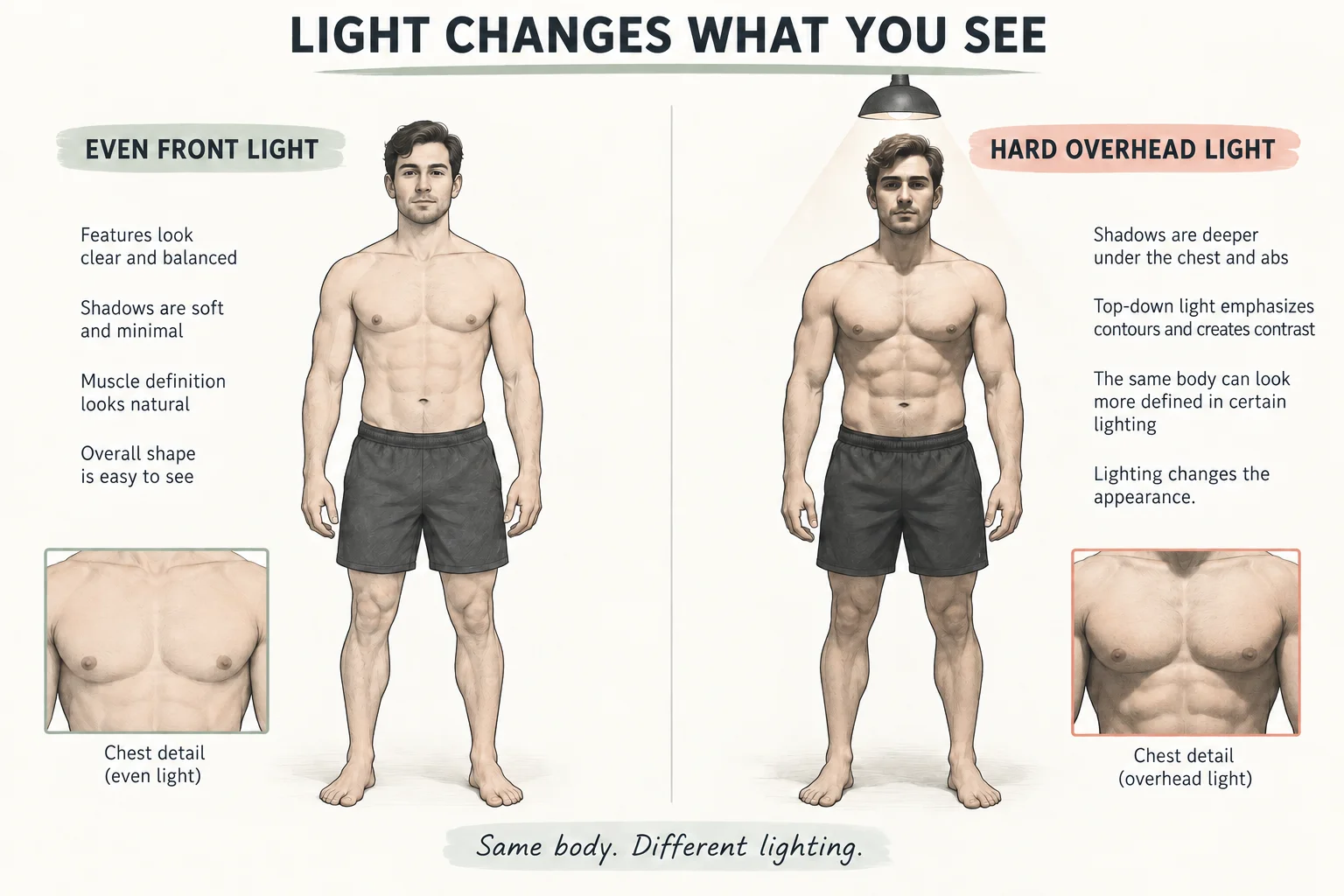
Illustrated comparison: stronger shadows can make the same physique look more defined. This is an illustration of lighting, not a measured body-composition result.
Attach the photos using the upload option available in your chat. Label each photo's date and pose in your message; do not rely on a filename to explain them. Say whether a photo was taken after a workout or under different lighting. If you include height, weight or waist measurements, identify them as measurements you supplied, with their dates and units.
You can also say what you want to learn: whether two photos are comparable, which visible differences might be lighting, or how to create a repeatable check-in. Avoid telling the model the percentage you hope it will report. Our progress photo setup guide covers camera placement in more detail.
What prompt should you use for a cautious visual estimate?
This prompt works as a starting point. Replace the bracketed context with your own notes, and leave out any information you do not want to share.
Photo review prompt
I am an adult using these photos for a personal fitness log. Photo A was taken on [date] in [conditions]. Photo B, if included, was taken on [date] in [conditions]. First describe visible features and any differences in pose, lighting or framing that make comparison unreliable. Separate observations from guesses. If you offer a rough body fat range, explain its uncertainty and avoid decimals or claims of clinical accuracy. If the photos are insufficient, say so. Do not infer visceral fat, health status or pounds of muscle gained. End with one way to make my next photo more comparable.
The prompt asks for caution; it cannot guarantee a correct response. Read the answer critically even when it follows every instruction. A range is still a guess unless its accuracy has been established using appropriate evidence.
For two dates, a useful follow-up is: “Which differences could plausibly come from the photos themselves, and which visible changes should I check again under matching conditions?” That keeps the conversation tied to things you can actually inspect.
How should you interpret the answer?
Separate three kinds of output: visible observations, numerical guesses and suggested actions. They deserve different levels of trust. The examples below are illustrative wording, not results from a ChatGPT accuracy test.
| Example output | How to read it | What to do next |
|---|---|---|
| “The second image has deeper abdominal shadows.” | A visible observation that you can inspect | Check whether the light moved |
| “Your body fat is 18.7%.” | A precise-looking guess with unestablished accuracy | Do not treat the decimal as measurement resolution |
| “You gained three pounds of muscle.” | A tissue-mass claim that these photos cannot establish | Compare your training and measurement records instead |
| “These images are difficult to compare.” | A useful limit when conditions differ | Retake the next set using the same setup |
Do not average repeated answers and assume the result becomes accurate. Repeated guesses can share the same bias. Likewise, agreement between two chatbots or a photo app does not provide an independent reference measurement.
If you need body-composition information for a medical decision, ask a qualified clinician which assessment fits that decision. A photo estimate should not set a clinical target or determine whether you are healthy.
How can you turn one photo review into a useful progress record?
Keep the originals with their dates and conditions, then record what happened in training. A waist measurement and body-weight trend can add context, but none of these alone tells you exactly how much muscle or fat changed. Use muscle gain tracking methods when your main question is whether training is moving you toward your goal.
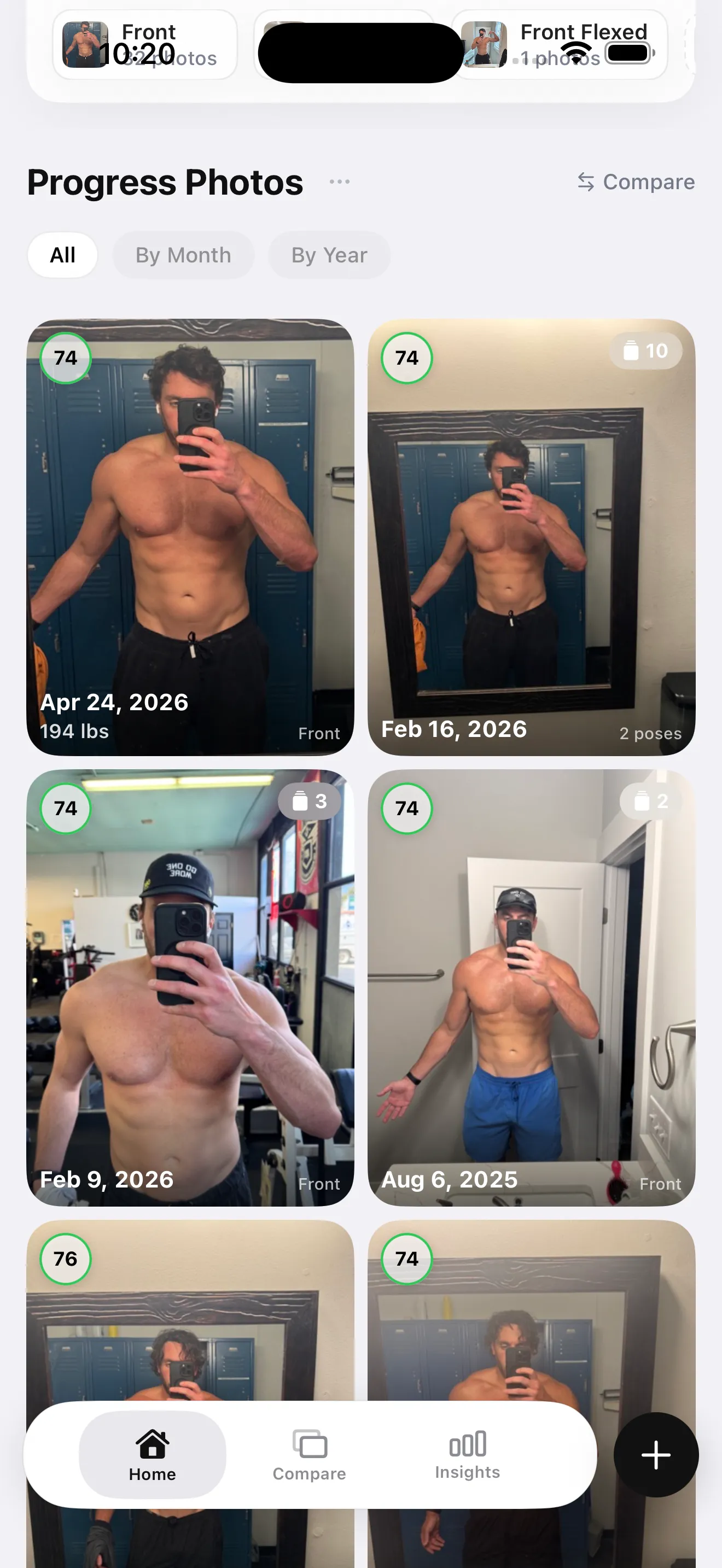
An app photo library can preserve dates and poses. The displayed scores are app outputs, not measured body composition.
GainFrame offers an iPhone photo log, Smart Import and side-by-side comparisons, with optional AI estimates. Its photo library stays on your device; selected photos are sent for AI processing and are not stored on its servers. The benefit here is a repeatable record. We are not claiming its estimates are more accurate than ChatGPT.
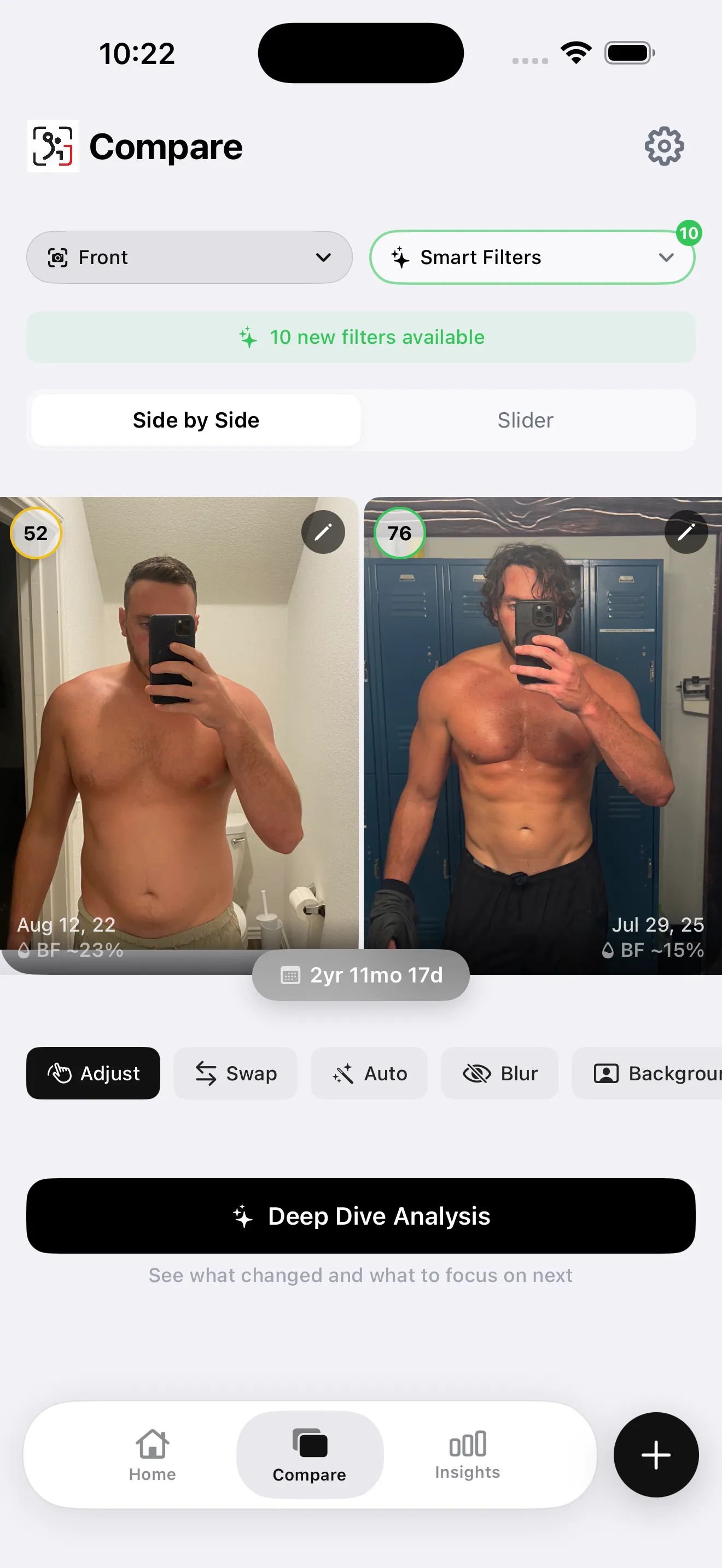
Example comparison interface. The percentage labels are estimates; different lighting and framing limit what this pair can establish.
The comparison above also shows why context matters: the backgrounds, framing and lighting differ. An app can put two images together, but you still need to judge how comparable they are. Labels and scores should remain secondary to the original images and your recorded conditions.
What should your next check-in look like?
Follow this four-step routine before letting a percentage influence your plan. It is an organization checklist, not a validated testing protocol.
- Check privacy first. Review image-sharing controls and remove identifying details you do not want to upload.
- Prepare comparable photos. Use the same camera position, lighting, clothing and relaxed pose; label each date in your message.
- Request a cautious review. Ask for visible observations, confounders and uncertainty. Allow the model to decline a numerical estimate.
- Keep the answer in context. Save the original photos and compare them alongside your waist, weight trend and training record before changing your plan.
If you want those photos organized on your iPhone, download GainFrame. Free download with limited check-ins. Optional Pro subscription; current price and limits are shown in the app.
What else should you know?
Can ChatGPT calculate body fat percentage from a photo?
ChatGPT can discuss visible features and may offer a rough body fat guess, but a photo does not directly measure fat mass. Its answer can be wrong, and a decimal does not establish accuracy. Treat any number as an uncertain visual impression rather than a validated body-composition measurement.
What is a useful ChatGPT body fat percentage prompt?
Ask it to describe visible features first, identify lighting and posing problems, and explain what it cannot determine. If it offers a range, ask why that range is uncertain. Include photo dates and relevant context in text. Explicitly allow it to say the images are insufficient for an estimate.
Should I upload front and side photos?
Comparable front and side photos can provide more visible context than one cropped selfie. Keep clothing, camera height, distance, lighting and pose similar, and avoid uploading anything you are uncomfortable sharing. Additional views still do not turn the response into a measurement of total fat, muscle mass or internal fat.
Are body photos uploaded to ChatGPT private?
Review the controls for your account before uploading. OpenAI says turning off Improve the model for everyone prevents new chats from being used for training, but does not delete saved chats. Temporary chats have separate retention rules. Remove identifying details and check the current documentation rather than assuming immediate deletion.
Is a dedicated body fat photo app more accurate than ChatGPT?
A dedicated app may make organizing photos and repeating check-ins easier. That workflow advantage does not establish better measurement accuracy. You would need an appropriate independent validation study for a particular product and population to make that claim. Compare the practical features and treat photo-derived percentages as estimates in either case.