
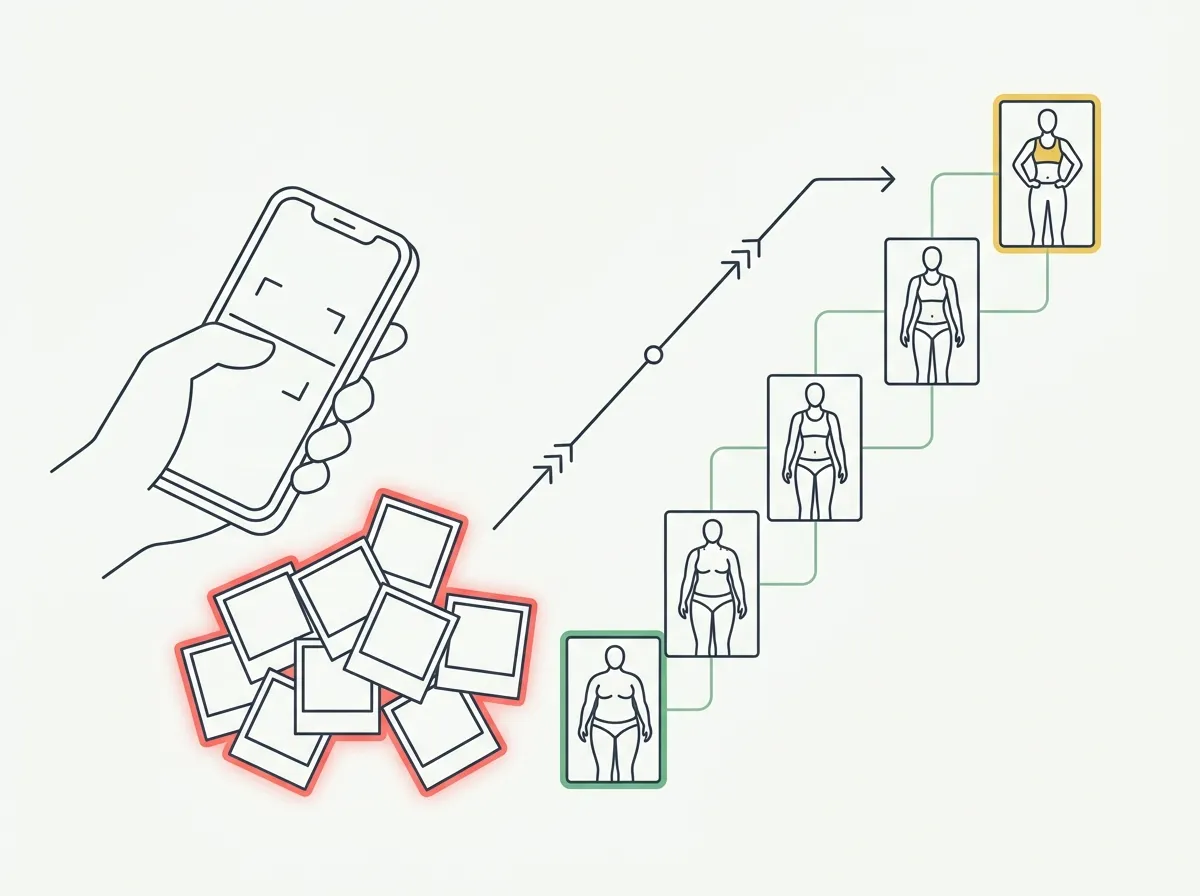
Quick answer: You can build a body transformation timeline from photos you've already taken. GainFrame scans your camera roll, uses on-device AI to find and pose-classify your check-in shots, skips everything else, and arranges them chronologically — so your progress timeline starts from your oldest photo, not from the day you downloaded the app.
You have the photos. They are sitting in your camera roll right now — the flexed bathroom-mirror shot from last winter, the post-shower front pose from a cut two summers ago, the back shot a friend took at the gym. Dozens of them. Maybe hundreds.
And they are useless, because they are scattered across two years of screenshots, food pics, and dog photos. You have never lined them up. So the progress you actually made is invisible, buried in chronological noise.
Every progress-photo app makes the same wrong assumption: that your transformation starts the day you install it. It does not. It started whenever you took that first photo. The question is whether an app can reach back and use what you already have.
Can you build a progress timeline from photos you already have?
Yes — if the app can read your existing library instead of forcing you to start fresh.
This is the part most progress-photo apps get wrong. They give you an in-app camera and a clean slate, which means your timeline begins at zero on day one. If you have been lifting for two years, you throw away two years of evidence.
The alternative is import: point the app at your camera roll, let it find the photos that are actually check-ins, and let it organize them. Done well, you get a backdated timeline on the first day — before you have taken a single new photo.
How does importing old progress photos actually work?
The hard part is not copying photos. It is figuring out which of your thousands of photos are progress photos, and throwing away the rest.
GainFrame's import (called Backstory) scans your whole library on-device, then uses pose and body detection to flag the likely check-in shots — front, back, side, flexed — and skips everything that is not a body photo. Out of tens of thousands of images, only a few hundred are usually real check-ins, and it surfaces exactly those.
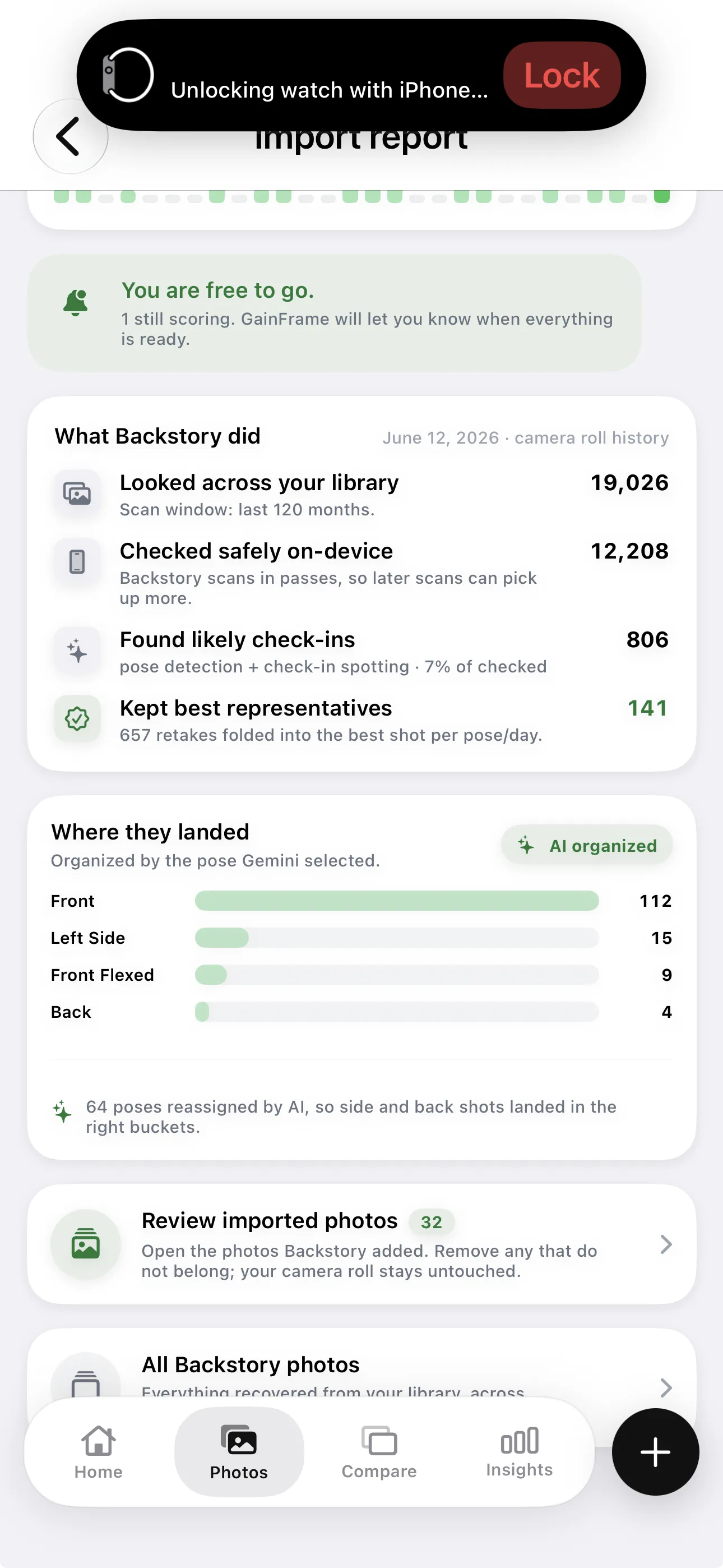
The import report: scanned on-device, check-ins found, retakes folded, organized by pose.
The report is honest about what happened. It tells you how many photos it looked across, how many it checked safely on your device, how many likely check-ins it found, and how many it kept after folding duplicates together. Nothing about your library is a black box.
How does it sort hundreds of photos into a usable timeline?
Two problems have to be solved: duplicates and order.
Most people shoot the same pose several times in one session — a handful of near-identical front shots until one looks right. The import folds those retakes together and keeps the best representative per pose per day, so you end up with one clean frame per check-in instead of a cluttered roll.
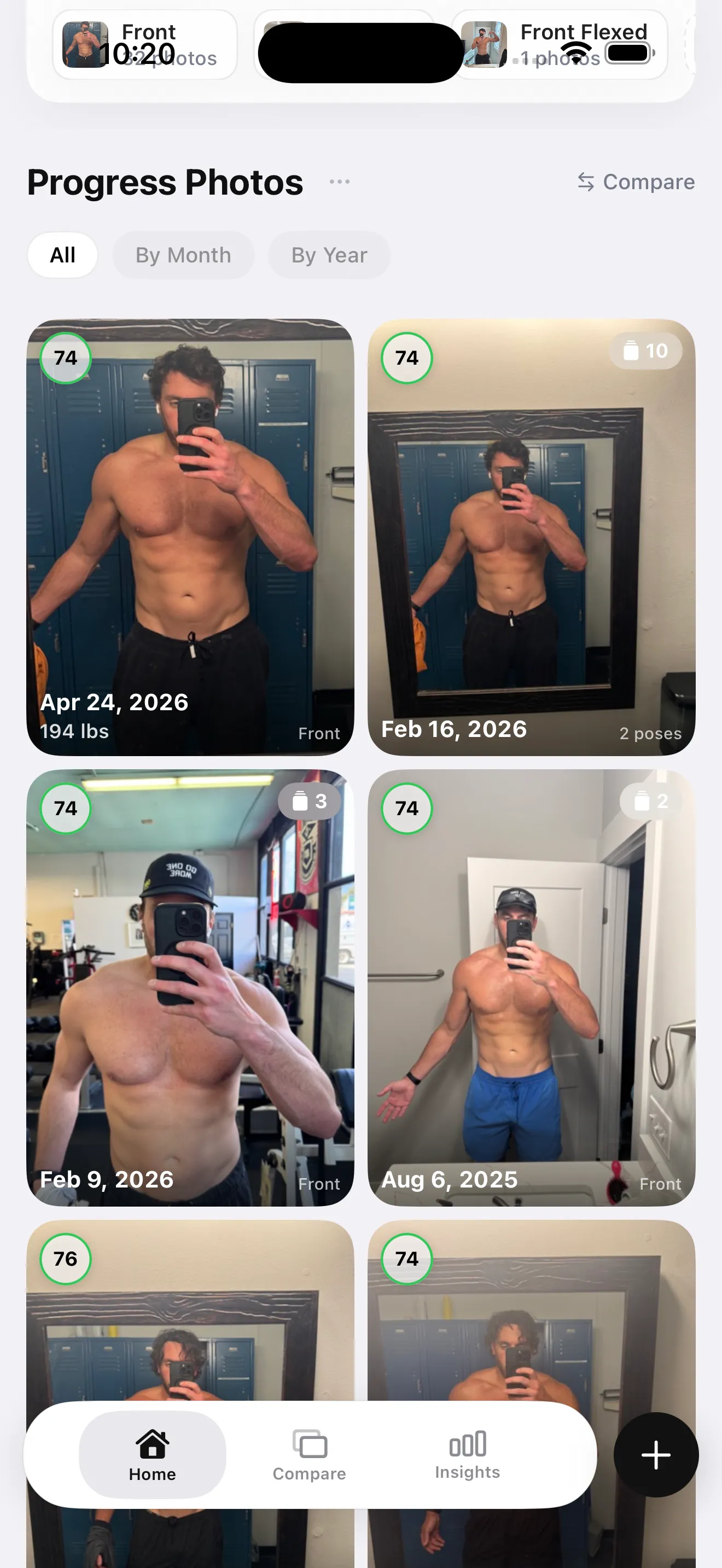
The result: each kept photo tagged by pose and date, browsable by month or year.
Then it sorts everything chronologically and scores each check-in in the background, filling in your timeline month by month as it works. A multi-year history can take a little while to process — but it keeps going after you close the app.
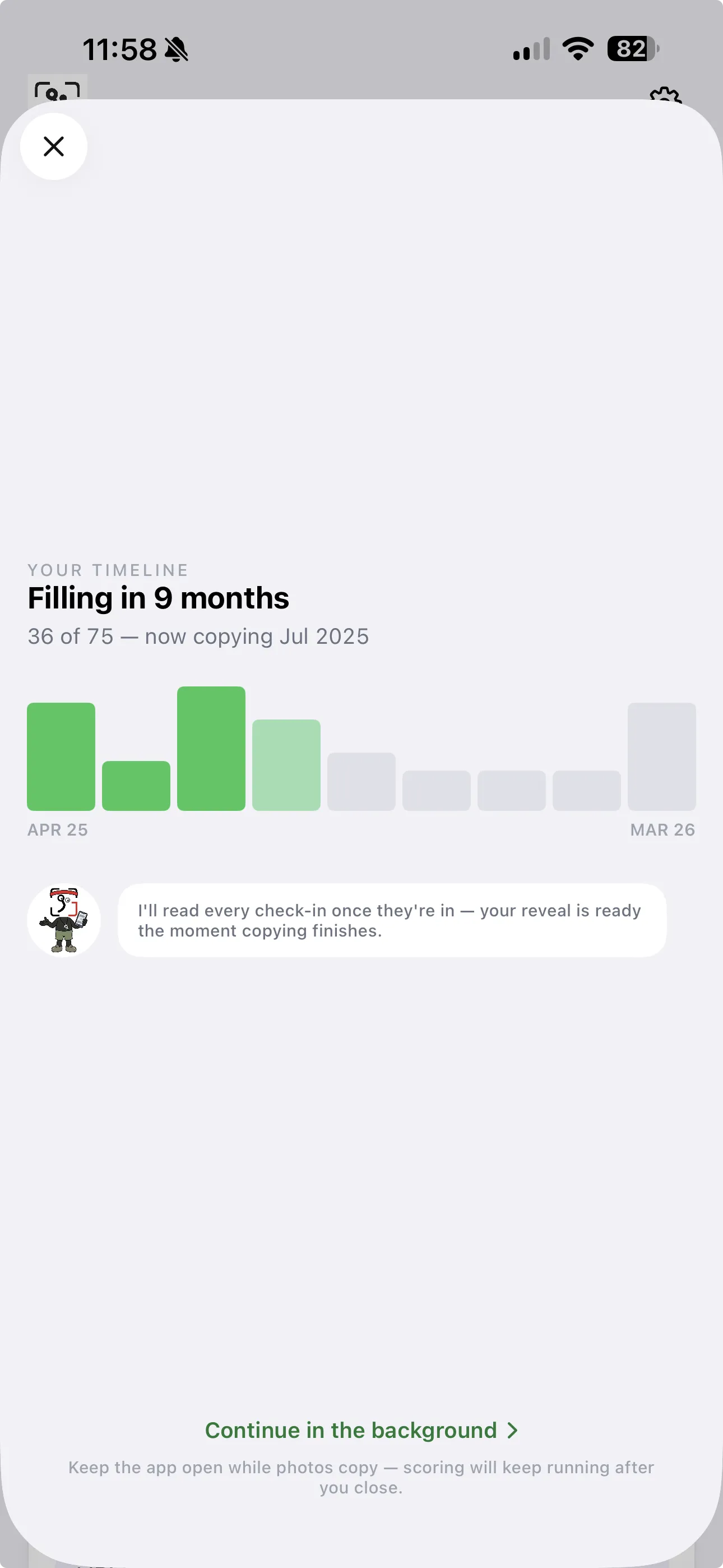
Your timeline fills in month by month as each imported check-in is scored.
What does a backdated timeline show you that starting today can't?
An instant before-and-after, and a real trend instead of a guess.
When your oldest photo is two years old, you do not wait two years to see a transformation — you see it on day one. You can pull your leanest week against your current week, or your first photo against your latest, and read the body-fat and weight delta between them immediately.
It also makes the slow, in-between progress legible. A single old photo tells you almost nothing. Forty of them, in order, with scores attached, show you the actual shape of your last two years — where you gained, where you stalled, when you were at your best. That is context the scale never kept for you, and it is sitting in your camera roll right now.
Is it private to let an app read your camera roll?
It depends on where the work happens. In GainFrame, the scanning and pose classification run on-device, so the bulk of your library never leaves your phone — most of your photos are checked and skipped locally.
Only the photos identified as check-ins are sent to the AI for body-composition scoring, and they are not stored on any server. The honest tradeoff: those specific check-in photos do leave the device briefly during analysis. The rest of your camera roll — the screenshots, the food, the everything-else — is never touched. GainFrame is iOS only.
How do you import your old progress photos?
- Open the import flow and grant read access to your photo library. Nothing is copied or uploaded yet.
- Let the AI scan on-device. It detects which photos are body and check-in shots and pose-classifies them — front, back, side, flexed — skipping everything else.
- Review the import report. See how many photos were scanned, how many check-ins were found, and how they were organized by pose before anything is finalized.
- Let it build your timeline. Duplicate retakes fold into the best shot per pose per day, and everything sorts chronologically. Scoring continues in the background, even after you close the app.
- Compare and keep going. Pull your oldest and newest photos for an instant before-and-after, then add new check-ins from here forward.
One honest caveat: the free tier covers your first 25 photos. Importing a full multi-year history — hundreds of check-ins — is a Pro feature. If you just want to test the flow, 25 photos is enough to see how it organizes them.
The takeaway is simple. You already did the hard work, and you already documented it. The only thing missing was a way to line the evidence up. Stop starting from zero — start from your camera roll.
Frequently Asked Questions
Can I import old photos into a progress photo app?
Most progress-photo apps only track photos you take inside the app from day one. GainFrame is built to import the photos already in your camera roll — it scans your library, finds the body and check-in shots with on-device AI, classifies them by pose, and arranges them into a backdated timeline so your progress starts from your oldest photo.
How does the app know which photos are progress photos?
It uses on-device pose and body detection to identify which photos are likely check-in shots — front, back, side, or flexed poses — and skips everything else in your library. Screenshots, receipts, and group photos are filtered out. Only the photos that look like progress shots are kept and organized.
Is it private to let an app scan my camera roll?
In GainFrame the scanning and pose classification happen on-device, so the bulk of your library never leaves your phone. Only the photos identified as check-ins are sent to the AI for body-composition scoring, and they are not stored on any server. The rest of your camera roll stays untouched on your device.
What if I have hundreds of duplicate retakes of the same pose?
That is normal — most people take several shots of the same pose on the same day. The import folds those retakes together and keeps the best representative per pose per day, so your timeline is one clean frame per check-in instead of a cluttered pile of near-identical photos.
Do I need a tripod or special setup for old photos to work?
No. The point of importing is that your existing gym selfies and mirror shots — taken with no tripod and inconsistent angles — become usable. Auto-alignment handles the framing differences when you compare two photos, so casual phone photos from months ago still produce a meaningful before-and-after.
How far back can my progress timeline go?
As far back as your camera roll. If you have photos from two years ago, your timeline starts two years ago. That is the entire advantage of importing instead of starting fresh — you get an instant, backdated transformation record from work you already did, rather than waiting months to accumulate one.
Your transformation is already in your camera roll
GainFrame imports your existing gym photos, finds the check-ins with on-device AI, classifies them by pose, and builds a backdated timeline with body-fat and score deltas attached. Start from your oldest photo, not from today. Free for your first 25 photos, iOS.
Download GainFrame Free