
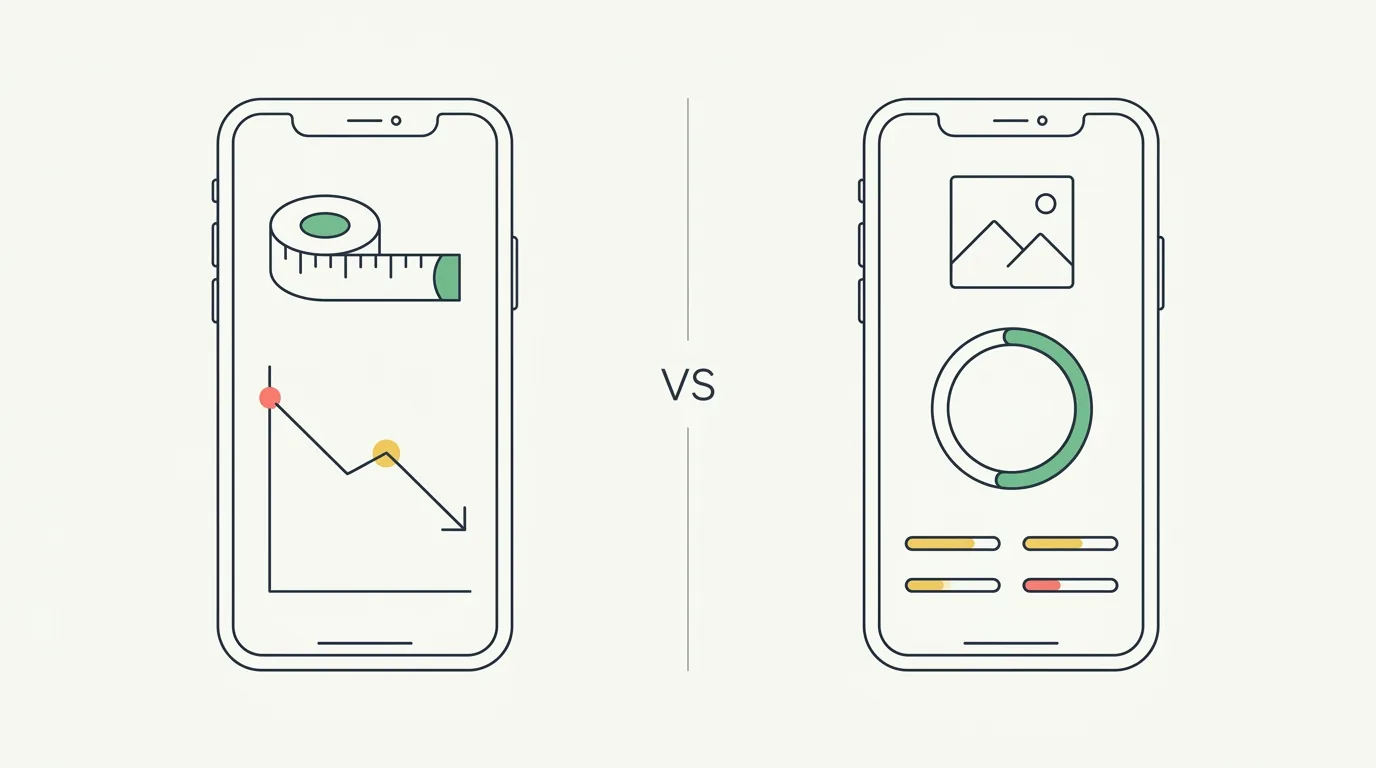
Quick answer: Progress and GainFrame both track body changes with photos, but they aim at different goals. Progress (by Lasmit) is a proven, cheap weight-loss tracker built on manual tape measurements, BMI, and side-by-side photos. GainFrame is AI body composition for lifters — a single photo returns body fat %, FFMI, lean mass, and 12 muscle-group scores. Pick Progress for a weight-loss journey; pick GainFrame for muscle gain and recomp.
Progress App vs GainFrame: Which Should You Use?
Short answer: this isn't a feature-parity fight — it's a goal fit. Progress is one of the most established body-tracking apps on iOS (since 2012, ~15,000 reviews) and it's built around losing weight: log your measurements, watch the trend go down, stay motivated. GainFrame is built around the opposite problem — building and keeping muscle — and it uses AI to read body composition from a photo instead of asking you to enter numbers.
- Progress is for people on a weight-loss journey who want manual measurement tracking (tape + scale), BMI, and photo comparison from a cheap, proven app.
- GainFrame is for lifters doing muscle gain or recomp who want AI body fat, FFMI, lean mass, and per-muscle scoring from a single photo.
Both are legitimate — Progress has a 14-year track record GainFrame can't match. The question is which goal you're actually chasing. Let's break it down.
What Is the Progress App?
Progress (by Lasmit TLB Ltd, full App Store name "Progress Body Tracker") launched in 2012 and has become one of the most-reviewed body-tracking apps on iOS — roughly 15,000 ratings at 4.6 stars. Its tagline says it plainly: "You're more than the scale." The pitch is weight-loss motivation through measurement and photos, not gym-grade body composition.
What does the Progress app offer?
17+ Custom Measurements
Track 17 preset body measurements plus up to 10 custom ones — granular tape-measure tracking.
Weight & BMI Trends
Log weight and see BMI and formula-based body fat trend over time on a dashboard.
Photo Comparison
Store front, side, and back photos and compare them side by side over your journey.
Apple Health & Fitbit
Syncs with both Apple Health and Fitbit — the only one of these two that supports Fitbit.
What the Progress app does not do
Progress is a manual measurement tracker, not an AI analysis tool. The gaps that matter for lifters:
- No AI body composition from a photo — BMI and body fat are calculated from your inputs, not read from an image
- No individual muscle-group scoring
- No FFMI or future-physique projection
- No workout-app integration beyond Apple Health / Fitbit (no Hevy or Strong)
- No camera-roll batch import with automatic pose sorting
None of that is a knock for its audience. For someone losing weight who wants tape measurements and a downward trend line, Progress does exactly what it promises.
What Is GainFrame? AI Body Composition Built for Lifters
GainFrame is an iOS app built by a solo developer (Michael Rode — that's me, 20 years lifting) for serious gym-goers. Instead of typing in measurements, you take one photo and the AI returns a full body-composition readout — including detail Progress doesn't attempt, like per-muscle scoring and a projected future physique.
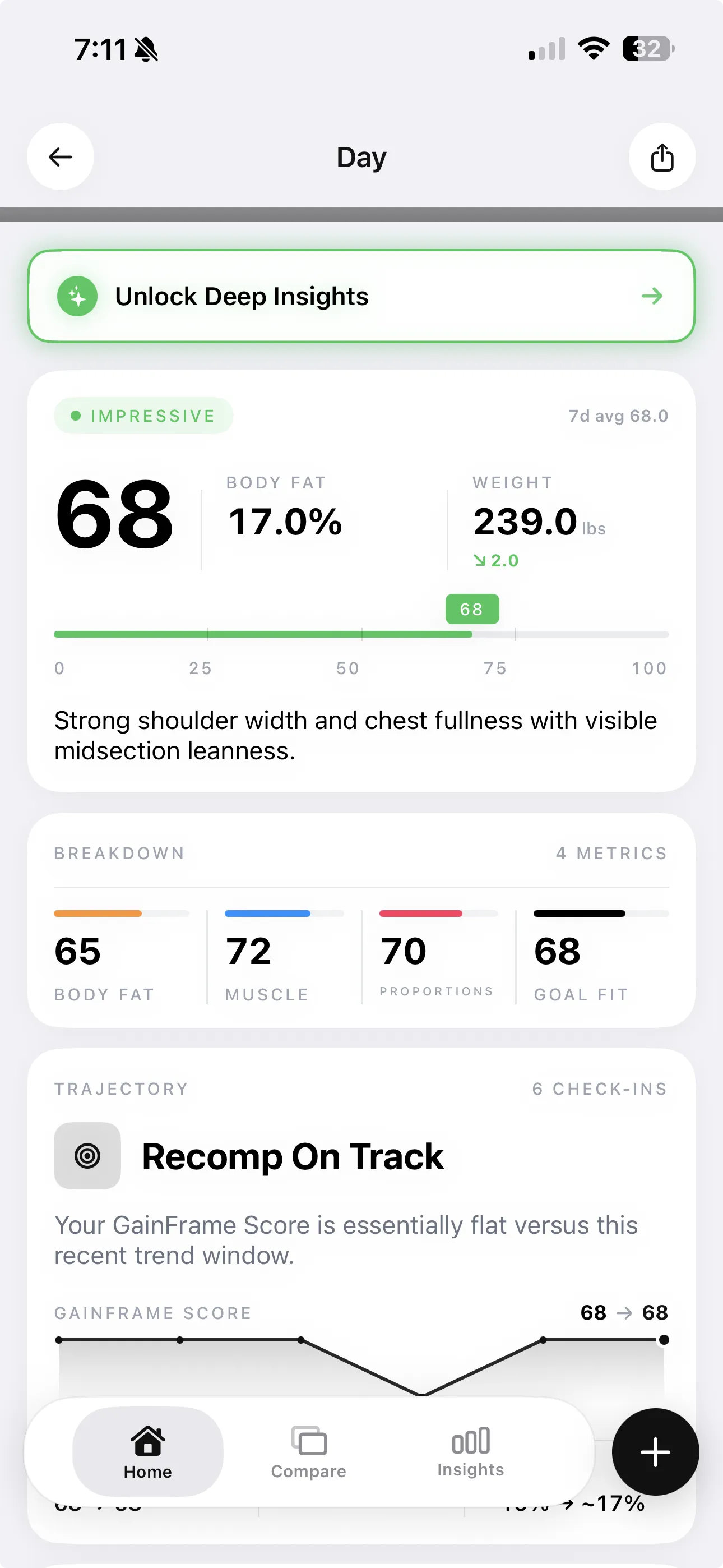
A single GainFrame check-in: physique score, body fat %, FFMI, and 12 muscle group ratings — from one photo, no manual entry.
What does GainFrame do?
| Feature | What it does |
|---|---|
| AI Deep Dive | Each check-in returns a physique score (1–100), body fat %, BMI, FFMI, lean mass, and 12 individual muscle group scores |
| Deep Dive Compare | Pick any two check-ins for a side-by-side breakdown: body fat delta, weight delta, FFMI shift, and per-muscle comparison |
| Future Physique | AI projects an image of your physique at 3, 6, or 12 months out, with predicted stats at each milestone |
| Smart Import | Batch-import years of camera-roll photos; AI classifies each by pose (Front, Back, Side, Flexed) |
| Hevy integration | Workout volume from Hevy auto-attaches to that day's check-in |
| On-device & private | No account required; results stored on-device. Photos are analyzed by AI but never persisted on a server |
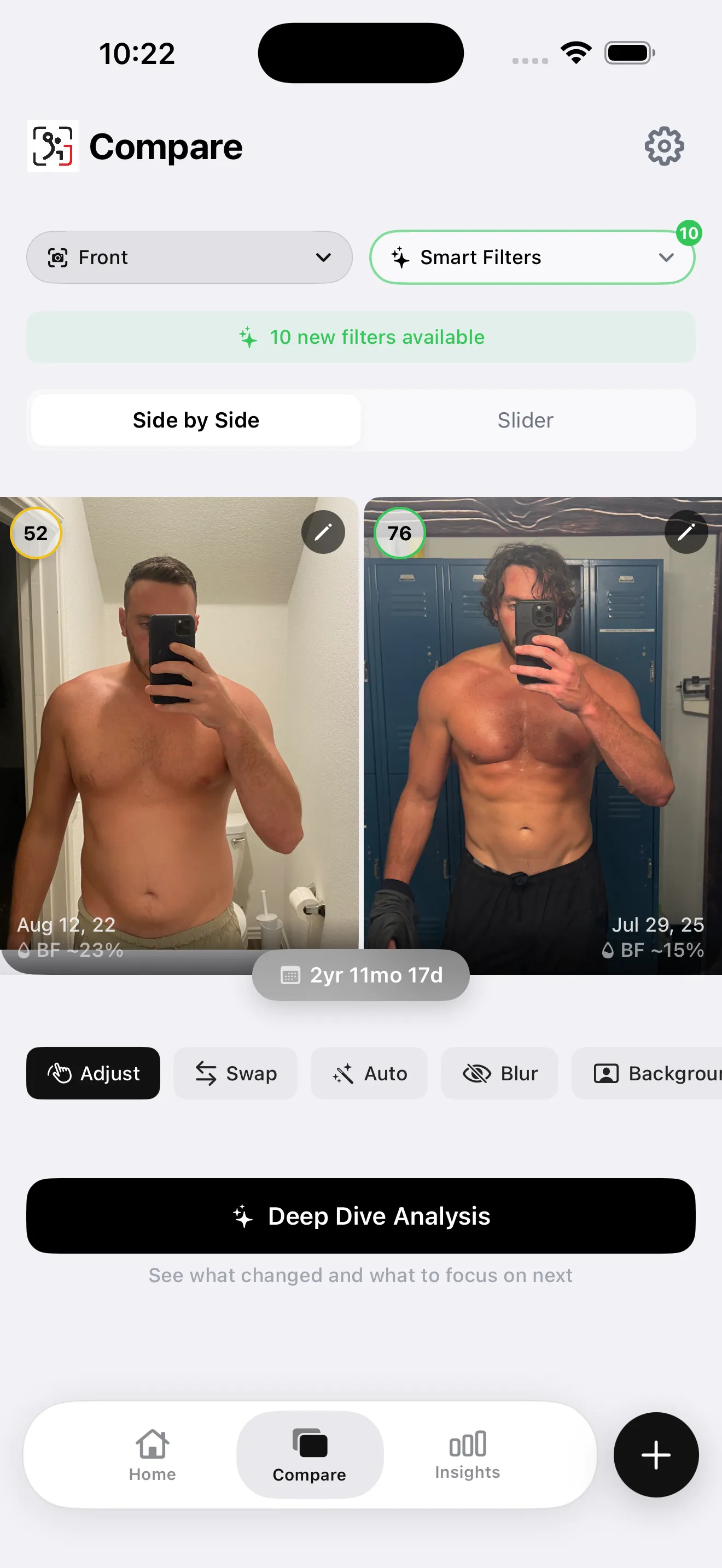
GainFrame's Deep Dive Compare: pick any two check-ins and see exactly what changed.
The Real Difference: Weight Loss vs Muscle Gain
The cleanest way to choose is by your goal, because that's what each app was actually designed around.
- Progress is built for losing weight. The hero copy ("You're more than the scale"), the success stories, the BMI focus — it's all about a number going down. For a cut or a general weight-loss journey, that framing and its tape-measurement detail are genuinely useful.
- GainFrame is built for building. Scale weight is a poor signal when you're gaining muscle or recomping — your weight can sit flat while fat drops and muscle climbs. GainFrame measures composition directly and at the muscle-group level, so you can see the part the scale and BMI hide. Here's why FFMI is the metric that doesn't lie.
If your goal is fat loss and you mostly care about the trend line, Progress fits. If your goal is muscle and you need to see what is changing, GainFrame fits. More on tracking recomposition with photos.
Progress vs GainFrame: Feature Comparison
| Feature | Progress (Lasmit) | GainFrame |
|---|---|---|
| Photo tracking & comparison | Manual side-by-side | AI + auto-align |
| AI body fat from a photo | Formula from inputs | Yes (Gemini) |
| FFMI & lean mass | Every check-in | |
| 12 muscle-group scores | Yes | |
| Future physique projection | 3/6/12 month | |
| Manual tape measurements | 17 + 10 custom | |
| Fitbit integration | Yes | |
| Track record | Since 2012, ~15K reviews | Launched 2026 |
| Best goal | Weight loss | Muscle gain / recomp |
| Platform | iOS | iOS only |
| Pricing | ~$0.99/mo or $5.99/yr | $5.99/mo or $39.99/yr (free tier) |
Who Should Use the Progress App?
Progress earns its 15,000 reviews for a specific user:
People on a weight-loss journey
If the goal is losing fat and watching the scale and measurements trend down, Progress is purpose-built for it — and the milestone rewards are genuinely motivating for that journey.
Manual measurement trackers and Fitbit users
If you like logging tape measurements (17 presets plus custom) or you wear a Fitbit, Progress supports both better than GainFrame does. Fitbit sync alone may decide it.
Anyone who values a proven, cheap, stable app
A 14-year track record and ~$5.99/year is hard to argue with. If you want something that has clearly stood the test of time and costs almost nothing, Progress is a safe pick.
Who Should Use GainFrame?
Lifters building muscle or recomping
When you're gaining muscle, the scale and BMI mislead you. GainFrame measures body fat, FFMI, lean mass, and per-muscle development directly — the signal you actually need when weight isn't the goal.
People who'd rather snap a photo than enter numbers
Progress asks you to log measurements by hand. GainFrame reads composition from a single photo — lower friction, which means you'll actually keep doing it.
Hevy users with a camera roll full of gym photos
GainFrame auto-attaches Hevy workout volume to each check-in, and Smart Import can backfill years of existing photos by pose in one pass. Here's how that looks for recomp.
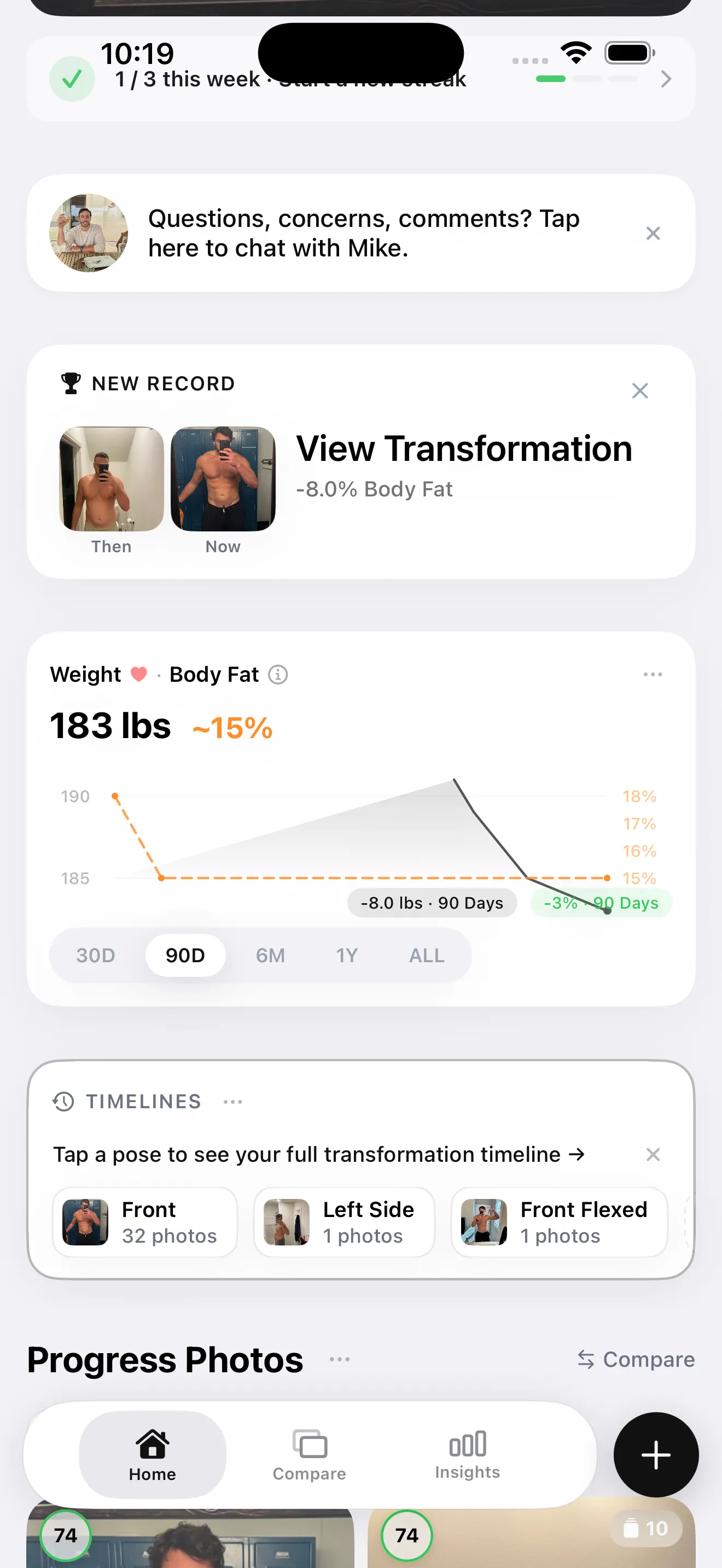
GainFrame's home view: recent check-ins, physique trend, and quick access to AI analysis.
Pricing and Value: Progress vs GainFrame
Always confirm current prices in the App Store before subscribing.
| Progress (Lasmit) | GainFrame | |
|---|---|---|
| Model | Subscription | Subscription + free tier |
| Price | ~$0.99/mo or $5.99/yr | $5.99/mo or $39.99/yr |
| Free option | Limited free use | Free tier (limited AI analyses) |
| Check current price | App Store listing | App Store listing |
On raw price, Progress wins clearly — about $5.99 a year is roughly what GainFrame costs per month. That's an honest advantage, and a fair one given Progress doesn't run AI inference on every check-in. The value question is what you're paying for: cheap manual tracking, or AI body composition with per-muscle detail and future-physique projection. If you only need a trend line, the cheaper app is the rational choice. If you need the analysis, GainFrame's free tier lets you see the depth before paying.
Which Should You Use in 2026?
The honest bottom line
Choose Progress if your goal is weight loss, you like manual tape-measurement tracking, you wear a Fitbit, or you want the cheapest, most proven option. A 14-year track record and ~15,000 reviews is real trust, and it does its job well.
Choose GainFrame if your goal is muscle gain or recomp, you'd rather snap a photo than enter numbers, and you want AI body fat, FFMI, per-muscle scoring, and a future-physique projection. It's iOS only, built for lifters.
Different goals, different tools. Match the app to what you're actually trying to do with your body.
See What GainFrame Shows You
Download free and run your first AI analysis — physique score, body fat %, FFMI, and 12 muscle group scores from a single photo. No account required.
Download GainFrame FreeFrequently Asked Questions
What is the Progress app?
Progress (by Lasmit, full name "Progress Body Tracker") is a long-running iOS app for tracking weight, body measurements, and photos. It launched in 2012, has roughly 15,000 reviews at 4.6 stars, and is built around weight-loss journeys — tape measurements, BMI, formula-based body fat, and side-by-side photo comparison.
Does the Progress app use AI to estimate body fat from photos?
No. Progress calculates BMI and body fat from your height, weight, and measurements using standard formulas, and stores photos for manual comparison. It doesn't use AI vision to read composition from a photo. GainFrame does — a single photo returns body fat, FFMI, lean mass, and per-muscle scores.
How much does the Progress app cost?
Progress uses a subscription at about $0.99/month or $5.99/year in the US — notably cheaper than most body-tracking apps. GainFrame is $5.99/month or $39.99/year with a free tier. Always confirm current pricing in the App Store.
Is Progress or GainFrame better?
They fit different goals. Progress is better for weight-loss journeys, manual tape-measurement tracking, Fitbit users, and anyone who wants a cheap, proven app. GainFrame is better for serious lifters who want AI body composition from a photo, per-muscle scoring, FFMI, and future-physique projection.
Does the Progress app work with Fitbit?
Yes. Progress syncs with both Apple Health and Fitbit, which is a genuine advantage if you wear a Fitbit. GainFrame syncs with Apple Health and Hevy (for workout volume) but doesn't integrate with Fitbit, and is iOS only.
Can I use Progress and GainFrame together?
Yes. You could use Progress for tape measurements and weight history and GainFrame for AI body composition and per-muscle analysis. They overlap on photos and weight, so there's some duplication, but the measurement detail in Progress and the AI analysis in GainFrame complement each other.
Sources
- Progress app homepage (theprogressapp.com) — tagline, features, weight-loss positioning, privacy model
- Progress Body Tracker on the App Store — developer, reviews, pricing
- GainFrame: What is FFMI — the lean-mass metric GainFrame reports each check-in
- GainFrame: How to track body recomposition with photos — why composition beats the scale during recomp