
Quick answer: I use SEO Receipts to monitor my app's verified SEO traffic, see its 28-day clicks, impressions, CTR, and average position, compare its growth with similar websites, and share a clean public link backed by read-only Google Search Console data. It complements Search Console; it does not replace deeper SEO analysis.

A Google Search Console screenshot can show 3,234 clicks and 143,052 impressions, but it does not create verified SEO traffic. Anyone viewing it still has to trust the crop, the selected dates, and the person who posted it.
I kept seeing founders share those screenshots. I was doing it too. The data was useful, but the interface was built for analysis, not public proof.
That gap is why I built SEO Receipts. I wanted a clean page I could use to track the broad SEO trend, compare it with sites in the same category, and share a link whose numbers come directly from Google Search Console.
Why did I build SEO Receipts?
I like build-in-public posts, but screenshots create an awkward trust problem. They are easy to crop. The date range may be hidden. A dramatic percentage can come from a tiny starting number. Even an honest screenshot asks the reader to take the claim on faith.
The simplest way I describe SEO Receipts is TrustMRR for SEO. It adds a verification layer between a founder's claim and the person reading it.
The connected account has to control the Search Console property. Traffic is pulled with read-only access rather than typed into a form. The public page shows the site's verification state and keeps the reporting window consistent.
I also wanted the result to look good enough to share without opening a design tool. A clean public record is more useful to me than another dashboard full of filters.
How do I use verified SEO traffic to track my app?
I still open Google Search Console when I need to investigate a query, indexing issue, or individual page. SEO Receipts has a different job. It gives me the high-level pulse without turning every check into an analysis session.
On July 18, 2026, the public receipt for the app showed:
- 3,234 clicks over the trailing 28 days
- 143,052 impressions over the trailing 28 days
- 2.3% CTR
- 9.4 average position
- 373% growth against the preceding comparison window
Those figures will change. That is the point. The link stays the same while the underlying Search Console data refreshes, normally with the usual reporting lag of roughly two days.
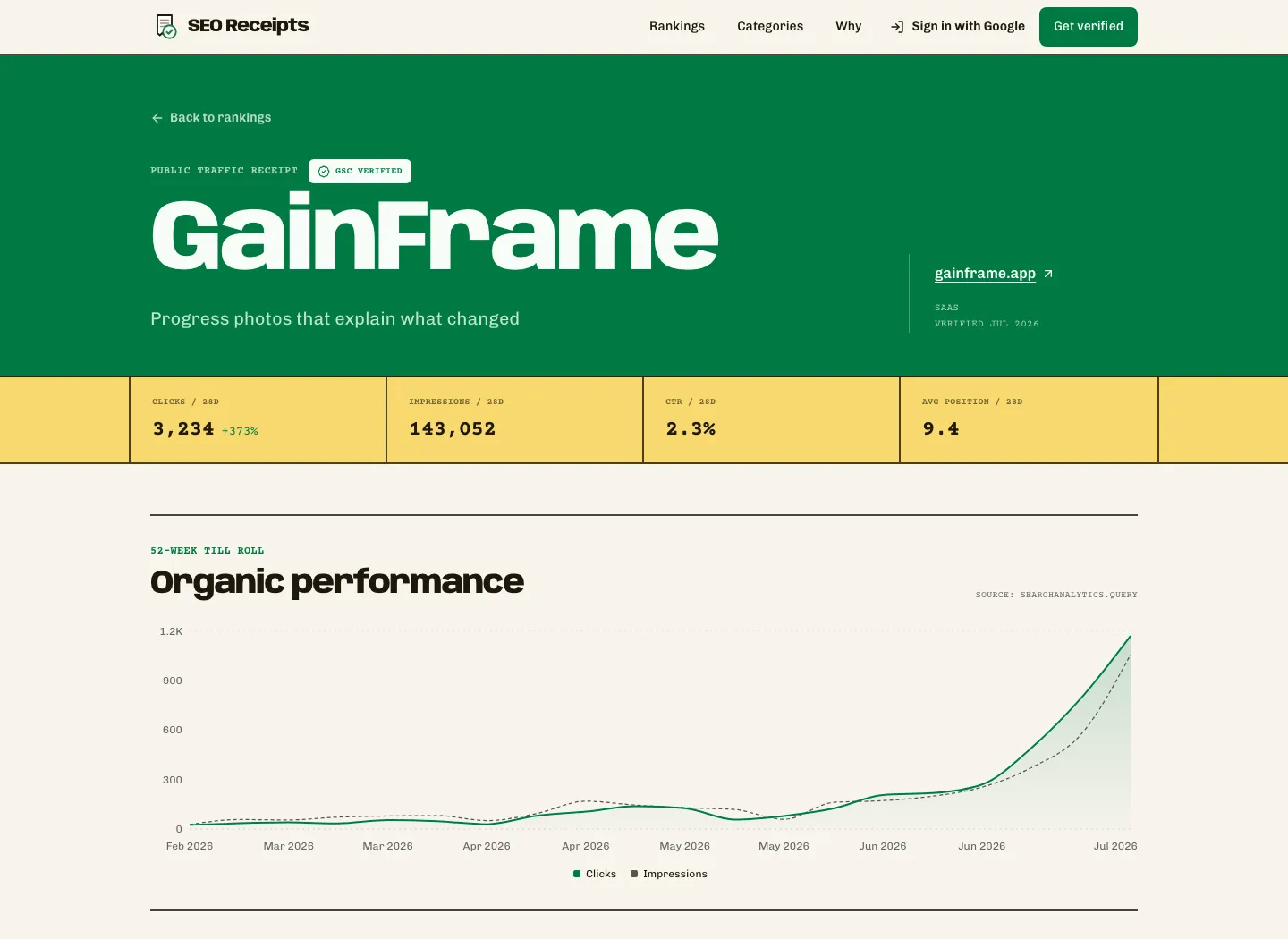
The longer chart matters more to me than a single daily peak. It shows whether the content library is compounding, flattening, or giving back previous gains. I can see the direction in a few seconds and then decide whether anything deserves a deeper look inside Search Console.
How do I compare SEO performance with similar sites?
Absolute traffic is only half the story. I also want to know how a site is moving relative to other products in its lane.
The SEO traffic rankings can be sorted by verified clicks or growth and narrowed by category. That gives me two useful views: who already owns meaningful search demand, and who is gaining ground quickly.
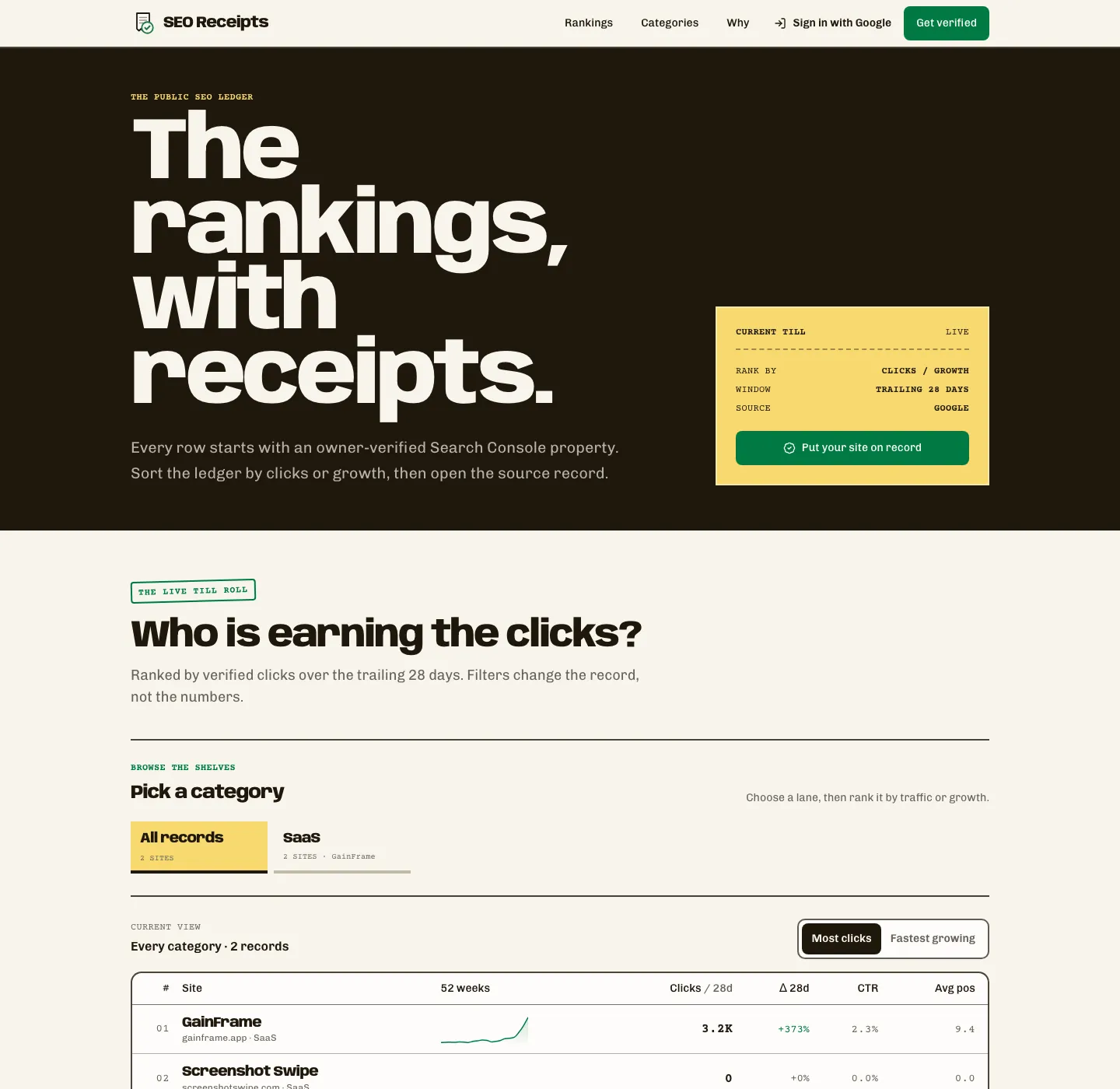
This comparison becomes more valuable as more sites join each category. It is still an early leaderboard, so I treat it as directional context rather than a definitive market map.
Quick checklist for a fair SEO comparison
- Compare the same trailing window, not one site's best month against another site's average month.
- Stay inside a relevant category and account for different business models.
- Look at both total clicks and growth. A large site and a fast-growing site tell different stories.
- Check that the record is currently verified and refreshing.
- Do not confuse search traffic with signups, revenue, or customer quality.
Why do I share a public link instead of a GSC screenshot?
A screenshot freezes the claim at the exact moment it was exported. A public receipt gives the claim a source, a current verification state, and a stable URL.
That makes the link useful in founder updates, launch posts, investor notes, case studies, and conversations with other builders. A reader can open it, inspect the trend, and see whether the property is still connected.
It also removes the recurring design task. I do not need to crop Search Console, hide unrelated properties, add a date label, or rebuild the same card every month. I share the link and move on.
The interface matters here. Verification creates trust, but a clean presentation makes the proof easy to understand and worth passing around.
How does SEO Receipts verify the numbers?
You connect a Google account and select a Search Console property you control. SEO Receipts requests read-only Search Console access plus the basic account details needed for the private owner dashboard.
The Search Console scope cannot edit a site, submit a sitemap, change settings, or touch Gmail. Clicks, impressions, CTR, and average position are fetched from Google rather than entered by the site owner.
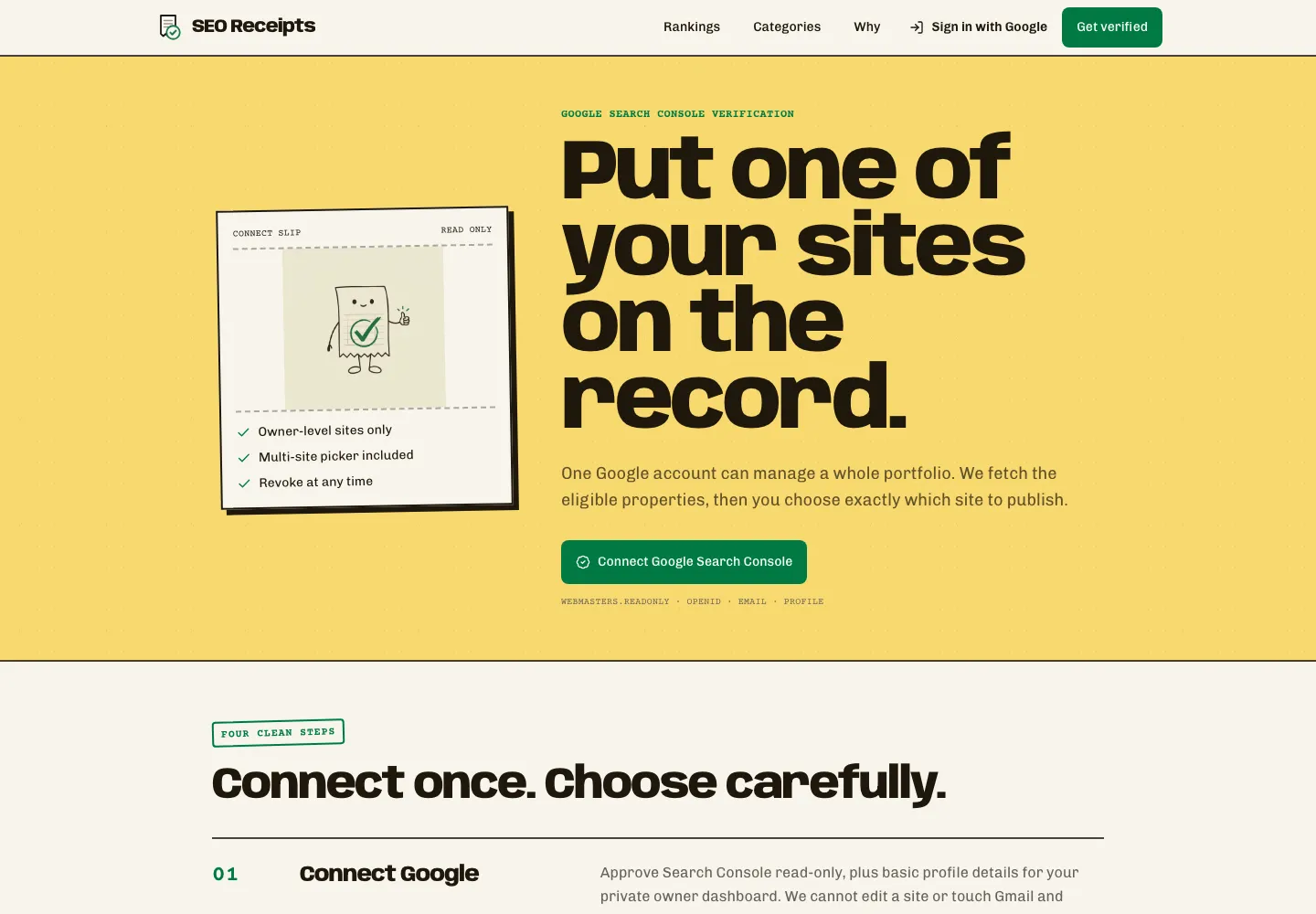
If access disappears, the record should not keep presenting old data as current. SEO Receipts freezes the page and makes the loss of freshness visible. That is a small detail, but it is what separates a live verification signal from an old snapshot.
What can SEO Receipts not tell me?
SEO Receipts is not a complete SEO suite. It does not replace query research, crawl diagnostics, backlink analysis, conversion tracking, or revenue attribution.
It also cannot make every leaderboard comparison perfectly fair. Two sites can sit in the same broad category while targeting different countries, customers, or search intents. A young product growing from a small base may post a huge percentage that an established site could never match.
Search Console clicks are not customers. A page can attract thousands of visitors who never download, subscribe, or buy. I use the public receipt to understand visibility and momentum, then use product analytics and revenue data to judge the business result.
The missing tracking shows up in the $1,920 MRR update. Tool clicks grew 827% while MRR accelerated, but PostHog was missing the website events that connect a tool result to a subscription.
Those limits are why I think of it as a proof and benchmarking layer. It answers, "Is this organic traffic real, and how is it moving?" It does not answer every question that comes after.
What is my simple weekly SEO Receipts workflow?
Connect the property you control
Use read-only Google Search Console access and select the property you actually want to publish. I keep private experiments out and put the flagship site on the record.
Check the same 28-day metrics
Review clicks, impressions, CTR, average position, and the longer trend on the same day each week. A consistent window makes movement easier to interpret.
Compare the right peer group
Switch to the relevant category, compare both total clicks and growth, and avoid treating a different business model as a direct benchmark.
Share the public receipt
Copy the verified public page when you discuss SEO progress. Link to the live record so readers can see the source, freshness, and current numbers.
Want to test it? One verified site is free forever. You can put your site on the record, then send me feedback on the connection flow, leaderboard categories, and which share format you would actually use.
What should you know before using SEO Receipts?
Is SEO Receipts a replacement for Google Search Console?
No. I still use Google Search Console for query-level diagnosis, indexing issues, page filters, and detailed exports. SEO Receipts gives me a cleaner public layer: a verified summary, a long-term trend, a category leaderboard, and a shareable link. It is the public receipt, not the full SEO workbench.
How does SEO Receipts verify SEO traffic?
You connect a Google account with read-only Search Console access and choose a property you control. Clicks, impressions, CTR, and average position are pulled from the source instead of typed manually. The public record also shows its verification state, and the listing stops updating if that access is revoked.
Which SEO metrics can I share publicly?
The public receipt currently shows trailing 28-day clicks, impressions, CTR, average position, growth, and a longer performance chart. SEO Receipts does not expose private query details on that page. The numbers refresh from Search Console, whose reporting normally trails current activity by roughly two days.
Is SEO Receipts free?
One verified site, a public profile, leaderboard placement, and the standard badge are free forever. Pro currently costs $9 per month or $79 per year for founders who want up to ten sites, richer share cards, product calls to action, and full-history CSV exports. Verification itself does not require Pro.
Is SEO Receipts like TrustMRR for SEO?
That is the shortest way I describe it. TrustMRR makes recurring-revenue claims easier to trust by adding a verification layer. SEO Receipts applies the same basic idea to organic search: connect the source, publish the record, compare it with peers, and share a clean link instead of a self-reported screenshot.
Can I revoke Google Search Console access?
Yes. The connection can be revoked, but the public record will no longer continue updating as if it were live. SEO Receipts is designed to make that loss of freshness visible. That distinction matters because an old verified snapshot and a currently connected property are not the same trust signal.
A screenshot says, "trust my numbers." A public receipt says, "check the source." That is the whole product idea.
See what all that organic traffic is building
GainFrame turns progress photos into body composition trends, side-by-side comparisons, and useful feedback for serious gym-goers. Free to start on iOS, with no account required.
Download GainFrame Free