Compare
See the work paying off.
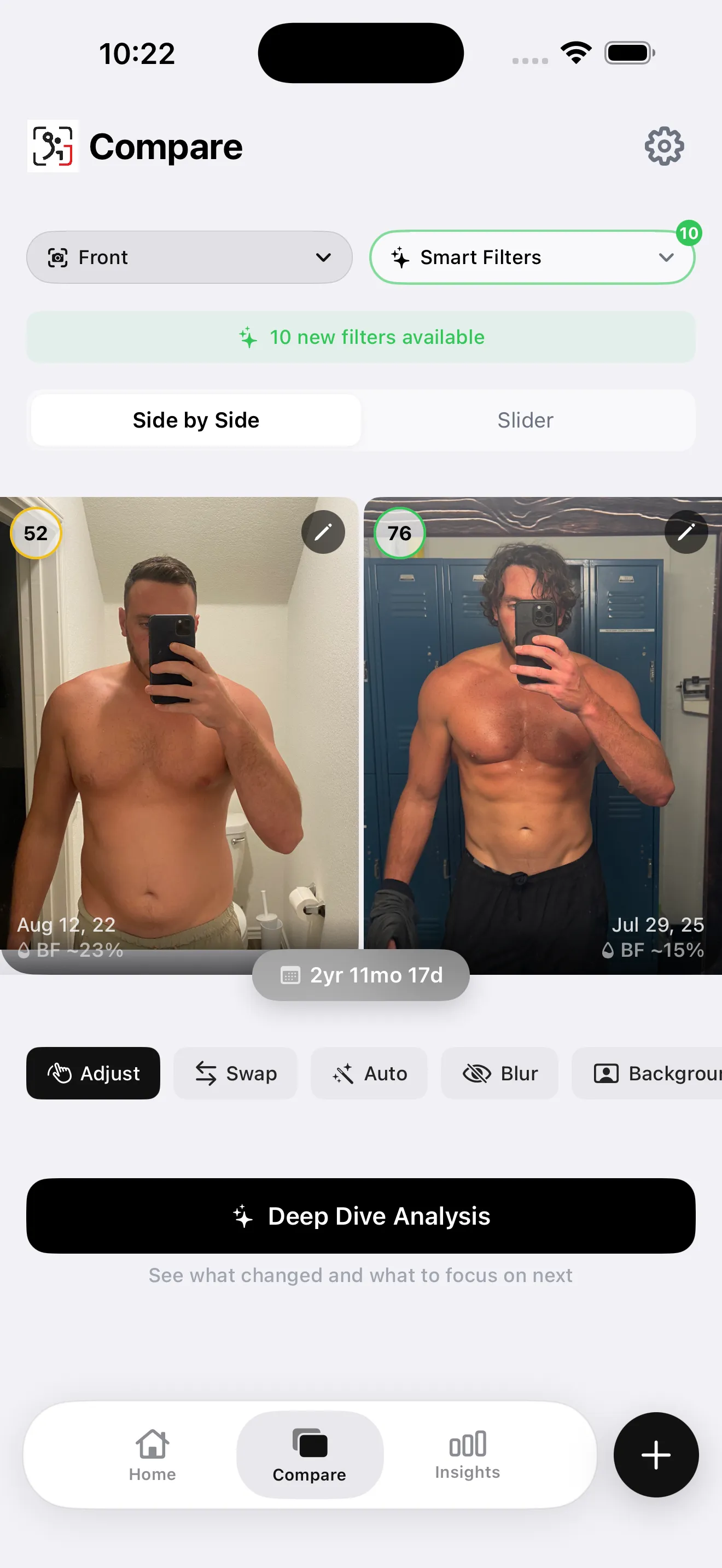
Line up two check-ins side by side or use the swipe slider. Match your pose, adjust alignment, and filter your history to find a useful comparison.
The GainFrame toolkit
Track your progress photos, understand what’s changing, and get help with what comes next. Your training, nutrition, and goals belong in the same picture.
Built for iPhone. Built around your check-ins.
At the heart of GainFrame
Compare
Line up two check-ins side by side or use the swipe slider. Match your pose, adjust alignment, and filter your history to find a useful comparison.
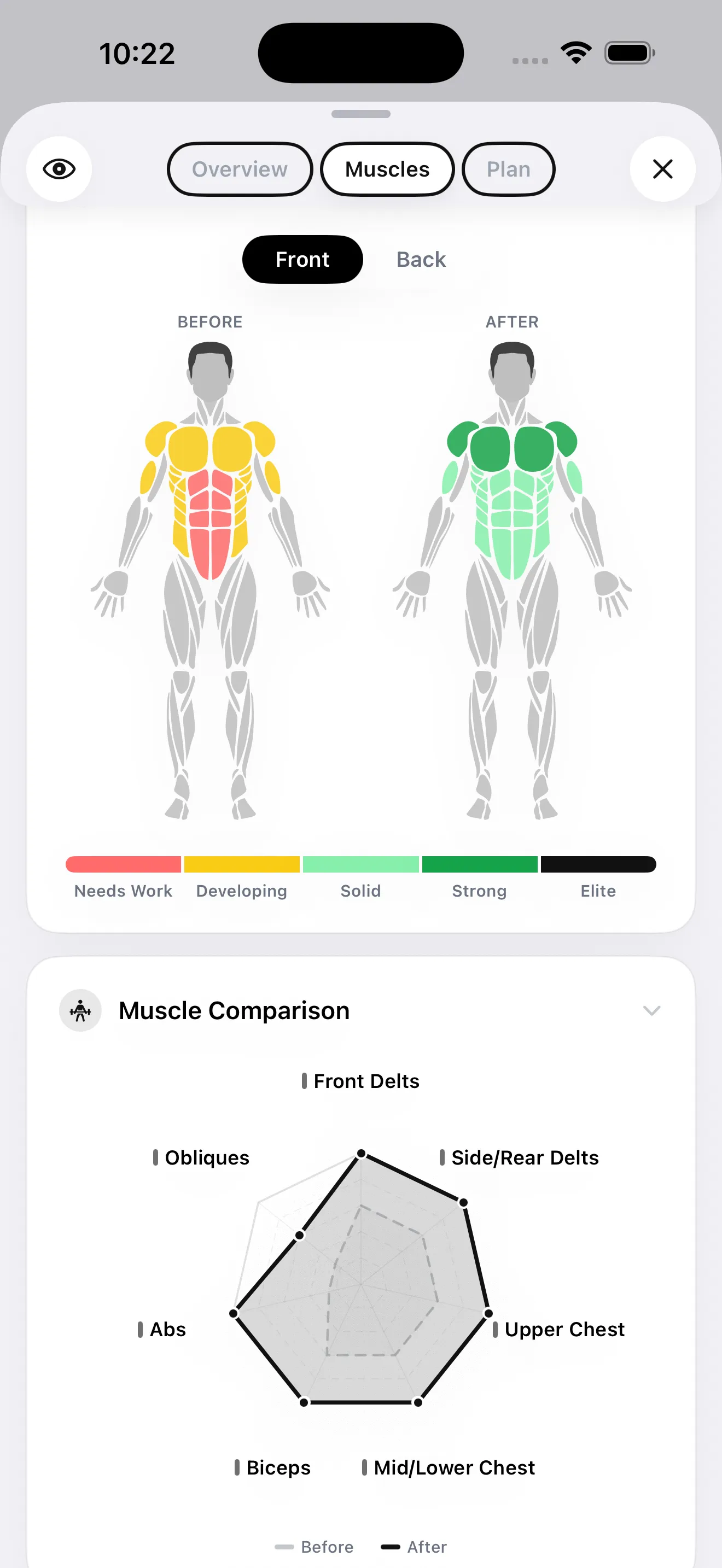
Deep Dive
Explore estimated body fat, lean mass, FFMI, and 12 muscle groups. See strengths, areas to focus on, and how your physique is changing over time.
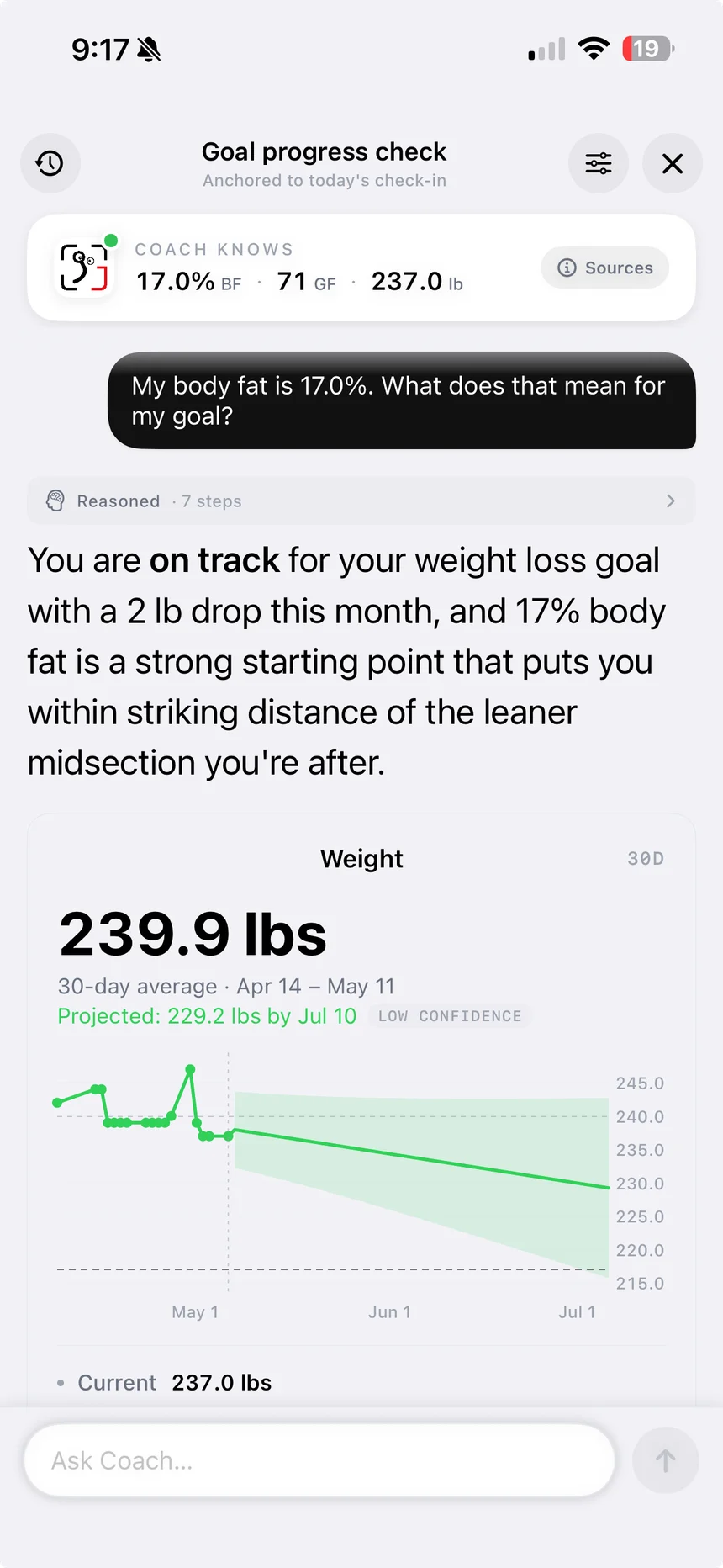
AI Coach
Ask about your progress, training, or next step. Coach draws on your check-ins, body metrics, and connected activity when those sources are available.
Screens from the app. AI body-composition numbers are estimates; use consistent check-ins to follow a trend.
Bring your older gym photos into one timeline, then make every new check-in easier to compare. Find the right pair without hunting through months of photos.
Use a reference-photo overlay to repeat your framing and pose, so the next check-in is easier to compare.
Bring in older gym photos in one batch. AI helps classify poses, and you review the selection before saving. Link an album for future imports.
Keep photos together by date and pose, browse monthly albums, and add weight, workout details, tags, and notes to each check-in.
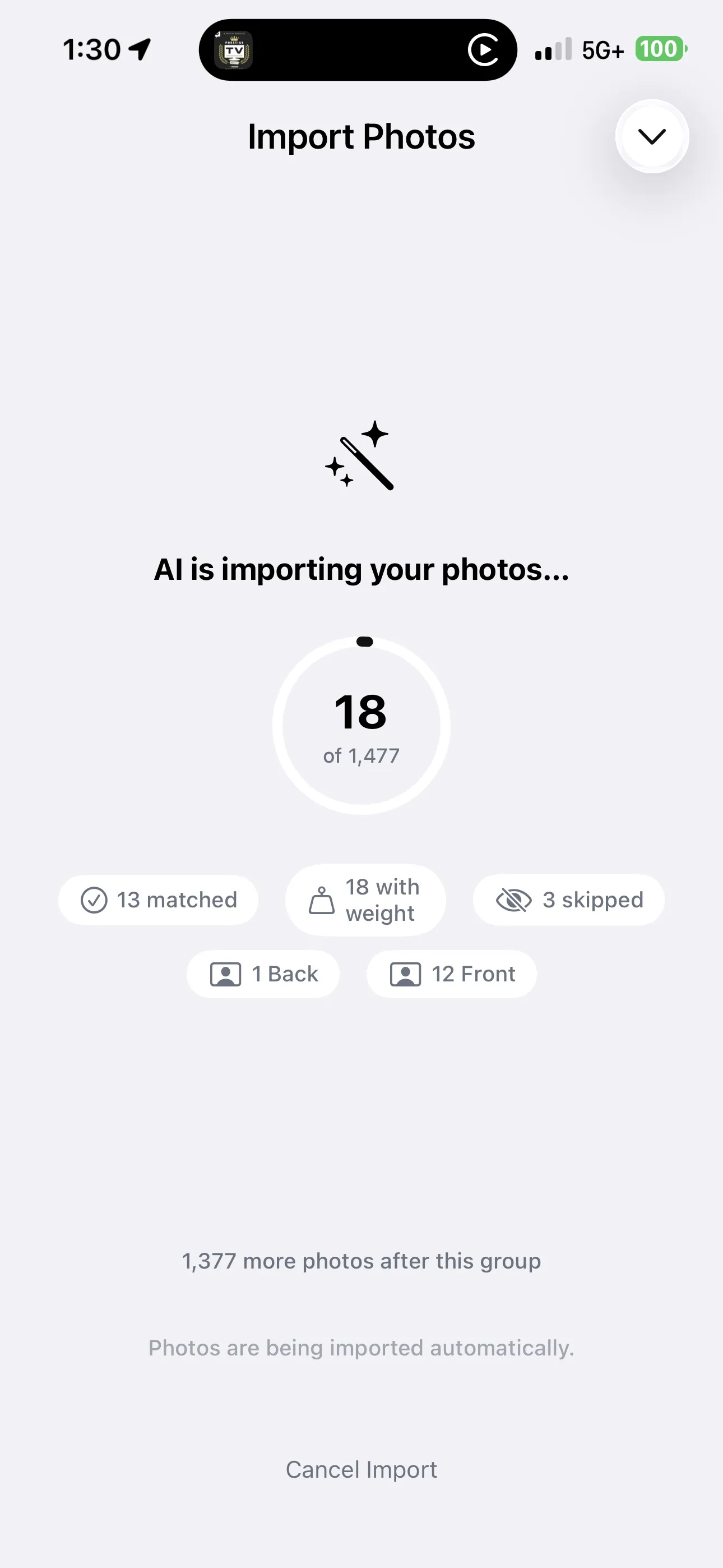
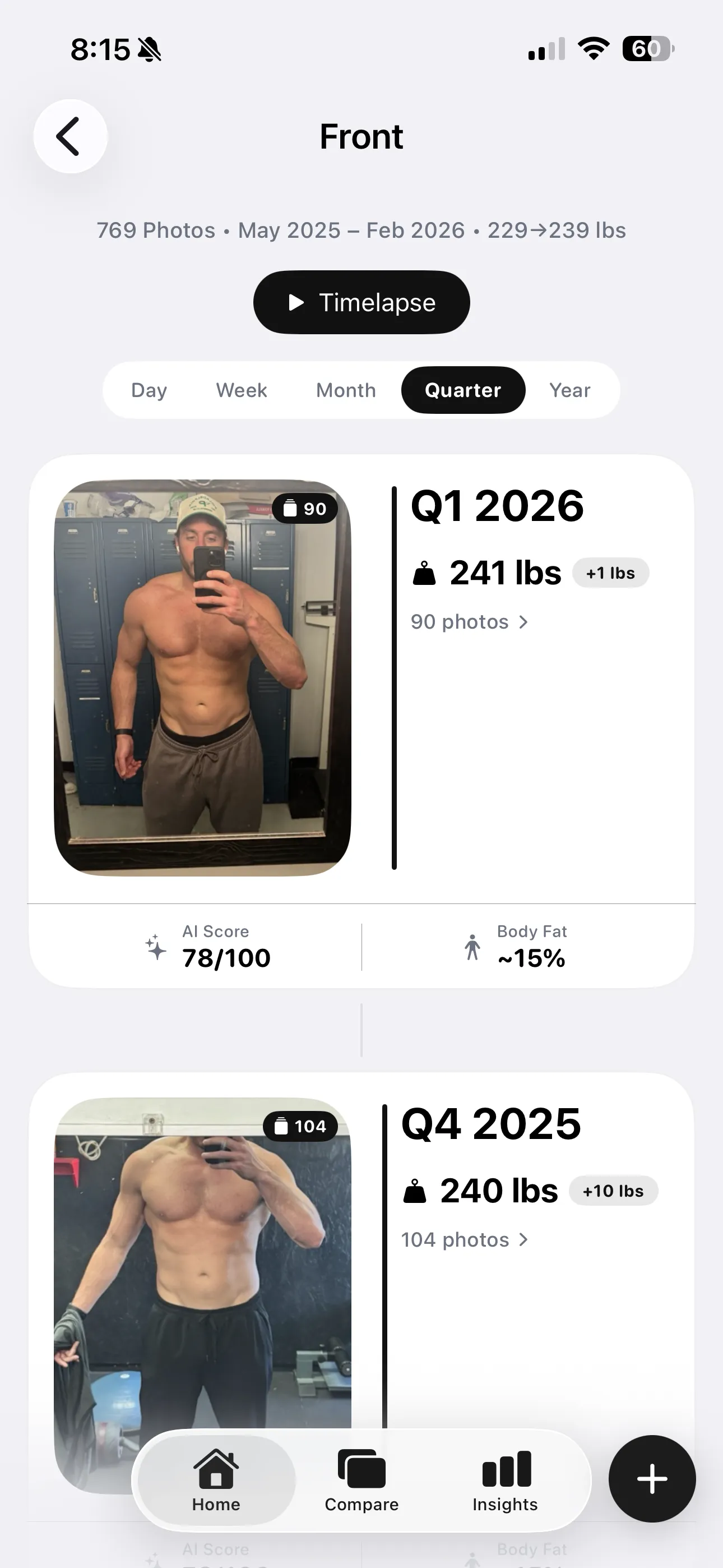
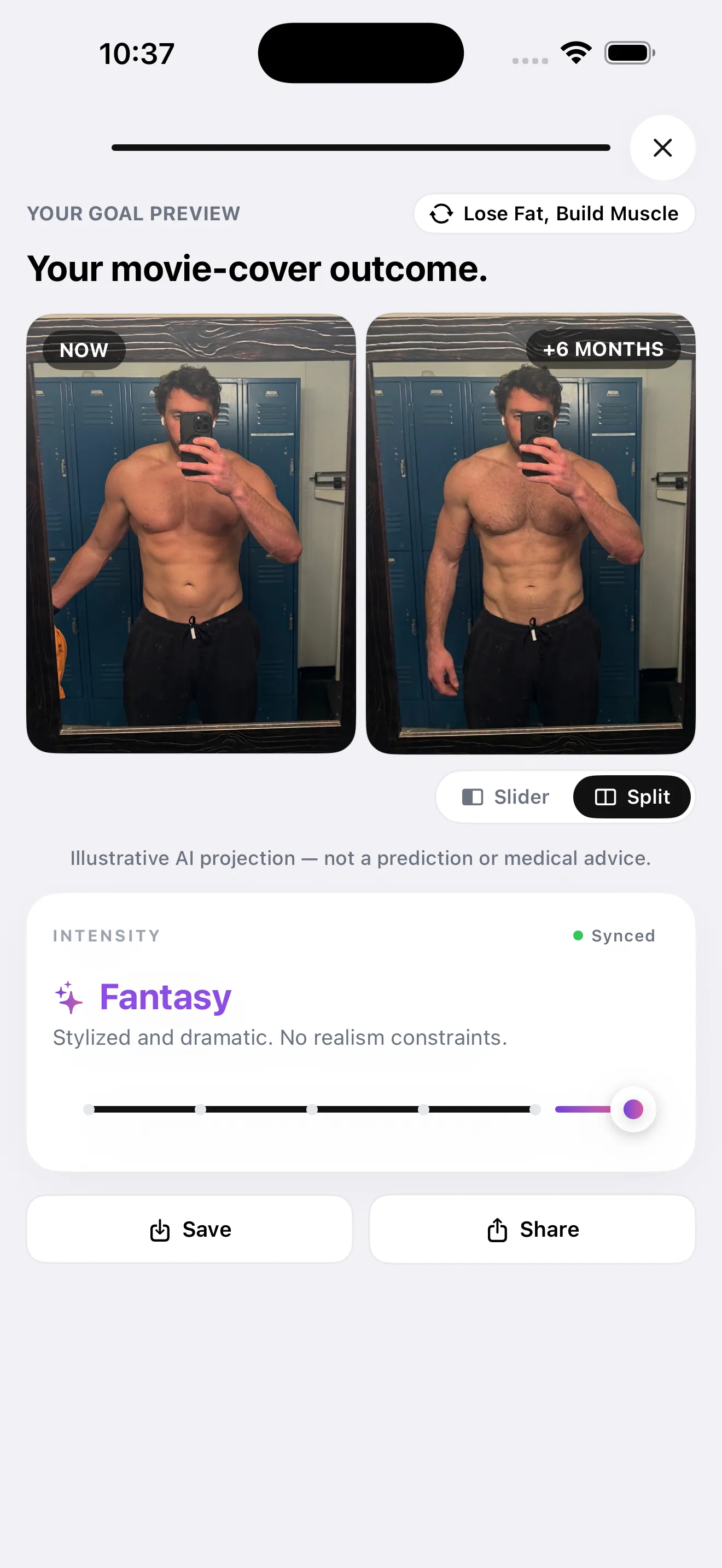
A single check-in is a starting point. Your history helps you see a direction, choose a focus, and put a picture to the goal you’re working toward.
Follow weight, estimated body composition, and muscle development across check-ins. Revisit past reports and spot changes over weeks and months.
Explore an AI illustration of your goal over a 3, 6, or 12 month horizon. Compare it with your starting point and make your goal feel more tangible.
Choose muscle groups to focus on, explore exercise recommendations, and return to your photos to see how those areas develop.
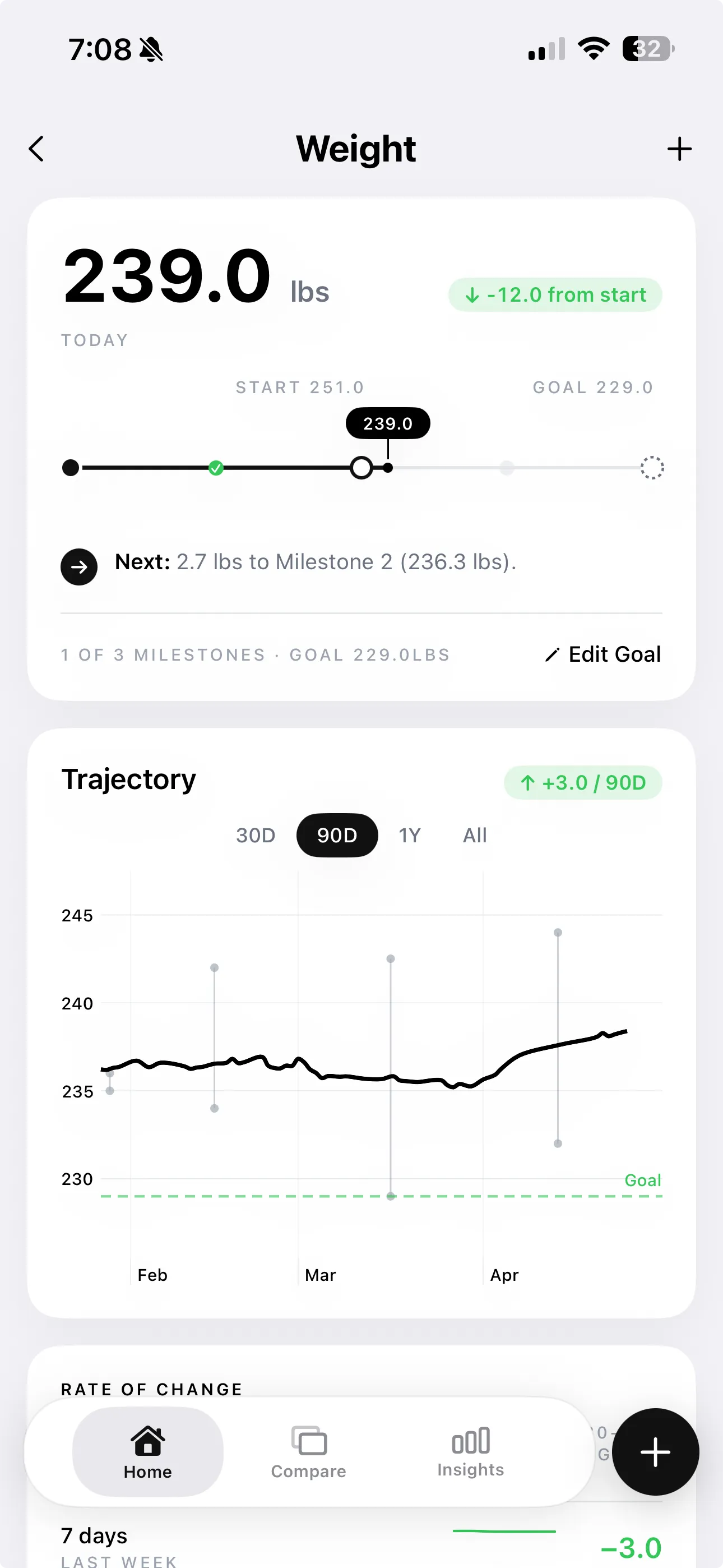
A weight log. A workout. A meal. Keep the everyday details close to your photos, so your progress has context beyond how you looked on one particular day.
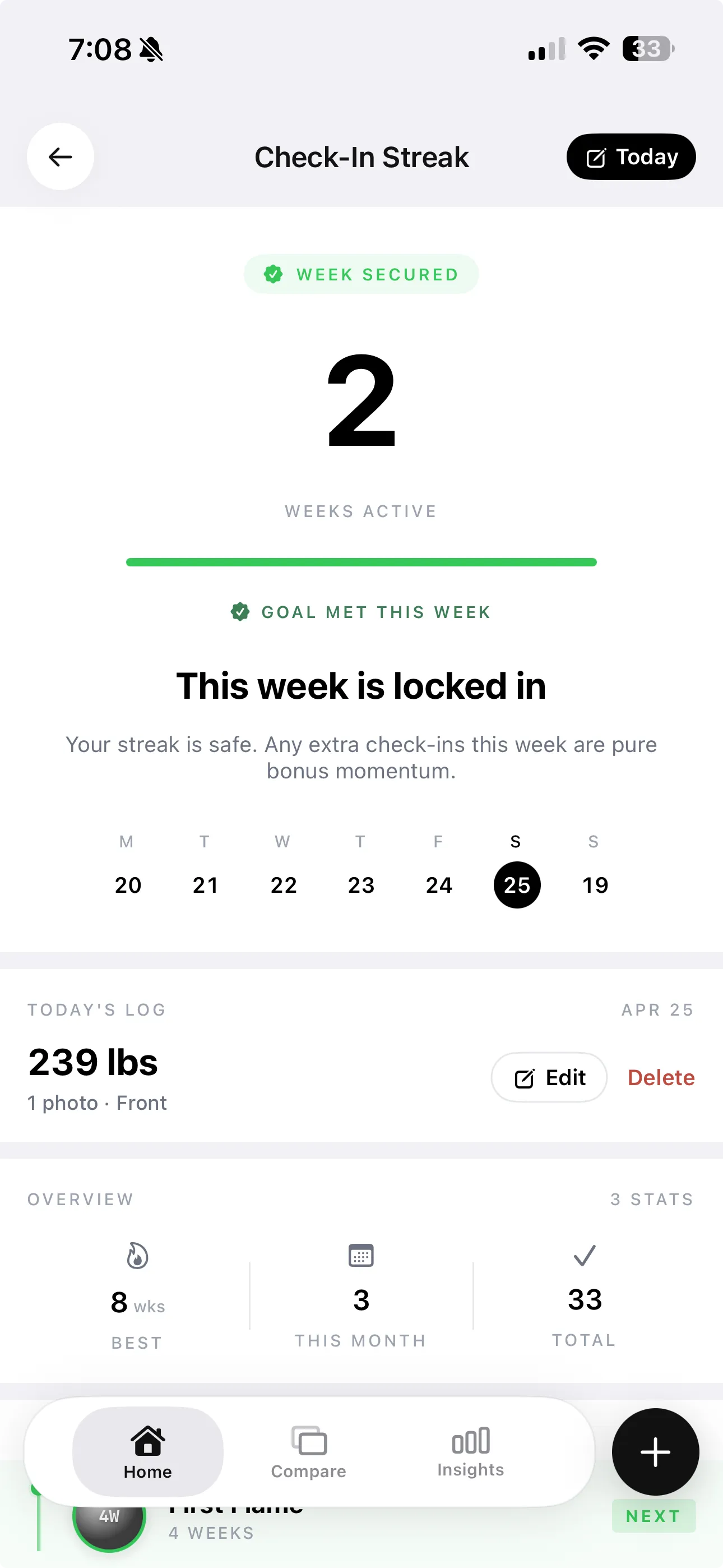
Log a photo or your weight, follow your check-in streak, and choose reminders that fit your routine.
Connect Apple Health, Hevy, or Strava to bring available weight, training, and activity data alongside your progress photos.
Keep meals, portions, calories, and protein, carb, and fat totals in one diary. Search foods and revisit recent entries. Availability depends on your app version.
Food, alongside your fitness.
Meals, portions, and daily macros in one diary.Keep a quiet record for yourself or turn a milestone into something worth sharing. Choose the photos, the layout, and the details that leave the app.
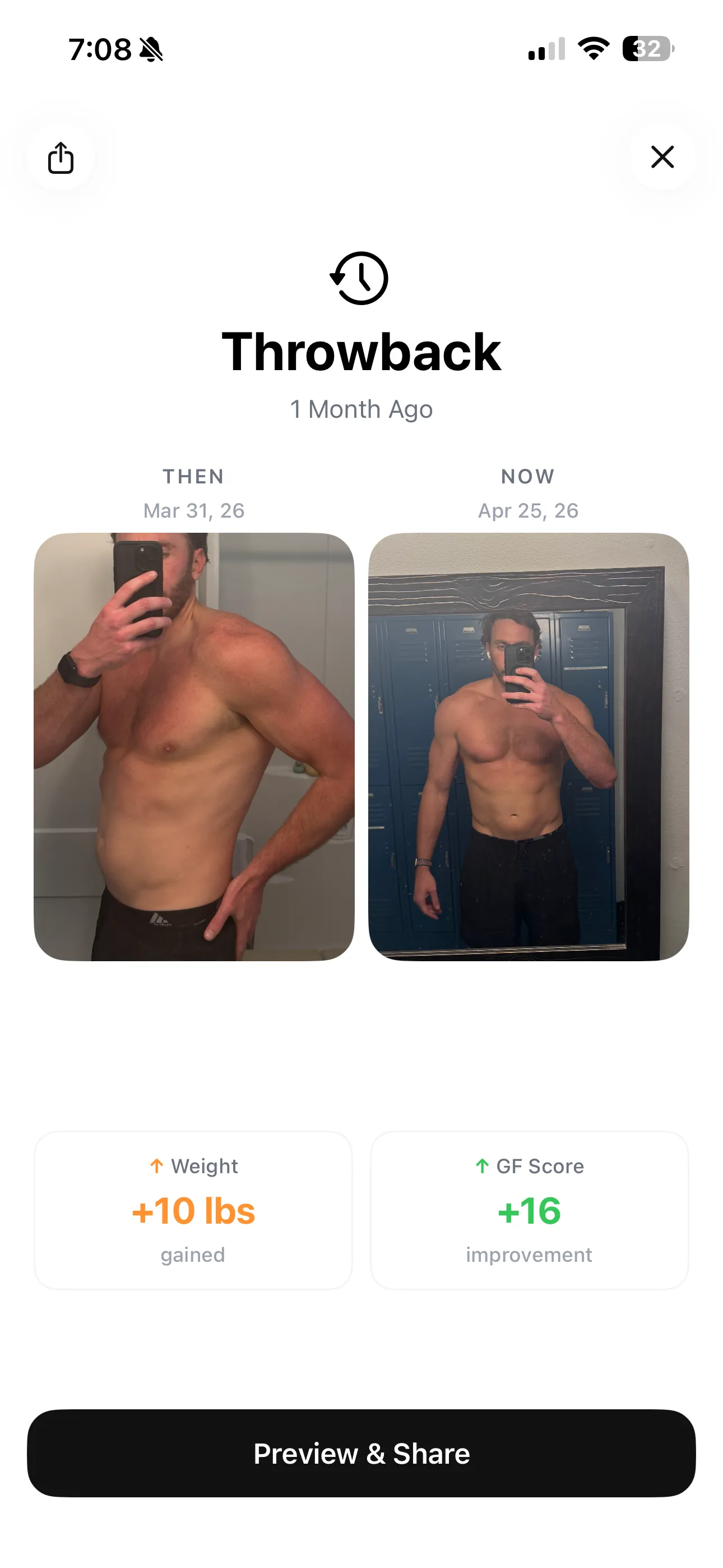
Revisit earlier check-ins with then-and-now comparisons and monthly progress stories. See the changes that are easy to miss day to day.
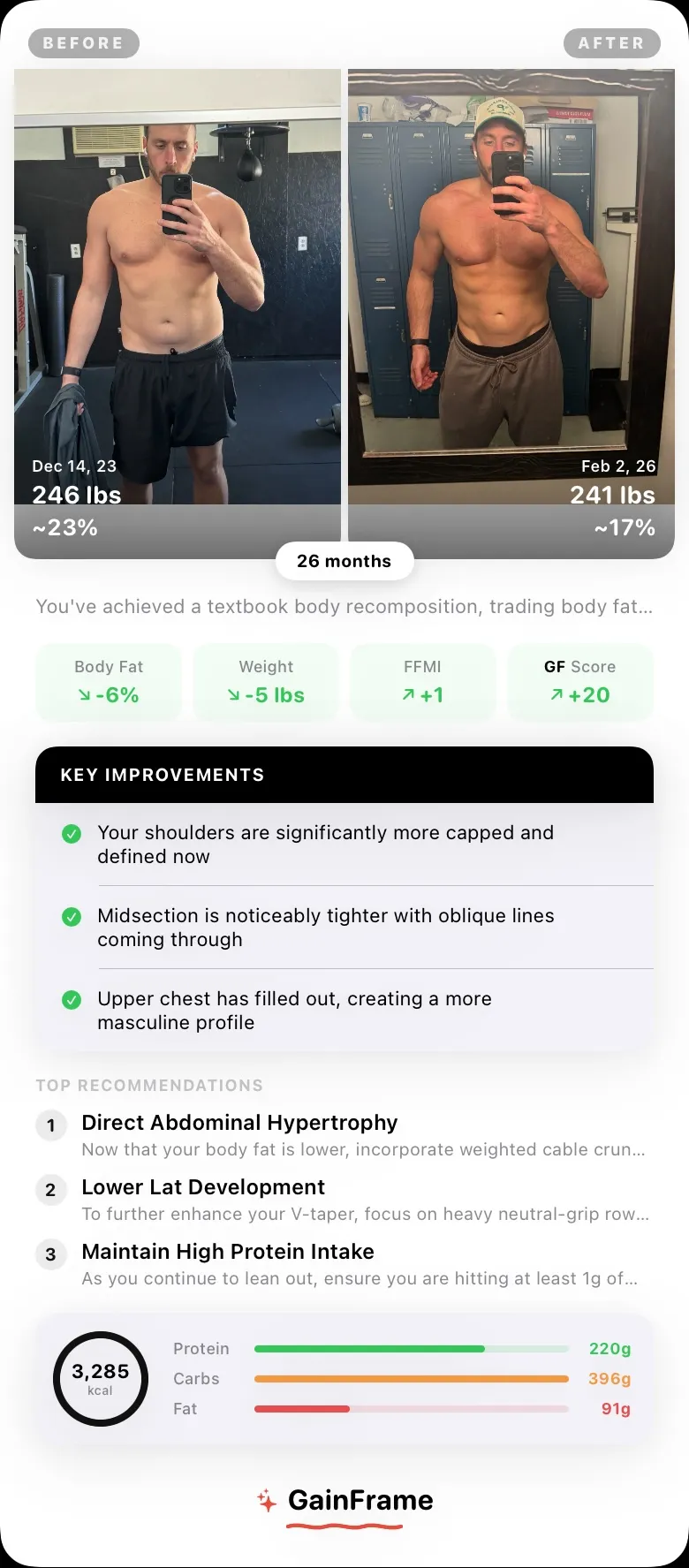
Arrange photos into a collage or export a comparison and Deep Dive report. Choose the layout and details you want to include.
Blur faces, remove backgrounds, and hide selected metrics on report exports. Choose which integrations to connect and what you share.
Some features require GainFrame Pro. Future You images illustrate possible goals and are not predictions of results.
Food chat + ChatGPT
Log food in a conversation inside GainFrame, or connect your food diary to ChatGPT. A clear request saves your meal, with a compact receipt you can correct afterward.
Submitted for ChatGPT review. GainFrame is awaiting OpenAI approval. Food chat is available in supported iPhone beta builds. Public availability is coming after approval.
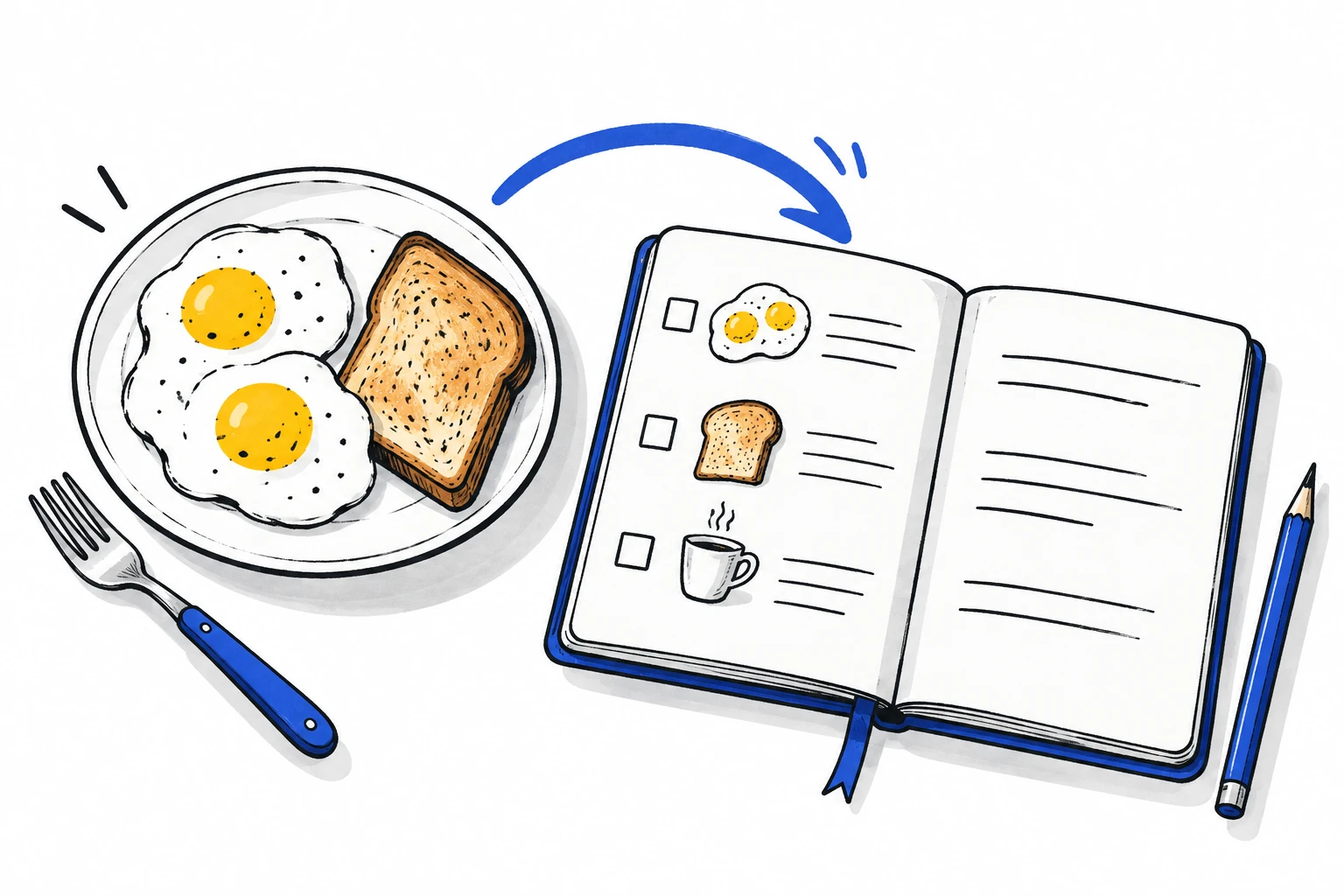
How the connection worksI had two eggs and a slice of toast for breakfast.
GainFrame + ChatGPT
Your diary stays on your device until you choose to sync it. The connector can read and log food only after you connect your account.
Once the listing is approved, open GainFrame in ChatGPT and choose Connect to open GainFrame on your iPhone.
Sign in with your usual Apple or Google account if needed. Tap Connect and sync diary to approve access once.
Using ChatGPT on a computer? Copy the connection code from its linking page and enter it in Settings → Integrations → ChatGPT → Connected diary.
In ChatGPT, select GainFrame and try “Log two eggs for breakfast” or “What have I logged today?”
Check the saved receipt. Say “Make that three eggs” to correct it. ChatGPT may show its own permission prompts.
With your opt-in, GainFrame syncs food names, portions, calories, macros, meal labels, and logging times. The connector does not access progress photos, body measurements, workouts, or Apple Health records. Read the connected-diary privacy details. See the Connected Diary Terms of Service for how the service works.
Yes. Ask to change the food or portion, or edit the entry in GainFrame. Changes sync when the app is active or you choose Sync now.
Yes. Turn off Connected diary in GainFrame to stop syncing and revoke connector access. Turning it off does not erase the stored cloud copy; contact support to request deletion.
Nutrition depends on the food, brand, portion, and preparation. ChatGPT may estimate values. Check the receipt and correct details when you have better information.
Make your next check-in count
Your photos, your progress, and a clearer idea of what comes next.