

Quick answer: For Meta Muse fitness tracking, keep a weekly record of completed sessions, exercise performance, comparable photos, and practical obstacles. Paste a summary into Muse when reviewing your plan. This is a manual check-in method, not an automatic app connection or a way to prove body-composition changes from one photo.
You followed most of your plan for four weeks. Now you have 12 gym selfies, a few workout notes, and a memory of feeling stronger on some days. When you ask what to do next, which of those details should you bring to the conversation?
A repeatable check-in makes that question easier. It keeps your observations in one place and makes gaps visible before an assistant fills them with assumptions.
This guide provides a template for reviewing a plan you already have. It is an editorial workflow, not a report of a tested Muse transformation.
What does Meta Muse fitness tracking mean in this guide?
Meta describes Muse as a personal agent that can help with goals and plans. Here, “tracking” means keeping your own records and choosing what to bring into that conversation. It does not mean Muse has automatic access to your iPhone's fitness apps. Meta's product announcement.
The useful loop is straightforward: follow the plan, record what happened, review the evidence, and decide what to do next. You can use the same loop with a human coach or your own journal.
Still setting up your routine? Start with the Meta Muse workout-plan prompts, then return to this review template.
Which four things should you record each week?
| Record | What to write down | What it helps you review |
|---|---|---|
| Completed sessions | Planned sessions, completed sessions, and the reason for any missed work | Whether the routine fits your actual week |
| Exercise performance | Exercises, loads, reps, and relevant effort or technique notes | What happened during training, beyond simply attending |
| Comparable photos | Date, repeated pose, and changes in the photo setup | Your visual record across check-ins |
| Practical obstacles | Travel, time limits, equipment changes, or other context you choose to share | Why the week may differ from the original plan |
Keep these categories separate. Completing more sessions does not by itself establish muscle gain. A photo does not tell you which sets you completed. Together, the records help you ask more specific questions.
If you already track weight or body measurements, you can add them with dates and units. Missing data should stay missing; do not estimate an old value just to complete the table.
How can you make progress photos easier to compare?
Choose a photo setup you can repeat and write it down once. Use a similar pose, camera position, clothing, and lighting for later check-ins. Note obvious differences so you can account for them when reviewing the images.
Use this quick checklist:
- Can you repeat the camera position and framing?
- Are you comparing the same pose?
- Did you change the lighting or how you flexed?
- Are both dates recorded correctly?
- Are you reviewing original photos rather than edited physique images?
If the setup changed, keep the photo and label the difference. A useful record can include imperfect check-ins. What matters is recognizing when two images are not directly comparable.
For more detail, see the progress-photo setup guide.
What can you copy into a weekly Muse check-in?
Fill this in before asking for a new plan. “Unknown” is a useful answer.
Weekly training review
Date range: [start and end]. Current goal: [goal]. Current plan: [name or short description]. Sessions planned / completed: [numbers]. Main exercise records: [exercise, load, reps, and relevant notes]. Photo dates compared: [dates, or not compared]. Differences in photo setup: [notes, none, or unknown]. My visual observations: [plain description, or no clear change]. Optional weight or measurements: [dated values with units, or not tracked]. Practical obstacles: [notes]. Availability next week: [days and time].
Separate what these records show from what remains uncertain. Do not treat a visual impression or AI body-fat estimate as a measured change in muscle or fat. Ask for missing context before recommending adjustments. Suggest the smallest useful next step, including keeping the current plan.
Read the completed summary before sharing it. Remove anything you do not want to send. The template itself does not retrieve or transmit data from another app.
How does GainFrame help with the photo part?
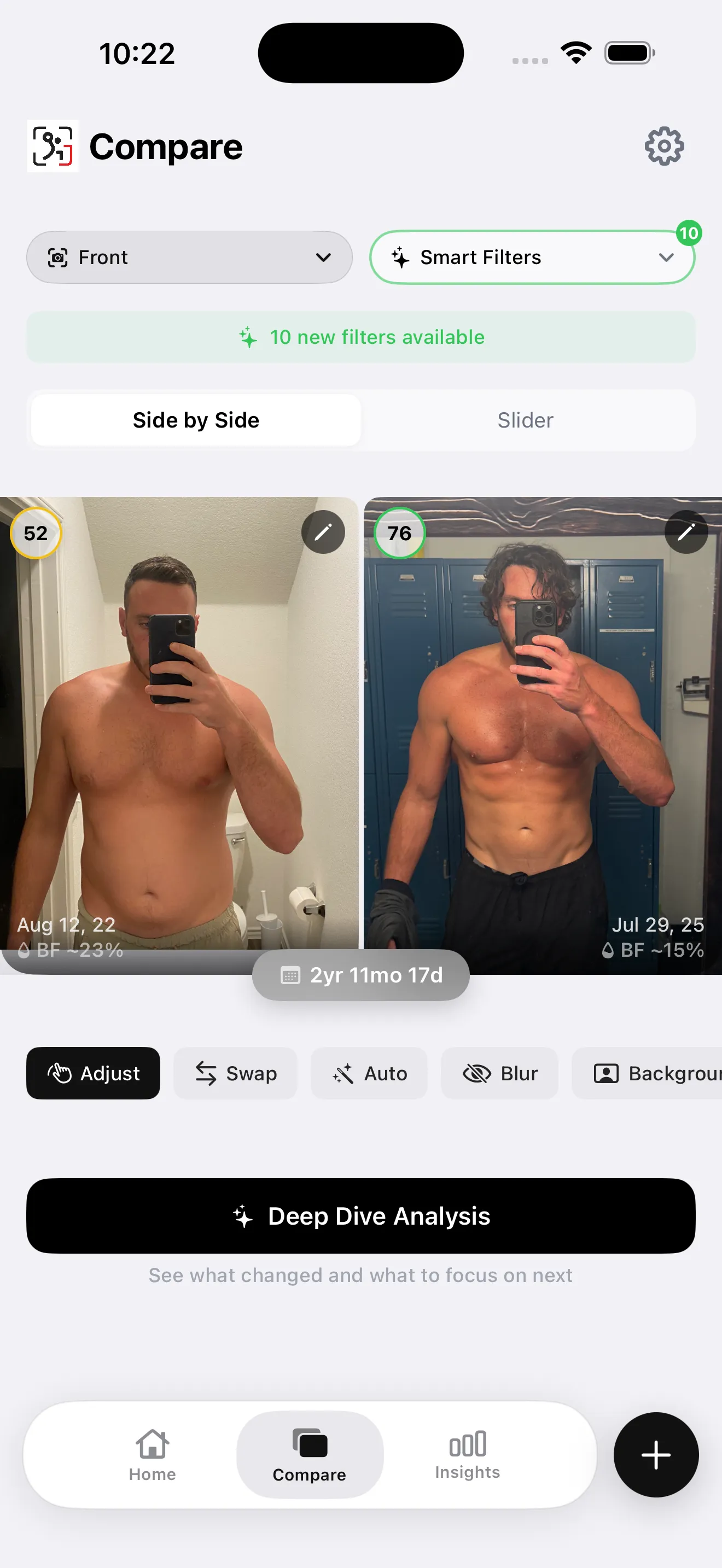
Example side-by-side comparison from the app. It is not a Muse training result.
GainFrame keeps progress photos in a timeline and lets you compare check-ins side by side on iPhone. Use it to find the two dates you want to review, then write your own short observation in the template. Keep your workout log alongside that photo history.
You can use AI body-composition estimates as an additional reference if you choose those features, but label them as estimates. Do not report an estimated body-fat difference as a clinical measurement or assume it explains every visual change.
There is no automatic Muse photo connection in this workflow. You decide what to share, and a text summary is sufficient to use the template.
What should you do when the records disagree?
Sometimes your exercise log improves while your photos look similar. Sometimes one image looks noticeably different even though the training record changed very little.
Write down the disagreement. Check whether the comparison involves the same exercises, technique, pose, and photo conditions. Ask the assistant what information is missing rather than asking it to invent a single explanation.
Use a weekly review for practical adjustments and occasional comparisons across a longer period for the visual record. A four-week review is an organizational checkpoint, not a promise that a visible change must have occurred.
What are common questions about weekly check-ins?
Is this an official Meta integration?
No. This is a manual way to use your own tracking records alongside an AI planning conversation. You fill out the template and choose what to paste. It does not provide automatic access to photos, workouts, or measurements, and it does not imply a partnership or endorsement.
What if I missed a photo or a workout?
Record the gap and move on to the next check-in. You can still review the sessions and photos you do have. Do not recreate a missing value or backdate a new photo to make the history look complete. An honest gap is more useful than a misleading comparison.
Should the assistant change my program every week?
The template asks for a review, not an automatic rewrite. Some weeks may reveal a scheduling issue; others may not provide a reason to change anything. Ask the assistant to explain the evidence behind a proposed adjustment and which assumptions it needs you to confirm first.
Can photos tell me exactly how much muscle I gained?
Photos give you a visual record, but they do not directly measure gained muscle tissue. Photo-based AI estimates also have uncertainty. Keep those observations distinct from recorded exercise performance and other measurements. Avoid attaching a precise muscle-gain figure to an appearance change that does not establish one.
What should you do at your next check-in?
- Open your workout record and select the photo dates you want to compare.
- Fill in the template, leaving missing information marked as unknown.
- Review the response, save any agreed adjustment, and record your next check-in date.
Keep the photos you will want to compare
Start a dated progress timeline or organize photos you already have.
Download GainFrame for iPhone