
Quick answer: Start your Meta Muse workout plan with your goal, experience, equipment, and available training days. Then save a baseline photo and keep a record of completed sessions. Use a short weekly check-in to compare what you planned with what happened, and bring those observations back to Muse before requesting changes.
You have a three-day workout plan and a calendar full of good intentions. By Friday, you trained twice, swapped one exercise, and forgot which weights you used. The plan still looks organized. Your record of the week does not.
A useful setup needs somewhere to keep both: the plan you intend to follow and the evidence of what you actually do.
This guide gives you a planning prompt, a starting-photo routine, and a check-in template. The prompts are suggested starting points, not results from a hands-on Muse test.
What is Meta Muse, and why use it for workout planning?
Muse is Meta's personal AI agent, introduced on September 8, 2026. Meta describes it as helping people turn goals into plans and specifically mentions adapting a training plan when someone's circumstances change. Read Meta's launch announcement.
That is a useful starting point for a lifter with a changing schedule. You can describe the equipment and time you actually have, then ask for a plan that fits those constraints.
This article refers to Meta's consumer agent. It is not about the unrelated fitness products also named Muse, or about generating edited physique pictures.
What should you include in a Meta Muse workout plan prompt?
Start with your actual week. “Build muscle” tells an assistant far less than “I have trained for two years, can lift three evenings a week, and have 45 minutes per session.”
Copy this prompt and replace the brackets:
Help me draft a strength-training plan that fits my existing routine.
My goal: [goal]. My training experience: [experience]. My available days and session length: [days and minutes]. My equipment: [equipment]. My current routine and recent training log: [details, if available]. Exercises I prefer or need alternatives for: [details].
Ask about important missing information before writing the plan. Show each session in a table. Explain the intended effort, rest periods, and how to decide whether to repeat or adjust an exercise next time. Include an option for a shorter session. Flag anything that requires a qualified professional's assessment rather than guessing.
Review the response before treating it as instructions. Check whether the exercises match your equipment, whether the session fits your time, and whether you understand the progression rule. Pain or rehabilitation questions need an appropriate professional, not a more persuasive prompt.
How do you establish a starting point before training?
Save a dated starting photo before the plan becomes a blur of completed and missed sessions. If you already have a suitable photo, you can use that rather than waiting for a perfect new one.
Choose a pose, place, and camera position you can repeat. Record the setup so you do not have to reconstruct it next week. A photo taken under very different lighting can be difficult to compare fairly.
Keep the first check-in simple:
- One repeatable photo pose.
- The date and any relevant setup notes.
- Your existing weight or measurements, if you already track them.
- A copy of the plan you intend to follow.
- A place to record the sessions you complete.
You do not need to make every possible metric part of the routine. Choose a record you can maintain.
Where does GainFrame fit into the workflow?
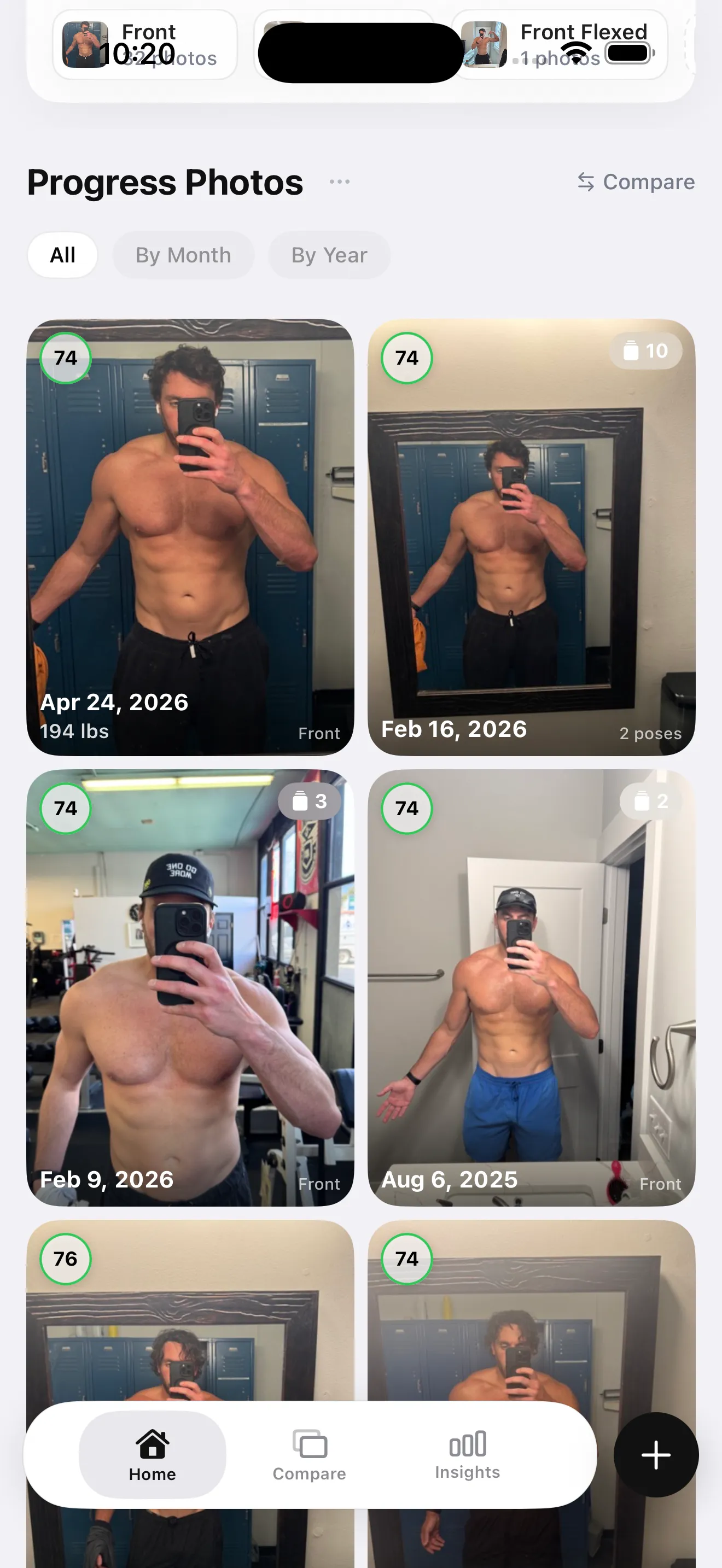
Example photo library from the app. These photos predate Muse and are not results from a Muse plan.
GainFrame is an iPhone app for organizing progress photos and comparing check-ins. Import your starting photo or capture a new one, keep subsequent photos in the timeline, and compare dates side by side. Your existing workout log can remain the record of exercises, weights, and reps.
This is a manual companion workflow. It does not automatically connect the two apps or send your photo library to Muse. You choose which observations to include in a later conversation.
An ordinary photo album can also hold your baseline. The benefit of a dedicated tracker is having check-ins organized for the comparison you intend to make later.
What should you tell Muse after your first week?
Begin with adherence and practical problems. One week is an opportunity to see whether the plan fits your life; it is not a deadline for a visible transformation.
Use this short review prompt:
Review my week against the plan we made.
Planned sessions: [number]. Completed sessions: [number]. Exercises, weights, and reps recorded: [summary]. What fit my schedule: [notes]. What did not fit: [notes]. Photo check-in completed: [yes/no and date]. Other observations I chose to record: [notes or unknown].
Separate observations from assumptions. Ask about missing information. Help me identify the smallest practical adjustment for next week, including the option to keep the plan unchanged. Do not infer muscle gain or fat loss from attendance alone.
Keep the original plan and the review together so you can see why you changed something. If you missed a session because of travel, say that. Missing context can make an otherwise sensible recommendation irrelevant.
For the ongoing review, use the weekly Muse fitness check-in template.
What are common questions about this setup?
Does this workflow require an automatic integration?
No. You use one app for the planning conversation and a photo tracker or album for dated check-ins. When you want to review the week, type or paste a summary yourself. That gives you control over what you share and does not require connecting accounts.
Should I upload my progress photos to Muse?
You do not need to upload photos to use these prompts. A written summary of completed sessions, scheduling problems, and the observations you want to discuss is enough to begin. If you choose to share images, review the service's current data controls and include only what you intend to share.
Can I tell whether a plan worked after seven days?
You can assess whether you completed the sessions, understood the exercises, and had enough time. Those are useful early observations. Avoid treating one week of photos as proof of a body-composition change. A longer, consistent record gives you more context for deciding what to investigate next.
Can I use the same approach with another AI assistant?
Yes. The prompts describe a workflow rather than a special product capability. You can adapt them to another assistant, a conversation with your trainer, or your own training journal. The essential pieces remain a clear plan, a dated baseline, a record of completed sessions, and a review.
How do you start today?
- Fill in the planning prompt with your real availability and equipment.
- Review the proposed plan and save a starting photo.
- Record what you complete, then use the check-in prompt after your first week.
Save your starting point
Capture or import the photo you will compare with your next check-in.
Download GainFrame for iPhone