
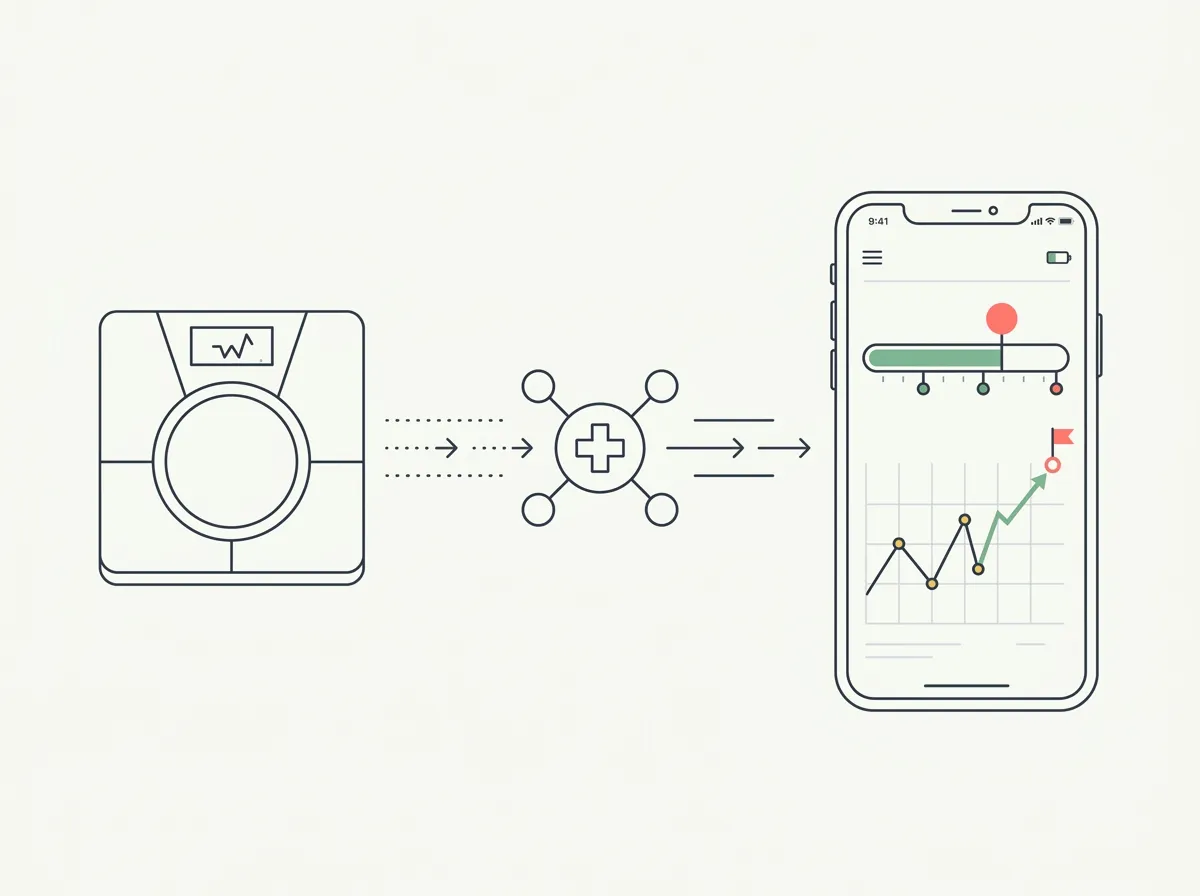
Quick answer: Enable Apple Health sharing inside the RENPHO Health app, then open GainFrame, go to Integrations, and complete Apple Health setup. From then on every weigh-in's weight, body fat, and lean mass flow into GainFrame automatically. GainFrame never connects to the scale or your RENPHO account directly.
Your scale already knows your weight trend. Your photos already show your shape change. Until now those lived in two different apps, and lining them up meant flipping between charts and guessing at dates.
GainFrame now reads RENPHO smart scale data through Apple Health: weight, body fat, and lean mass, pulled automatically from every weigh-in and put to work in your goal tracker, trajectory chart, and photo check-ins. Setup takes about two minutes, and this page walks every step, including the two places the sync chain typically breaks.
How does the RENPHO integration work?
There is one design decision worth understanding before the steps: GainFrame never talks to your scale. RENPHO scales sync their readings to the RENPHO Health app over Bluetooth, that app writes the numbers into Apple Health, and GainFrame reads whatever you have chosen to share from Health. Apple's permission sheet is the single gate for the whole flow.
That indirection is a feature. There is no scale pairing to break, no RENPHO account to link or password to hand over, and revoking access is one toggle in the Health app. It also means the same integration works with any scale that writes to Apple Health; RENPHO gets this guide because its scales are the most common budget pick, as our scale roundup covers, and because the Bluetooth step adds one wrinkle worth documenting.
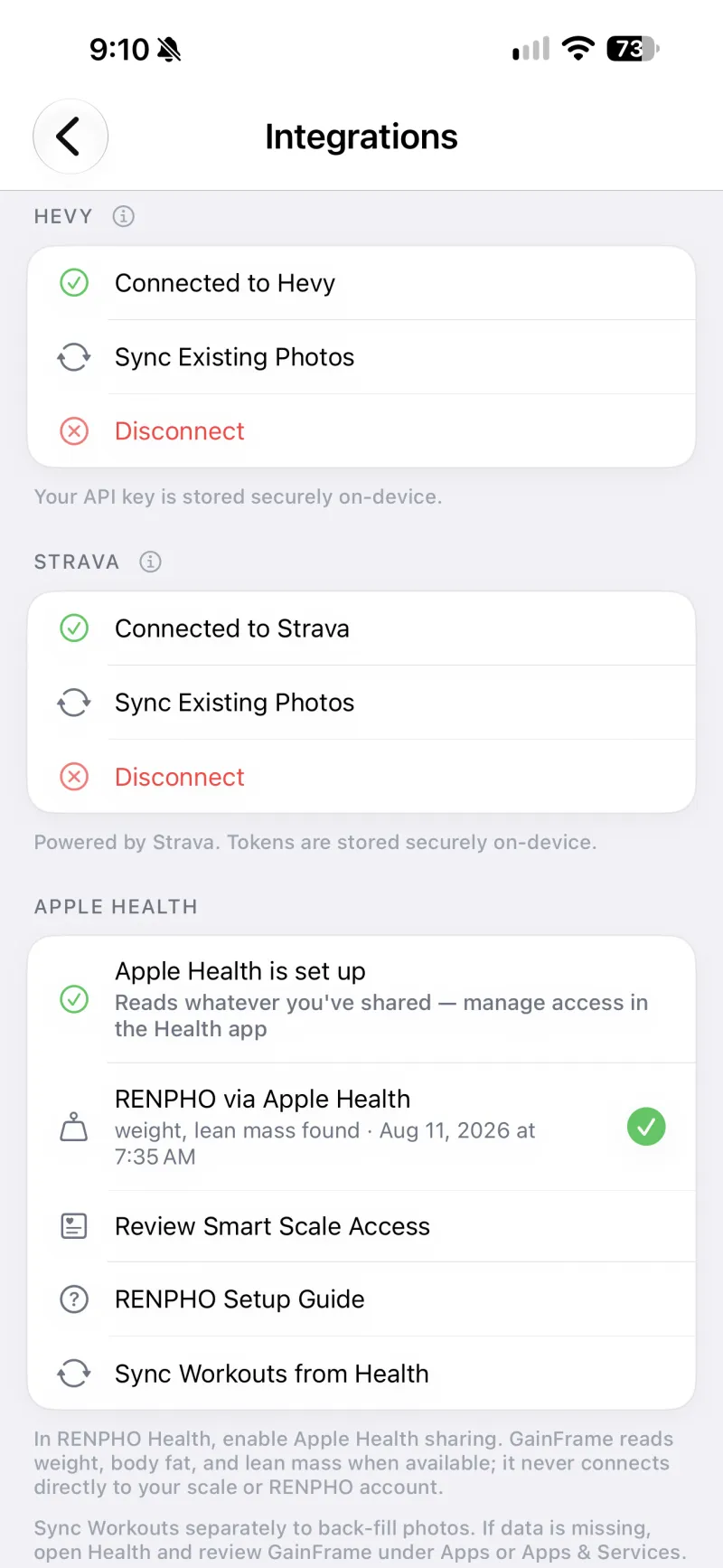
The Integrations screen after setup: RENPHO readings arriving through Apple Health, with the latest weigh-in's metrics and timestamp confirmed.
How do you set it up?
- Enable Apple Health sharing in RENPHO Health. Open the RENPHO Health app, head to settings, and turn on Apple Health sync. Approve weight, body fat, and lean body mass on the permission sheet it presents.
- Weigh in once with the app nearby. Most RENPHO scales are Bluetooth-only, so the RENPHO Health app needs to be open, or recently active, on a phone near the scale to catch the reading and pass it to Health.
- Set up Apple Health in GainFrame. Open GainFrame, go to Settings, then Integrations, and run the Apple Health setup. Approve read access when iOS shows the permission sheet. The in-app RENPHO Setup Guide covers the same steps on the phone.
- Verify the connection. The Integrations screen's Apple Health section should show "RENPHO via Apple Health" with the metrics found and the timestamp of your latest weigh-in. Use "Review Smart Scale Access" any time you want to see or change exactly what is shared.
What do you get once it is connected?
Every weigh-in feeds the Weight screen: current weight against your start and goal, milestone progress, a trajectory chart across 30 days to a year, and your weekly rate of change. The numbers update themselves, so the trend is always current on the morning you make a training decision with it.
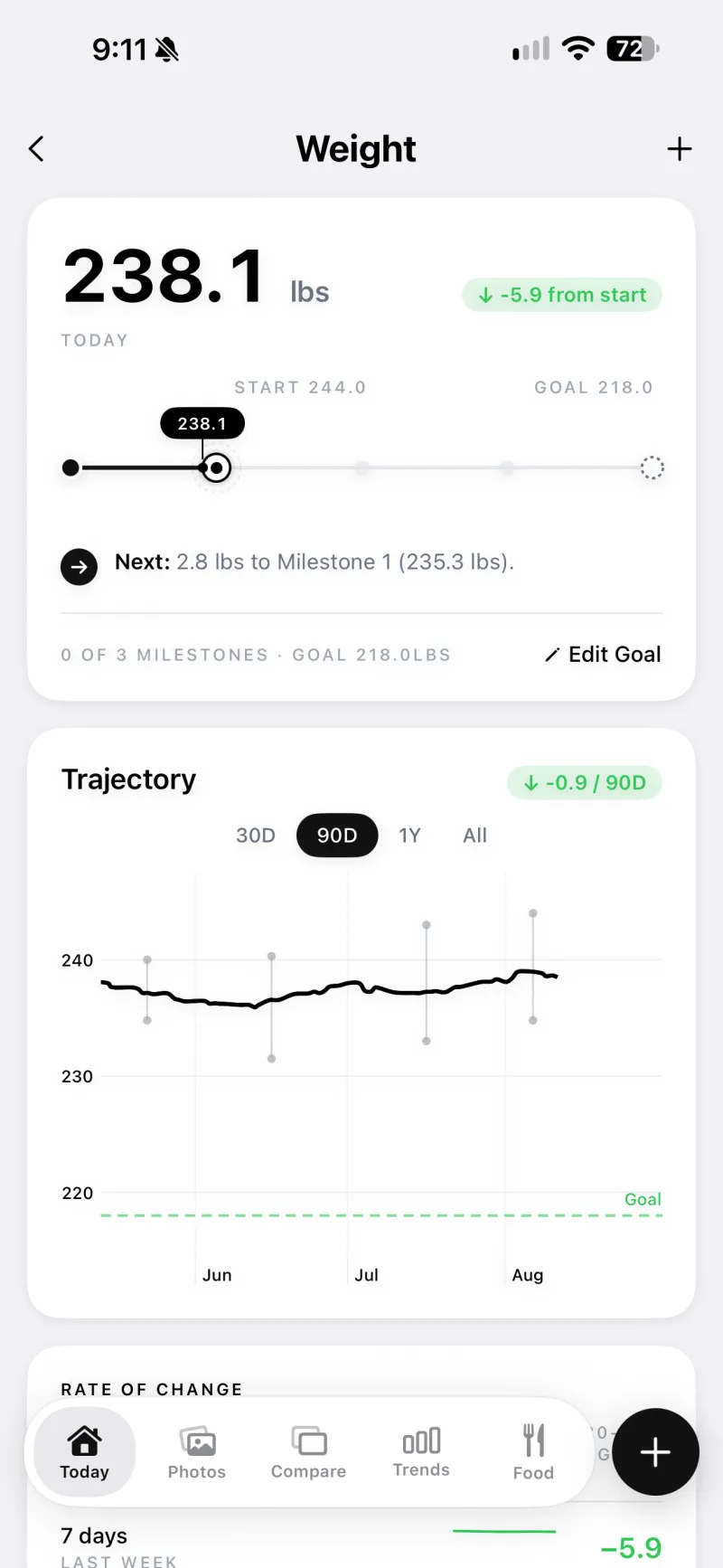
Scale data at work: goal milestones, a 90 day trajectory, and rate of change, built entirely from automatic weigh-ins.
Body fat and lean mass, where your scale model provides them, appear alongside your photo check-ins for context. The two estimate types disagree sometimes, and that is expected: the scale's number is a hydration-sensitive electrical model, and the photo score is an AI read of visible shape, as our Renpho scale review explains in depth. Watching both trends beats trusting either absolute number.
Everything stays on your device. Health data GainFrame reads is processed locally, never uploaded to a server, and there is no account involved.
What should you check when a reading goes missing?
The chain has three links, and a missing number means one of them dropped it.
Scale to RENPHO Health: open the RENPHO Health app and confirm the weigh-in is there. If it is missing, the Bluetooth handoff failed; weigh in again with the app open.
RENPHO Health to Apple Health: open the Health app and check the weight entry's data source. If RENPHO Health stopped writing, re-enable sharing in its settings.
Apple Health to GainFrame: in the Health app, go to Apps and Services, find GainFrame, and confirm read permissions are still granted. The Integrations screen inside GainFrame reflects what it can currently see.
Workout back-fill is separate from scale sync: the Sync Workouts from Health button pulls training sessions in so photos land on the right days, and it needs its own tap rather than running automatically.
Frequently asked questions
Does GainFrame connect directly to my RENPHO scale?
No. GainFrame never pairs with the scale and never touches your RENPHO account. The RENPHO Health app writes readings to Apple Health, and GainFrame reads whatever you have chosen to share from Health. That keeps one permission sheet in control of the whole flow, and you can revoke it in the Health app at any time.
What data does GainFrame read from a RENPHO scale?
Weight, body fat percentage, and lean body mass, whenever your scale model writes them and you have shared them. Weight powers the goal tracker, trajectory chart, and rate-of-change views. Body fat and lean mass add context next to your photo check-ins. Everything stays on your device, and nothing is uploaded to a server.
Why is my RENPHO weigh-in not showing up in GainFrame?
Check the chain in order. First confirm the reading reached the RENPHO Health app, since most RENPHO scales sync over Bluetooth and need the app nearby. Then confirm RENPHO Health is writing to Apple Health, and finally check that GainFrame has read access under Apps and Services for Health. The Integrations screen shows the latest reading found.
Does this work with scales other than RENPHO?
Yes. GainFrame reads scale metrics from Apple Health regardless of which scale wrote them, so Withings, Wyze, Eufy, Etekcity, and any other Health-connected scale works the same way. RENPHO gets the dedicated setup guide because its scales are the most common budget option and the flow has an extra Bluetooth step.
Do I need GainFrame Pro for the smart scale integration?
The Apple Health connection itself is part of the app rather than a paywalled add-on. The free tier includes the core experience with a lifetime cap of 25 photos, and Pro at $5.99 a month or $39.99 a year unlocks unlimited photo analysis and the deeper AI features that sit alongside the scale data.
Your scale trend and your photos, finally in one place
Connect Apple Health once and GainFrame keeps your RENPHO weight, body fat, and lean mass next to scored progress photos, goals, and trajectory. On-device, no account, free to start on iOS.
Download GainFrame Free