
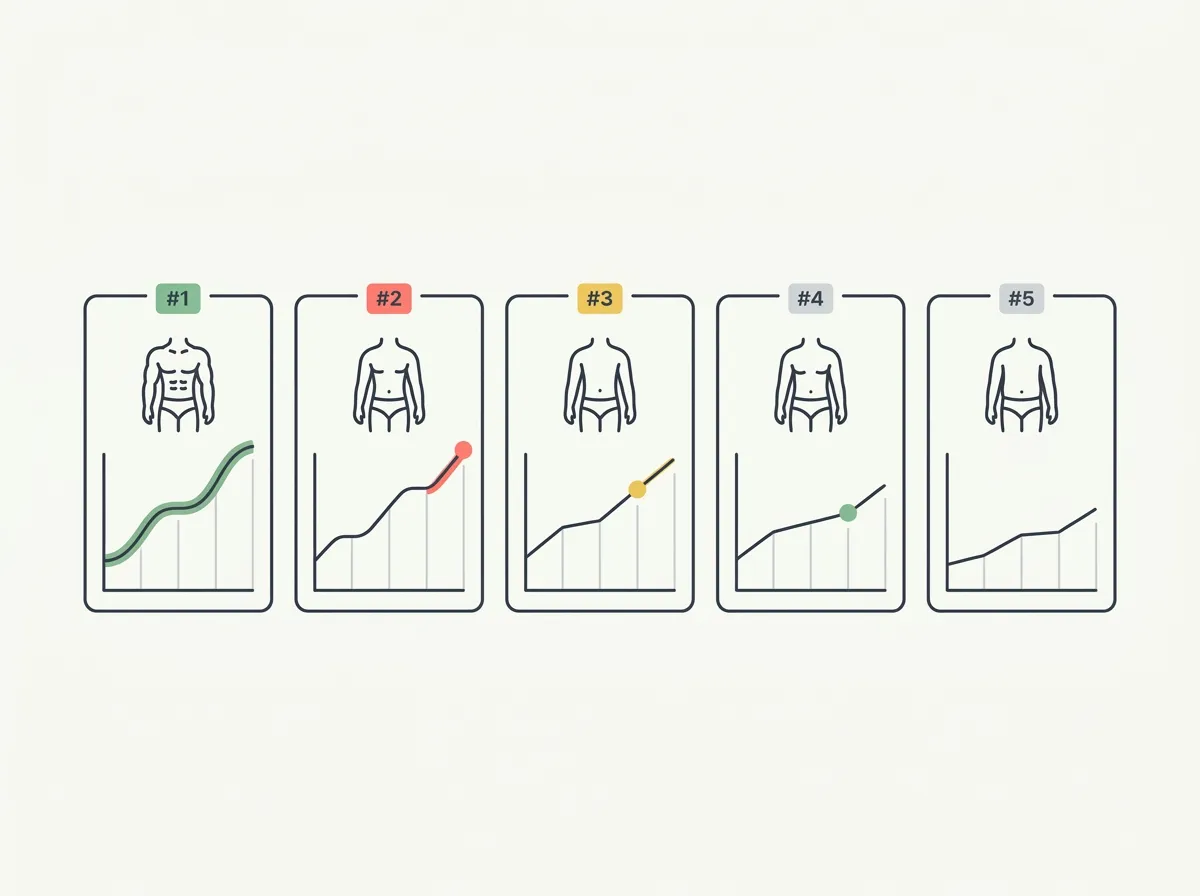
Quick answer: The best body transformation app depends on what you want to track: original photos, tape measurements, workout context or estimated 3D scans. Compare import, alignment, history and export features before paying. Photos document appearance; AI scores and scan outputs remain estimates. Keep a consistent record rather than judging one check-in.
You have 40 gym photos, two months of workouts and no easy way to put the same pose beside its earlier version. The best body transformation apps solve that record-keeping problem in different ways. Some preserve the actual pictures, some pair them with tape measurements, and others turn a camera capture into a 3D estimate.
This comparison was updated October 27, 2026 using US App Store listings and linked developer documentation. Ratings are a dated US snapshot. These are researched feature comparisons, not a hands-on accuracy test. The publisher makes one of the apps covered here; the recommendations explain which job each option fits.
Which body transformation app fits your tracking goal?
| App | Choose it for | Record you keep | Check before paying |
|---|---|---|---|
| GainFrame | Photo timelines with estimated physique feedback | Original photos, comparisons and AI estimates | Free check-in/import limits; advanced analysis access |
| Progress | Photos alongside manual measurements | Photo views, tape entries and charts | Which features your current plan includes |
| Metamorph | Aligning photos and sharing a transformation | Imported/captured photos and comparison exports | Export options and current purchase requirements |
| Hevy | Keeping photos near your workout record | Training logs, measurements and dated photos | One photo per day; additional measurements require Pro |
| Recomp AI | Comparing estimated 3D scans | Body models and regional estimates | Subscription requirements and available exports |
| SnapTrack | Reviewing an existing legacy photo archive | Photos and measurement records | Last listed update was 2017; paid imports/overlay/sharing |
Already have two photos? Compare two of your progress photos in the browser before committing to another library. For a budget-first choice, read the free progress-photo workflows and their limits.
1. When does GainFrame fit a photo-based transformation record?
Platform: US iPhone App Store. US rating: 4.89/5 from 71 ratings, checked October 27, 2026.
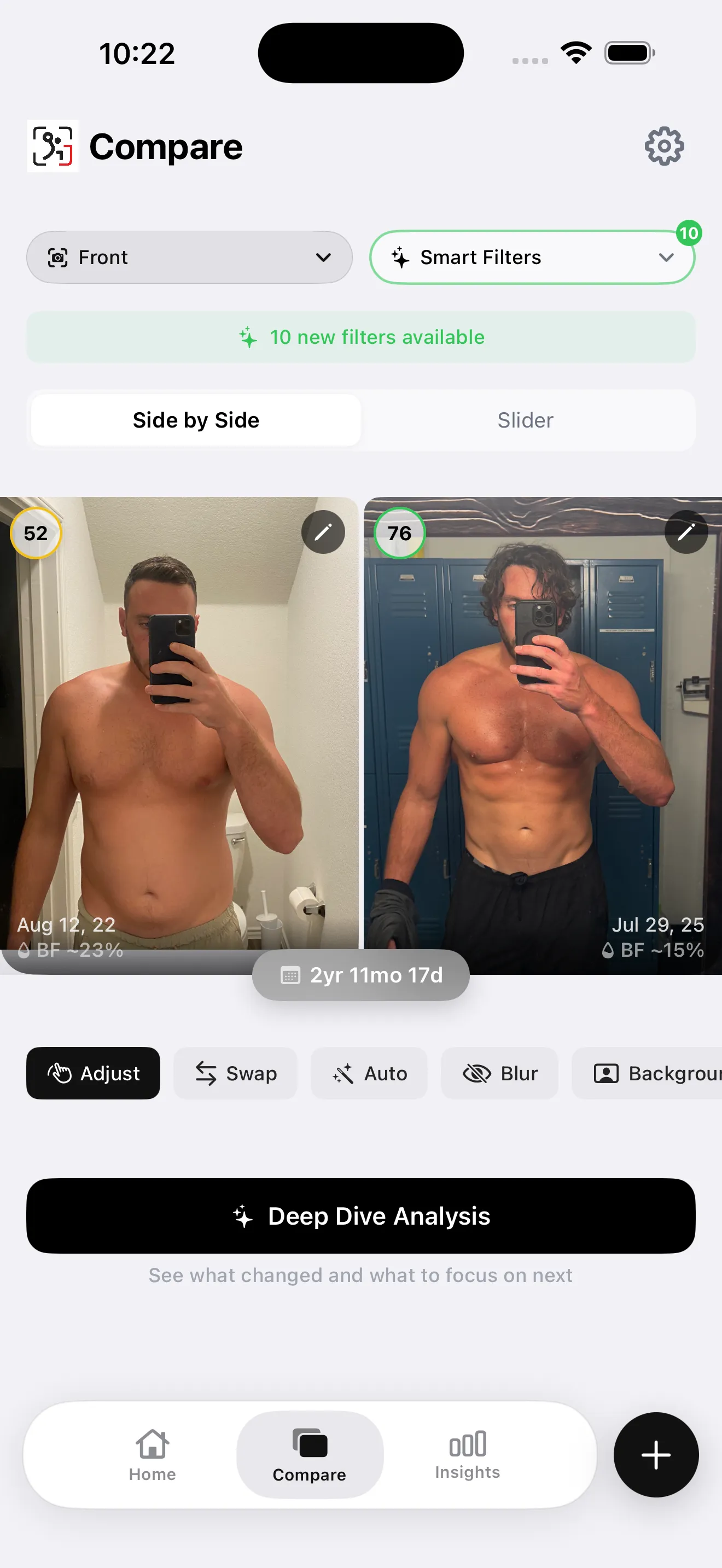
Screenshot from our app library. The interface keeps the original photographs beside estimated changes; the displayed example is not a promised result.
Choose this workflow when your camera roll already contains a useful history. Import photos, organize matching poses and compare dates using side-by-side or slider views. Estimated body fat and individual muscle ratings add another way to review that visual record. They cannot establish tissue changes with clinical precision.
The photo library stays on your device. Selected photos are sent for AI processing and are not stored on the app's servers. Free download with limited check-ins. Optional Pro subscription; current price and limits are shown in the app.
Tradeoff: iPhone only, with estimates that depend on the available images. Use a tape for a circumference record; the photo analysis does not replace that measurement.
2. When is Progress useful for measurements and photos?
Platform: US App Store. US rating: 4.63/5 from 9,367 ratings, checked October 27, 2026. Free download with in-app purchases.
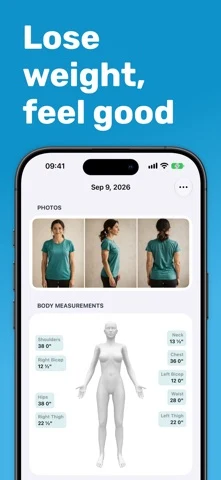
Developer-supplied App Store image showing a multi-view photo entry and a body-measurement record.
Progress puts photographs next to the numbers you enter. Its developer describes a prior-photo overlay, comparisons and body-measurement tracking. This makes it a practical shortlist option when you already use a tape and want that history in one place.
The useful distinction is where the number comes from: a circumference you measure and enter is different from a model's estimate. Repeat your tape placement and keep units consistent. Check the current plan for the import, chart and export workflow you need before moving a large archive.
Tradeoff: recording a measurement still requires you to take it consistently. A polished chart cannot correct inconsistent tape placement.
3. When is Metamorph useful for visual timelines?
Platform: US App Store. US rating: 4.33/5 from 69 ratings, checked October 27, 2026. Free download; check current in-app purchase terms.
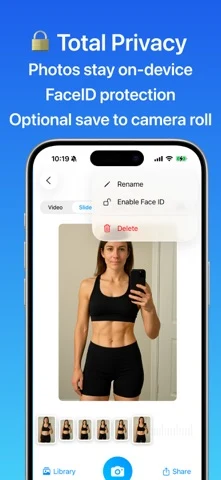
Developer-supplied App Store image showing the photo timeline and privacy controls.
Metamorph's published workflow includes importing existing photos, alignment assistance, reminders and video or GIF exports. Its developer says photos stay on the device or in iCloud. It fits someone who wants a recurring photo series and a shareable result without making a body-fat estimate the center of the process.
Try the complete sequence with two unimportant sample images: import, set their dates, align, compare and export. Confirm the output quality and purchase boundary before importing your only copies.
Tradeoff: a smooth time-lapse documents visible change, but differences in pose and lighting still influence the result. Keep the originals so you can inspect any apparent jump.
4. When can Hevy cover your workout and photo needs?
Platform: US App Store. US rating: 4.92/5 from 100,209 ratings, checked October 27, 2026. Free download with optional Pro.
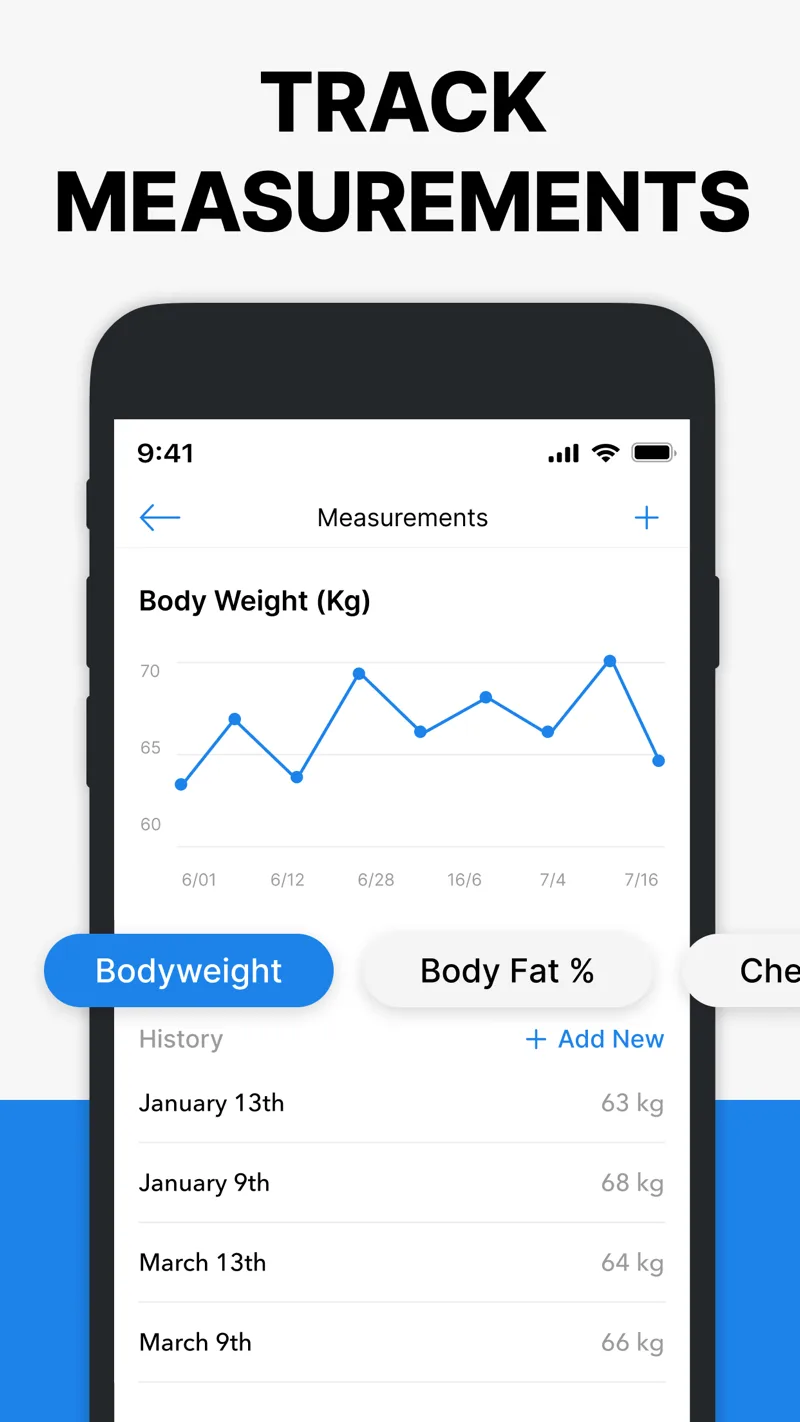
Developer-supplied App Store image showing measurement history. The help center separately documents progress-photo capture and comparison.
You may already have the photo workflow you need in your workout app. Hevy's measurements documentation describes one progress photo per day, backdated entries, an overlay while capturing a photo and comparison between dates. Photos are private unless you share them outside the app.
The help center lists weight and waist recording without Pro, with additional body measurements available on Pro. That is a useful distinction if you want shoulder, chest or limb measurements alongside your training log.
Tradeoff: one photo per day may not suit a multi-pose check-in. Confirm that the history and comparison view fit your routine before adding a second tracker.
5. When does Recomp AI fit a 3D-scan workflow?
Platform: US App Store. US rating: 4.64/5 from 749 ratings, checked October 27, 2026. Free download; advanced analysis and premium features require a subscription.
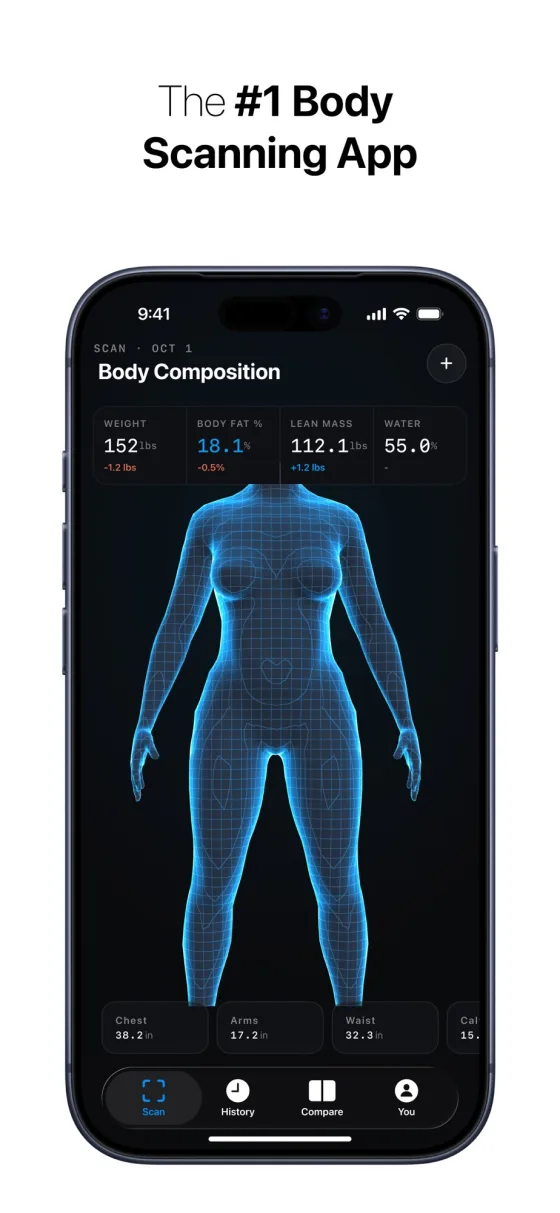
Developer-supplied App Store image. Model labels and estimated measurements illustrate the advertised interface, not independently verified accuracy.
The current listing explicitly advertises side-by-side 3D body-model comparisons over time. It also lists regional circumference and body-composition estimates. It belongs on the shortlist if seeing that estimated model is the record you want to review.
Keep model comparisons separate from original-photo comparisons. Ask whether you can retain or export the source images and reports you want, and inspect the subscription screen before committing. The listing is not an independent validation study.
Tradeoff: scan outputs remain estimates. A change in a model or number needs context from repeated captures, your training record and other measurements.
6. What should existing SnapTrack users check?
Platform: US App Store. US rating: 3.40/5 from 45 ratings, checked October 27, 2026. Last listed update: June 2017.
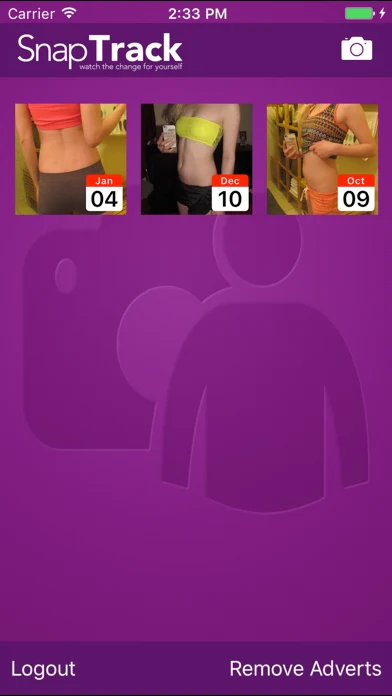
Legacy developer screenshot showing a dated photo grid. Current iOS compatibility has not been tested for this comparison.
SnapTrack remains listed with photo and measurement records. Its description identifies existing-photo imports, the body-position overlay and sharing as in-app purchases. Those features should not be described as universally free.
Tradeoff: the age of the last update makes it a lower-priority choice for starting a new long-term archive. If you already rely on it, check that you can retrieve your originals before changing phones or moving to another app.
How should you evaluate an app before importing your whole archive?
Use this short checklist with two photos first:
- Confirm that the original dates survive import and can be corrected.
- Compare the same pose without stretching the body to force a match.
- Locate the original files and check whether you can export them.
- Test the comparison output you intend to save or share.
- Read the payment screen for that exact workflow.
- Check where images go during storage, sync and optional AI processing.
Set up the next capture using consistent progress-photo conditions. A repeatable routine gives every app a better input. Preserve your baseline, collect comparable check-ins, then review the longer record alongside your workouts.
What should you do next?
- Choose the record. Decide whether you want original photos, manual measurements or estimated scan reports.
- Try two dates. Import or capture a small sample and check dates, comparison controls and export.
- Check the limits. Read the current payment and privacy terms for the exact features you intend to use.
- Repeat the setup. Keep future capture conditions similar and review the record alongside training and measurements.
What else should you know about body transformation apps?
What is the best body transformation app?
Choose according to the record you want to keep. A photo timeline suits visible changes, a measurement log suits tape readings, and a scan app suits estimated 3D reports. Check imports, comparisons, exports and the current payment boundary before moving your existing archive. No single app directly measures every kind of progress.
Can an app tell how much muscle you gained?
An app can organize photos, training records and measurements, and some generate body-composition estimates. Those estimates do not establish an exact amount of new muscle tissue. Compare a longer record under similar conditions, and consider changes in performance and measurements alongside appearance before interpreting what a reported difference means.
Are body transformation apps free?
Several apps on this page are free to download, but their useful free features differ. Check whether importing old photos, comparing dates, recording measurements or exporting a result requires payment. A free download is not a promise of unlimited scans, storage or analysis. Current offers also vary by storefront and eligibility.
Does Recomp AI track changes over time?
Yes. Its current US listing advertises side-by-side 3D body-model comparisons and regional measurement estimates across scans. Advanced analysis and premium features require a subscription. That is a different record from a library of original photographs, so confirm which history and export formats fit your needs before choosing it.
How do you make before-and-after photos comparable?
Use similar lighting, camera height, distance, clothing and poses, and keep workout timing comparable. Preserve the original dates and separate relaxed photos from flexed or pumped shots. Review several weeks together. Alignment can make a comparison easier to inspect, but it cannot undo differences in lighting or turn a photo into a measurement.
Build a photo history you can compare
GainFrame keeps dated progress photos and estimated physique feedback together on iPhone. Free download with limited check-ins. Optional Pro subscription; current price and limits are shown in the app.
Download for iPhone