
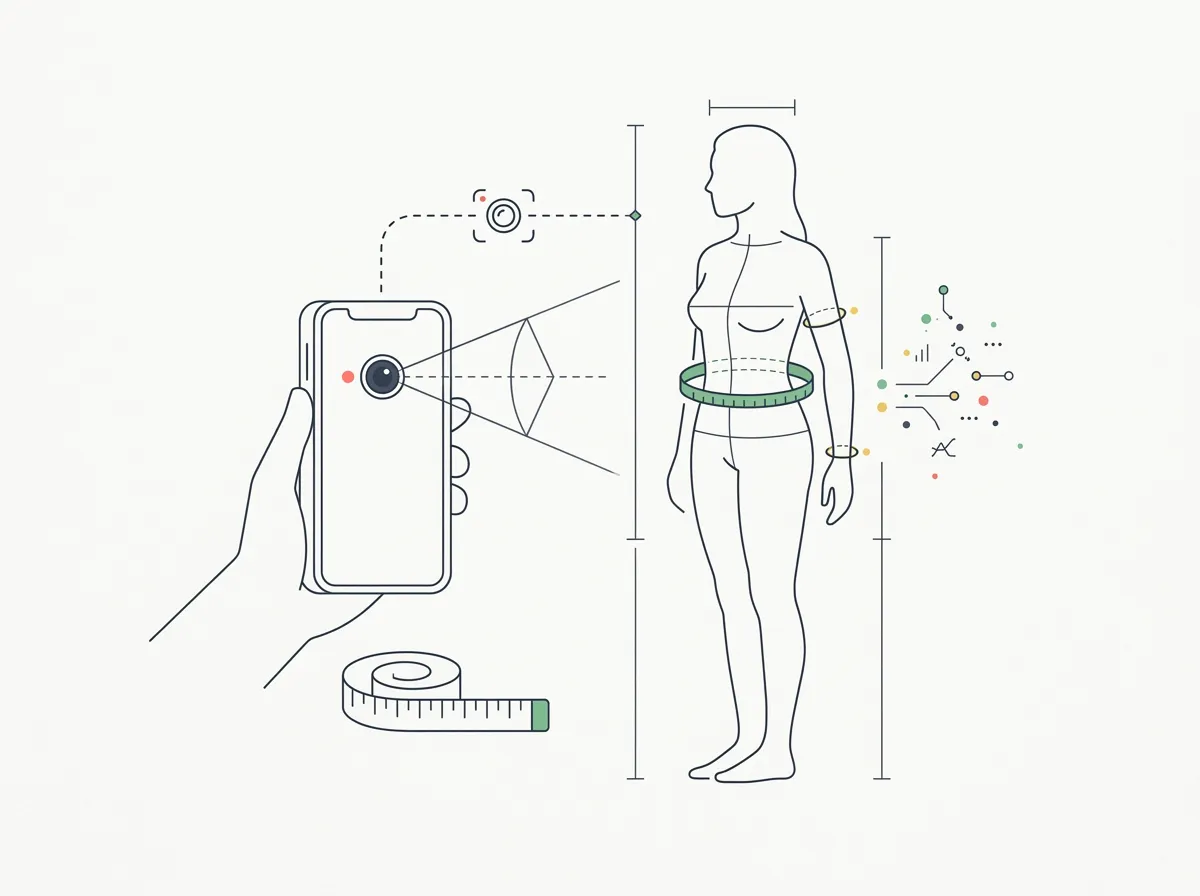
Quick answer: MeThreeSixty is the best free 3D body scan app, ZOZOFIT is the most polished scanning system, and Progress is the best manual measurement tracker. For iPhone users whose real question is whether they look leaner or more muscular, GainFrame is the stronger fit because it compares real photos and scores visible change instead of estimating circumferences.
For a closer look at specific scanners, read the WeightWatchers Body Scanner evaluation and ZOZOFIT review of its current free and paid plans. For a gym-based optical system, the Styku accuracy guide separates circumference precision from body-fat estimates.
Which body scan app is best in 2026?
Choose MeThreeSixty for free tape-free measurements, ZOZOFIT for a polished 3D scanning ecosystem, and Progress if you trust a soft tape more than a camera estimate. Choose GainFrame if you searched for a body scanner because you want to know whether your training is visibly working. It tracks body fat, FFMI, and muscle-group change from real progress photos.
That distinction matters. A circumference scanner can tell you that your waist estimate moved. A photo tracker can show whether you look leaner, where muscle definition changed, and whether the same shift appears across several check-ins.
What is the difference between a body scan app and a body measurement app?
The App Store mixes three different products under the same search:
- 3D body scanners such as MeThreeSixty, ZOZOFIT, and Recomp AI reconstruct a body model and estimate circumferences from camera input.
- Manual measurement trackers such as Progress and My Body Measurement Tracker organize numbers you take with a soft tape.
- AI photo trackers such as GainFrame analyze real progress photos for body fat, FFMI, muscle development, and visible change.
The right category depends on the question. "Did my waist shrink?" is a measurement question. "Did this cut improve my physique?" is a photo and body-composition question.
How did we rank these body scanning and measurement apps?
We checked current App Store availability, recent update activity, scan method, platforms, outputs, progress views, price model, privacy disclosures, and US rating history. We also required each app to solve a distinct tracking job instead of ranking six products that do the same thing with different colors.
Ratings and availability below were verified on August 25, 2026. They will change over time.
How do the best body scan and measurement apps compare?
| Feature | GainFrame | MeThreeSixty | ZOZOFIT | Recomp AI | Progress | Measurements |
|---|---|---|---|---|---|---|
| Best for | Visible fat and muscle change | Free 3D scanning | Polished 3D ecosystem | 3D recomp estimates | Manual tape plus photos | Simple manual logging |
| Method | Real-photo AI analysis | Two-pose 3D scan | Guided 3D scan | Camera-based 3D scan | Soft tape, manual entry | Soft tape, manual entry |
| Circumferences | No | 14+ estimates | 16 estimates | Regional estimates | Manual, customizable | Manual, customizable |
| Visual progress | Original photos, auto-aligned comparisons | 3D avatar comparisons | 3D, ColorMetric, video | 3D model comparisons | Original progress photos | Charts only |
| Platforms | iOS | iOS, Android | iOS, Android | iOS | iOS, Android | iOS |
| US App Store rating | 4.96 (51) | 4.75 (18,320) | 4.73 (7,475) | 4.65 (748) | 4.63 (9,307) | 4.84 (82) |
1. Is GainFrame the best body scan alternative for visible progress?
Platform: iPhone and iPad | Price: Free tier; Pro at $5.99/month or $39.99/year | US rating: 4.96 from 51 ratings
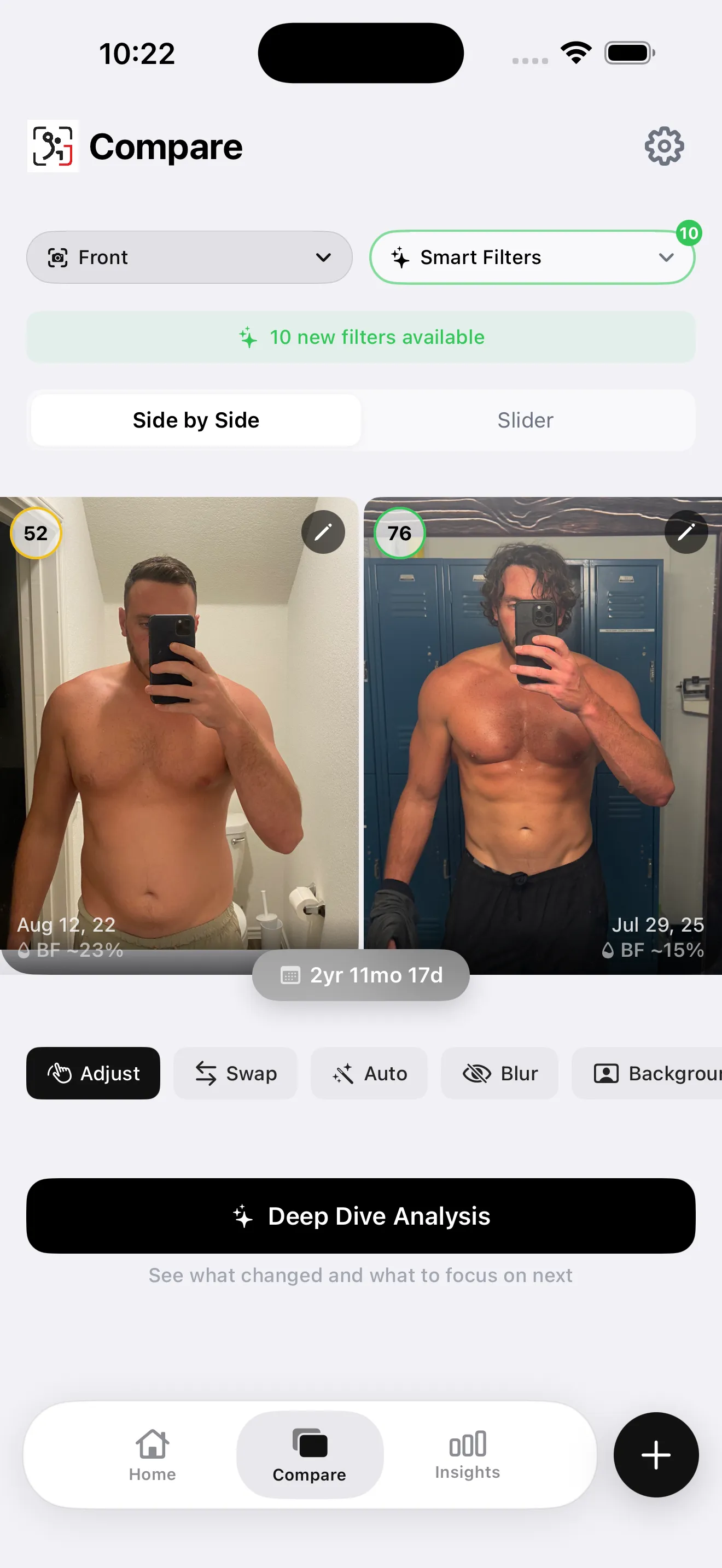
GainFrame does not pretend to measure your chest or waist from a photo. It answers the nearby question that matters more to many lifters: does my body actually look different? Each check-in adds body fat percentage, BMI, FFMI, a physique score, and ratings for 12 muscle groups to the original progress photos.
Compare any two dates and the app aligns the photos, shows body fat and score deltas, maps muscle-group changes, and lets Coach interpret the result with weight, workouts, sleep, and recovery in view. Camera-roll import can also turn old gym photos into a historical timeline.
Photos stay in the on-device library. Selected images are securely processed when you request AI analysis and are not stored on GainFrame servers. No account is required to start.
Best for: iPhone users tracking a cut, bulk, or recomp who care about visible change. Limitations: no circumference estimates, iOS only, and every body-composition number is an estimate rather than a direct measurement.
Try it now: run one free browser body fat estimate, or download GainFrame on the App Store to keep the result and compare future check-ins.
2. Is MeThreeSixty the best free 3D body scan app?
Platform: iOS and Android | Price: Free core app with optional Premium | US rating: 4.75 from 18,320 ratings
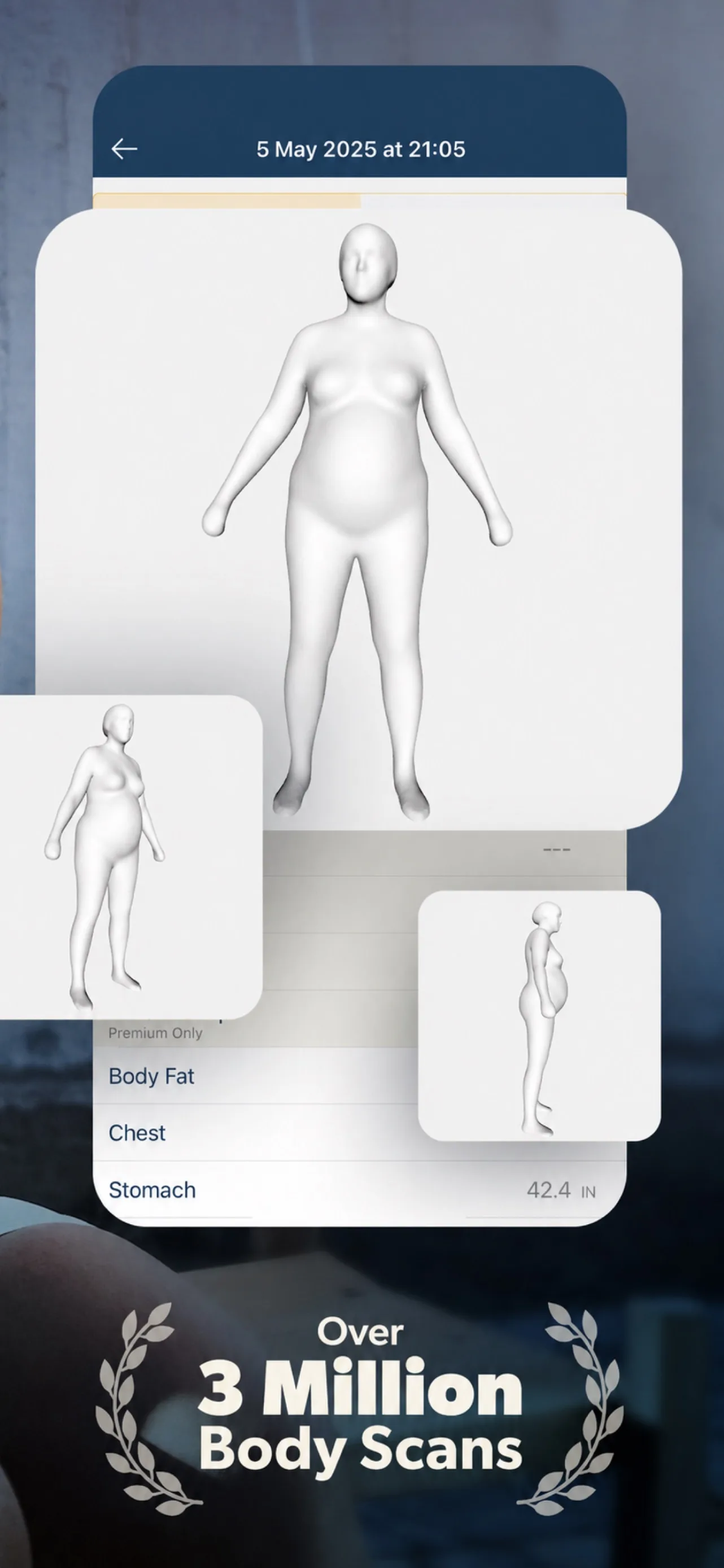
MeThreeSixty is the best free starting point for an actual 3D body scan. Two poses create an avatar with 14 or more estimated measurements, body composition metrics, and side-by-side scan comparisons. Size Stream, the company behind it, also builds professional body-scanning systems.
The privacy story is unusually clear: the current listing says photos are not uploaded to the cloud and scans remain on the device. The app's 18,000-plus US ratings give it the longest consumer track record in this roundup.
Best for: free tape-free measurements on iOS or Android. Limitations: measurement quality depends on clothing and posture; the avatar smooths away the muscle definition a real photo shows; Premium expands history and metrics. See our MeThreeSixty vs GainFrame comparison.
Download: MeThreeSixty on the App Store.
3. Is ZOZOFIT the most polished 3D body scanner?
Platform: iOS and Android | Price: Free core scanning with optional Premium | US rating: 4.73 from 7,475 ratings
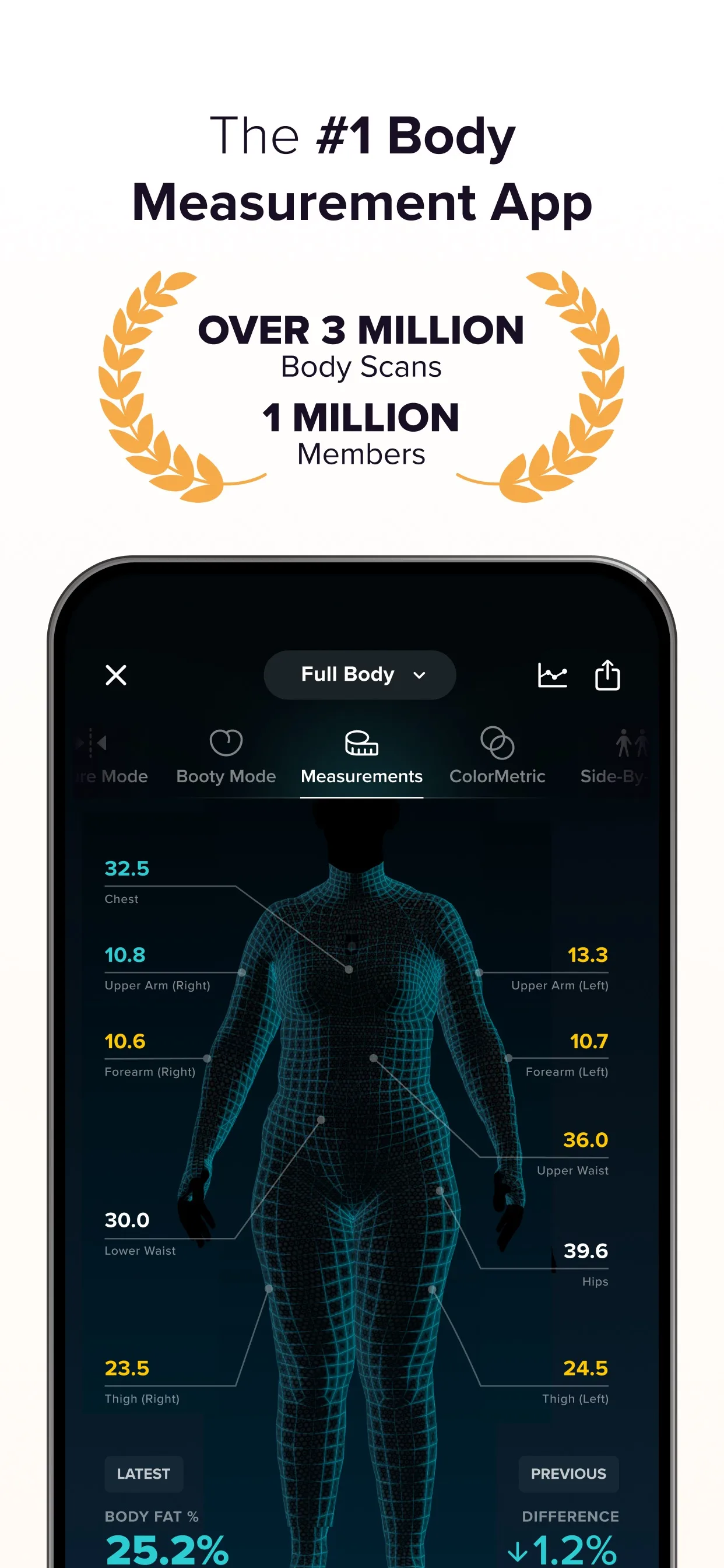
ZOZOFIT has the broadest maintained scanning ecosystem here. A guided phone scan returns measurements for 16 locations, a 3D body view, body fat context, side-by-side comparisons, and ColorMetric maps. Recent releases add goal simulation, transformation videos, posture views, and optional nutrition logging.
The old polka-dot suit is no longer required for the core phone-only workflow. Device requirements are stricter than simpler apps, and several advanced tracking features sit behind Premium, but the product feels more complete than a bare scan-and-export utility.
Best for: people who want a polished 3D scanner and a long-term measurement ecosystem. Limitations: setup-sensitive estimates, optional subscription, and newer iPhone requirements for some features. See the best ZOZOFIT alternatives.
Download: ZOZOFIT on the App Store.
4. Is Recomp AI the best scanner for body recomposition?
Platform: iPhone | Price: Free download with subscription | US rating: 4.65 from 748 ratings
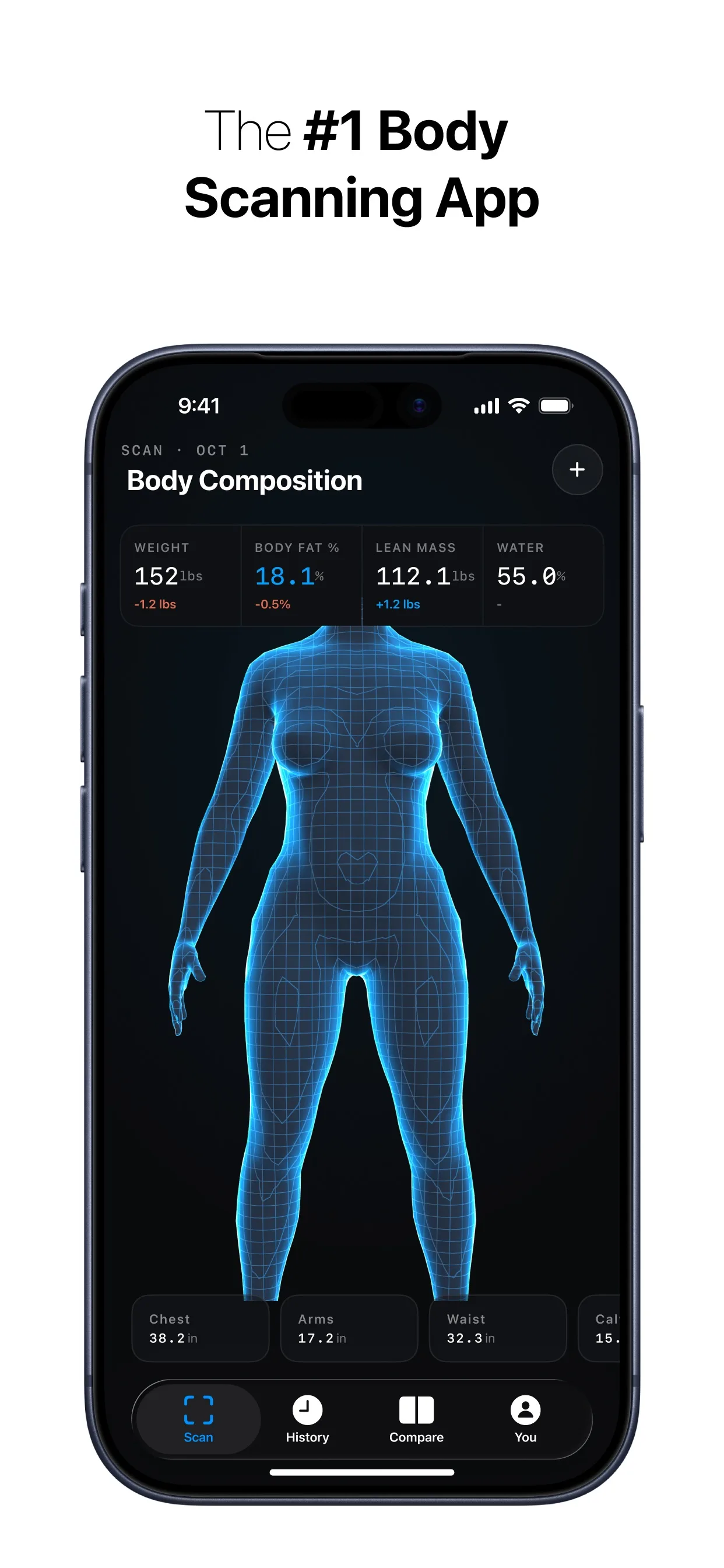
Recomp AI sits between a composition scanner and a measurement app. A phone-camera scan creates a 3D model with body fat, lean mass, body water, and regional circumference estimates. Its side-by-side model comparison is specifically framed around losing fat and building muscle.
The current app is a new listing with a 4.65 rating from 748 US ratings. That is enough to move beyond launch-stage anecdote, but still a much shorter track record than MeThreeSixty or ZOZOFIT. Advanced analysis requires a subscription.
Best for: iPhone users who want a 3D model and recomposition metrics in one place. Limitations: iOS 18 or later, no Android app, and no public accuracy validation located. See Recomp AI vs GainFrame.
5. Is Progress the best manual body measurement tracker?
Platform: iOS and Android | Price: Free download with Pro upgrade | US rating: 4.63 from 9,307 ratings
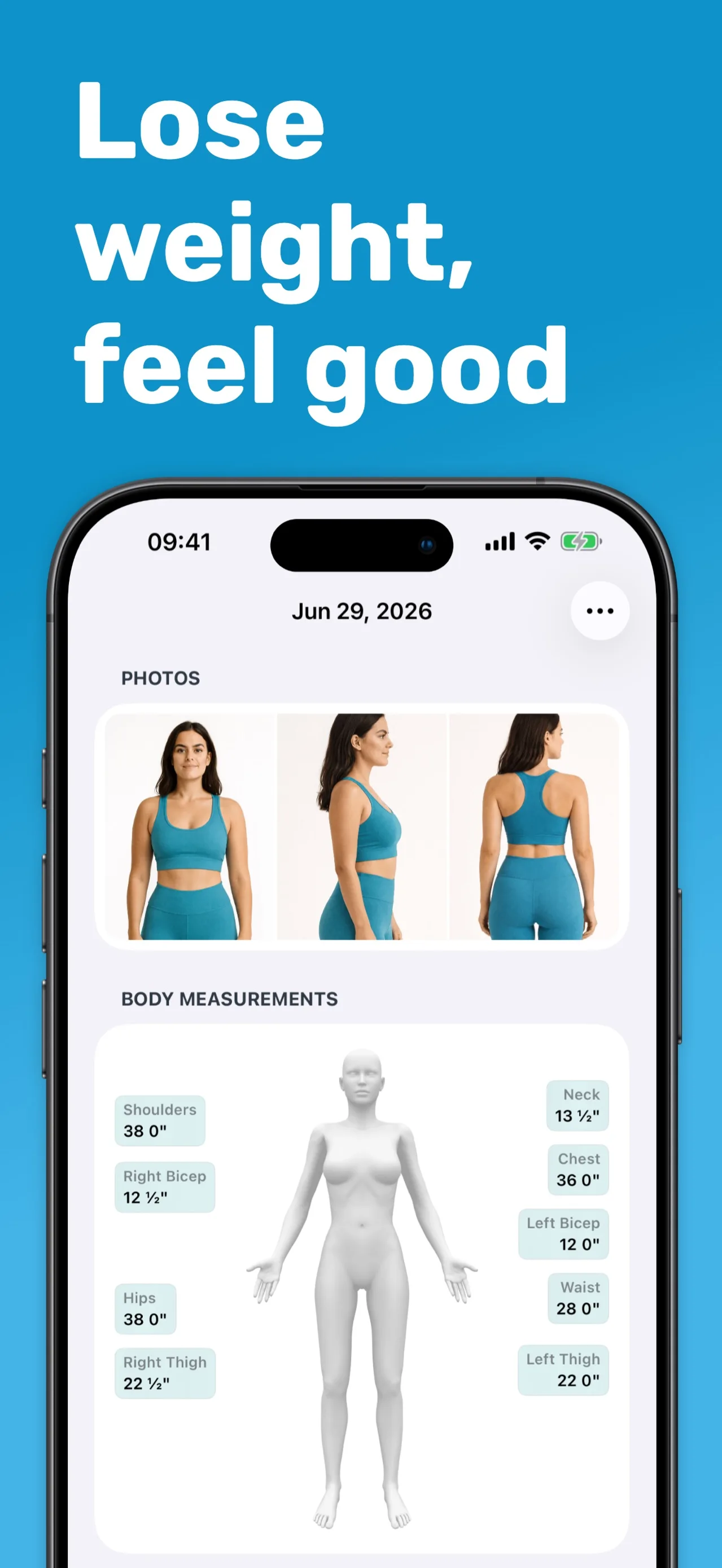
Progress has been maintained since 2012 and still does the manual job best. You take the measurements with a soft tape, then the app organizes waist, hips, chest, arms, thighs, neck, calves, weight, BMI, body fat, notes, and progress photos into one timeline.
There is no algorithm pretending to know the circumference. That is a strength if you measure carefully. Apple Health and Fitbit support reduce duplicate entry for weight, while Pro adds more measurement areas, photo tools, reports, and historical entry.
Best for: people who trust repeatable tape measurements and want a mature log. Limitations: the app measures nothing for you, so technique determines data quality.
Download: Progress on the App Store.
6. Is My Body Measurement Tracker the simplest tape log?
Platform: iPhone | Price: Free for up to five body parts with optional Pro | US rating: 4.84 from 82 ratings
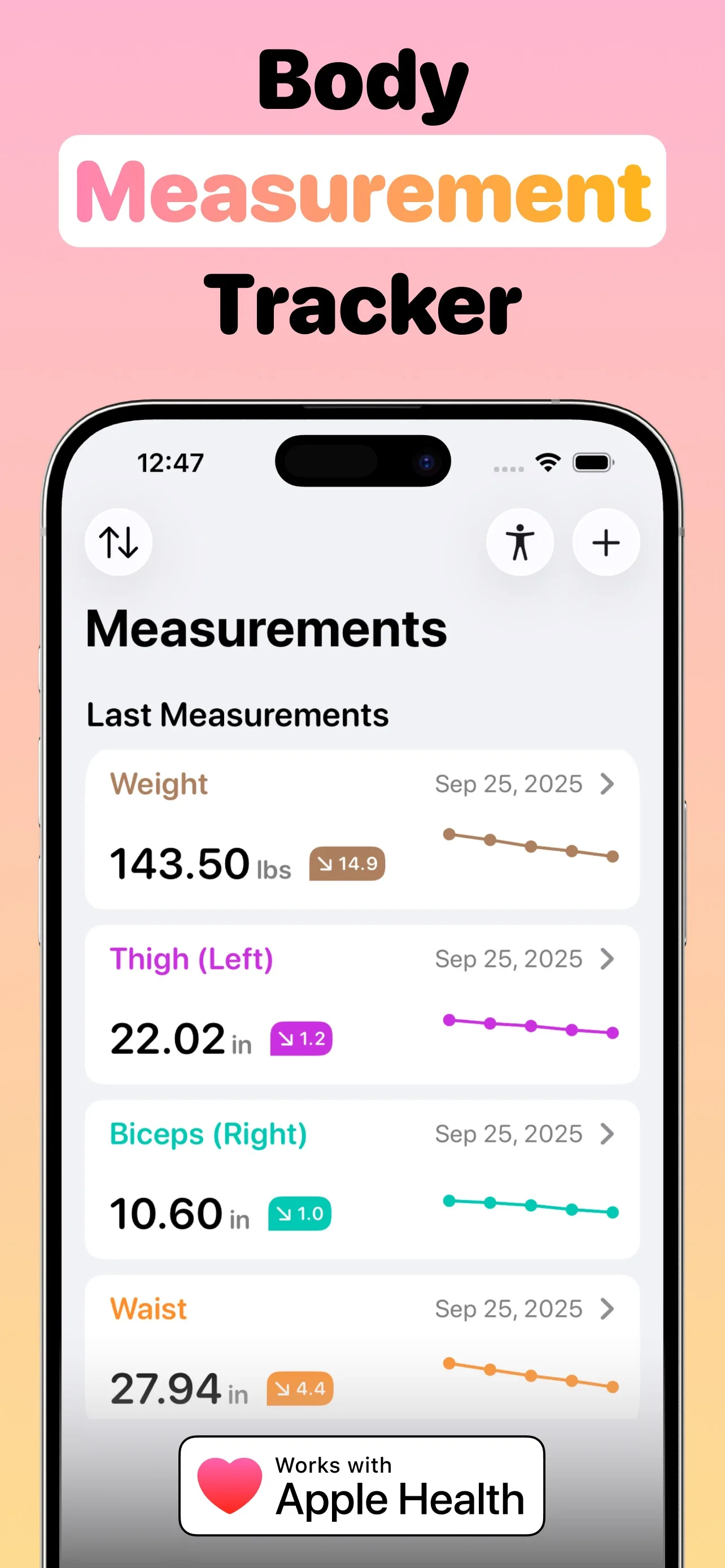
My Body Measurement Tracker logs biceps, calves, chest, forearms, hips, thighs, waist, weight, and custom areas. The app includes measurement instructions, weekly reminders, trend charts, and Apple Health support for weight and waist circumference.
The free version tracks up to five body parts, which is enough for a minimalist waist, chest, arms, thighs, and weight setup. Its 4.84 rating is promising, but the base is only 82 US ratings, so the score carries less evidence than Progress.
Best for: iPhone users replacing a measurement spreadsheet. Limitations: manual entry, five-part free limit, and a small rating base.
How accurate are body scanning apps compared with a tape measure?
Phone scans are accurate enough to reveal broad shape and circumference trends when the setup is consistent. They are less dependable when clothing, posture, camera height, distance, or lighting changes. A generated avatar can also look smooth even when the underlying estimate moves.
A soft tape has its own error. Pulling harder, measuring a slightly different point, or taking a waist reading after a meal can shift the result. Repeat each measurement twice, use the same anatomical landmarks, and measure at the same time of day.
For the strongest low-cost system, combine the two signals: one or two tape measurements each month plus standardized progress photos. The tape shows inches. The photos show leanness, muscle definition, and proportion. Our body measurement guide covers the exact protocol. The free AI body proportion calculator analyzes one front-facing photo, scores visible balance, highlights your strongest area and biggest opportunity, and lets you adjust shoulders, chest, waist, arms, or legs for an optional AI preview. It does not accept tape measurements or calculate exact circumferences.
Which body measurement app should you choose for your goal?
- Visible fat and muscle change: GainFrame.
- Free 3D measurements on iOS or Android: MeThreeSixty.
- The most complete 3D scanning product: ZOZOFIT.
- A 3D model focused on recomp: Recomp AI.
- Serious manual tape tracking: Progress.
- A simple five-measurement iPhone log: My Body Measurement Tracker.
If body fat percentage is the main metric, see the separate AI body fat app ranking. That guide compares only apps that estimate composition, so this page can stay focused on scanning and measurements.
Frequently asked questions
What is the best body scan app in 2026?
MeThreeSixty is the best free 3D body scan app. ZOZOFIT is the most polished scanning ecosystem. GainFrame is the better fit when the goal is to compare visible fat and muscle change rather than estimated circumferences.
What is the best body measurement app?
Progress is our top manual measurement tracker. It combines tape measurements, weight, BMI, body fat, and progress photos, has been maintained since 2012, and had more than 9,300 US ratings when checked.
Do body scanning apps work on Android?
MeThreeSixty and ZOZOFIT support Android and iOS. GainFrame, Recomp AI, and My Body Measurement Tracker are iOS-only. Android users can also try GainFrame's browser body fat estimator without installing an app.
Can a phone scan body measurements accurately?
It can estimate measurements well enough for broad trends, but it is sensitive to setup. Use the same clothing, posture, camera position, and lighting each time, and confirm important numbers with a tape.
Is a 3D body scan better than progress photos?
A 3D scan is better for estimated circumferences and shape. Progress photos are better for definition, leanness, proportions, and seeing your real appearance. Many lifters should use both.
See the change a 3D avatar smooths away
GainFrame compares your real progress photos and adds body fat, FFMI, a physique score, and 12 muscle-group ratings. Start free on iPhone and keep every check-in in one private timeline.
Download GainFrame Free