
Quick answer: Body tracking apps cover different jobs: progress photos, composition estimates, circumference estimates, scale trends, workout records and food intake. Choose the category that answers your main question. For physique changes over time, prioritize dated photos, repeatable poses, comparison history and useful training context, then check the free limits.
You have 3 apps open: one shows weight, one shows workouts and one holds your photos. They describe different parts of your progress. Decide which question is still unanswered before adding another tracker.
This category guide was refreshed September 21, 2026 using US iTunes listings and linked developer documentation. Ratings are a dated snapshot, and screenshots are developer-supplied or from our own app library. The comparison evaluates advertised features; it is not a hands-on test or an independent accuracy study of every product. The publisher makes one app in the list.
What are the six types of body tracking app?
| Category | What you can track | Examples | Cost boundary |
|---|---|---|---|
| Photo history and visual AI | Visible physique changes and photo-based estimates | GainFrame; Apple Photos for storage | Free access with storage or usage limits; paid advanced features |
| Composition scans | Repeated body-composition estimates | Spren; Recomp AI | Subscription features |
| Measurements and 3D | Estimated circumferences and body shape | MeThreeSixty | Free download; Premium expands history and metrics |
| Connected scales | Weight and device-generated composition estimates | RENPHO Health; Hume Health | Compatible hardware; check app plan |
| Workout logs | Sets, reps, loads and training history | Hevy | Free tier; Pro adds access |
| Nutrition logs | Food intake and targets | MacroFactor | Subscription after trial |
Which app tracks physique changes over time?
1. GainFrame: scored progress photos
Official site · US App Store · 4.89/5 from 62 ratings (September 21, 2026).
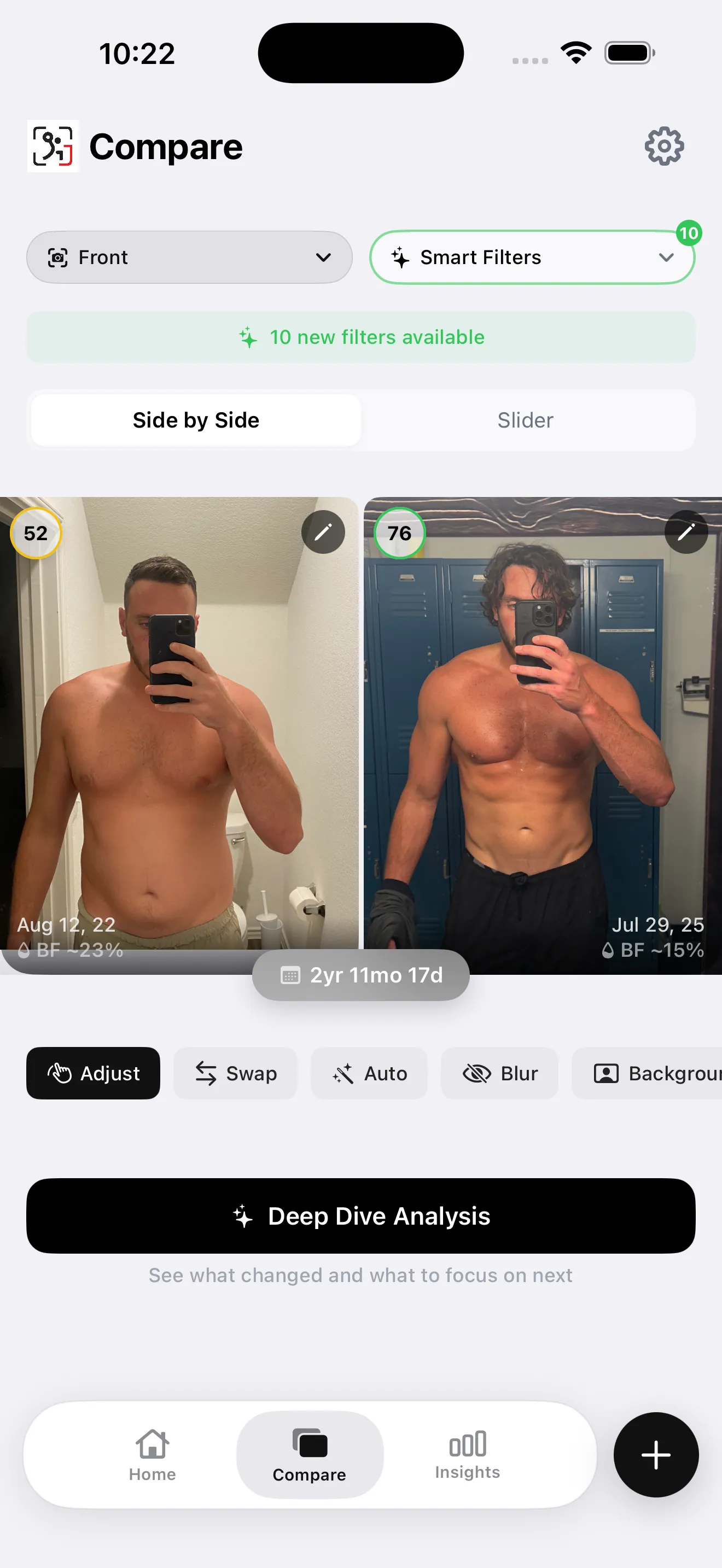
App screenshot from our library. A real comparison screen pairs dated progress photos with estimated physique metrics.
The photo workflow supports imports, guided poses and comparisons between dated check-ins. Photo-based physique estimates add another layer to the record. Advanced reports and AI Compare are Pro features, and selected photos are processed by an AI service when you request analysis.
For a physique tracker, check five things before you commit:
- Existing-photo import: bring your baseline into the same history.
- Pose matching: find front-to-front or side-to-side comparisons.
- Comparison history: inspect more than the newest check-in.
- Muscle detail: understand which of the 12 muscle-group estimates have a usable view.
- Workout context: connect Hevy if you want training beside visual changes.
Automatic scoring is available within free capture/import limits. Newer and legacy installations can have different allowances, so use the limit shown in your app. Unlimited imports and deeper analysis require Pro.
Choose it for: an ongoing visual record with optional analysis. Limit: iOS only; the outputs are estimates from photos. You can try a physique assessment in the browser or compare two check-in photos before choosing a tracker. Our progress photo app comparison covers the capture and export differences.
2. Apple Photos: a basic photo archive
Official site · US App Store · 3.07/5 from 15,650 ratings (September 21, 2026).

Developer-supplied App Store screenshot. Apple Photos provides a general photo library and collections.
An album gives you a dated archive without another fitness subscription. Use consistent front, side and back poses and retain the original files. The locked Hidden album can keep the images out of the main photo library.
Choose it for: a simple habit with minimal setup. Limit: no dedicated physique scoring or guided side-by-side workflow; storage follows your device and iCloud allowance. A repeatable photo schedule still matters when your archive is simple.
Which apps estimate body composition from a scan?
3. Spren: structured composition check-ins
Official site · US App Store · 4.74/5 from 1,490 ratings (September 21, 2026).
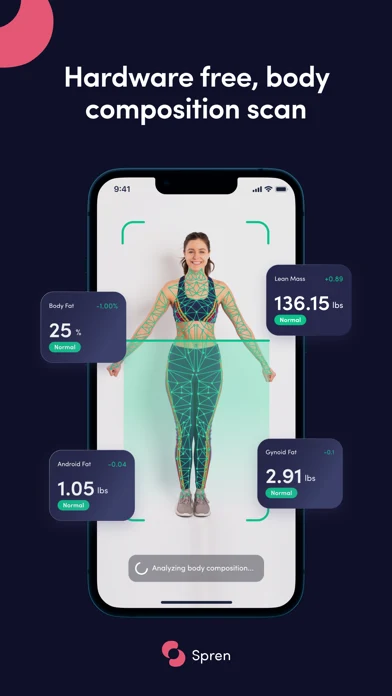
Developer-supplied App Store screenshot. Spren advertises body-composition estimates from a guided phone scan.
Spren markets photo-based body-composition reports with body-fat and lean-mass estimates. Its listing also describes nutrition planning and subscription access. Follow the capture instructions and keep scan conditions repeatable.
Choose it for: periodic scan-based estimates. Limit: vendor accuracy claims are not independent validation of your result. This review did not verify a durable free scan allowance. The Spren review covers the product in more detail.
4. Recomp AI: 3D scan comparisons
Official site · US App Store · 4.65/5 from 748 ratings (September 21, 2026).
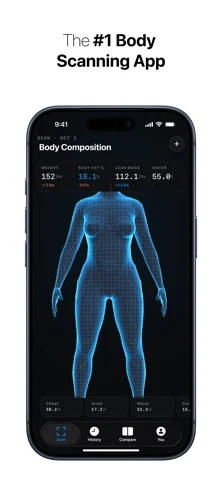
Developer-supplied App Store screenshot. Recomp AI presents a 3D body model and estimated composition metrics.
The app from ISO Labs advertises body-fat, lean-mass and circumference estimates with side-by-side 3D model comparisons. The current listing makes advanced analysis and premium features subscription-only.
Choose it for: tracking a series of scan-based body models during a recomp. Limit: the estimates depend on the scan and should not be treated as exact changes in muscle tissue. See the Recomp AI comparison for the difference between scans and photos.
Which app estimates body circumferences?
5. MeThreeSixty: measurements and a 3D avatar
Official site · US App Store · 4.75/5 from 18,405 ratings (September 21, 2026).
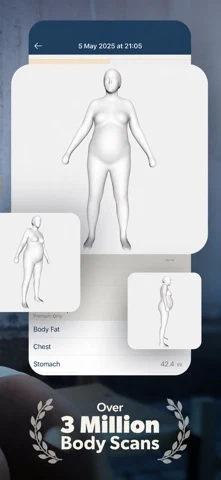
Developer-supplied App Store screenshot. MeThreeSixty displays body avatars and estimated measurements.
The current listing describes front and side poses, a 3D avatar and more than 14 estimated measurements. It also advertises body-composition metrics. Premium expands metrics, scan history and long-term trends.
Choose it for: a repeatable circumference and shape record. Limit: measurements are estimates from the scan. A smoothed avatar shows different information from an ordinary photo's visible definition. We have removed the previous fixed five-scan free-history claim because the current listing does not confirm that allowance. Read the MeThreeSixty comparison for the workflow differences.
Which apps connect a scale to your progress record?
6. RENPHO Health and Hume Health: connected-device trends
Official site · US App Store · 4.72/5 from 8,957 ratings (September 21, 2026).
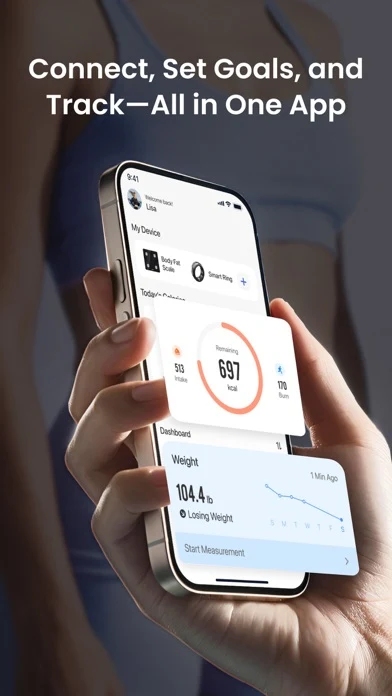
Developer-supplied App Store screenshot. RENPHO Health displays connected devices and a weight dashboard.
RENPHO Health receives weight and composition data from compatible scales, then presents charts and reports. Its listing describes multiple profiles and Apple Health integration. Check the supported scale model before choosing the app.
Official site · US App Store · 4.33/5 from 71,504 ratings (September 21, 2026).
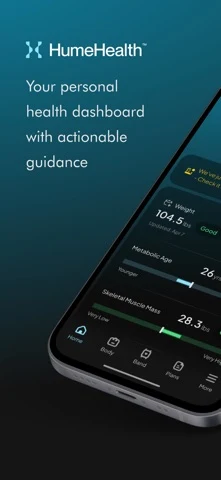
Developer-supplied App Store screenshot. Hume Health presents a dashboard for connected health data.
Hume Health is the companion ecosystem for Hume devices, including Body Pod. Hardware and app-plan costs should be checked together. A software download price alone does not describe the cost of this category.
Choose these for: regular weight records from hardware you use. Limit: composition estimates and their methods differ by device, so keep the same device and conditions when reviewing trends. Related reviews: RENPHO and Hume Body Pod.
Which apps track the habits behind physique changes?
7. Hevy: your training record
Official site · US App Store · 4.92/5 from 93,597 ratings (September 21, 2026).
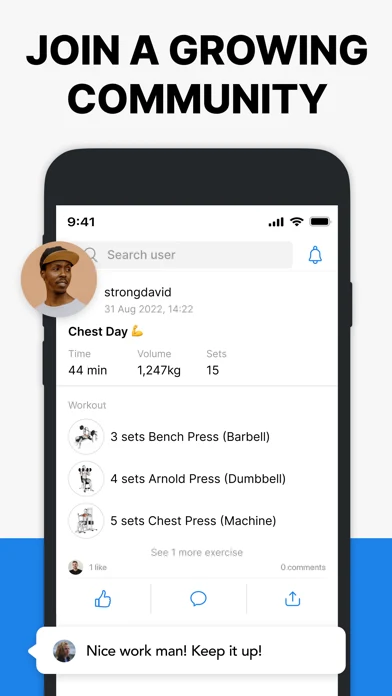
Developer-supplied App Store screenshot. Hevy records training sessions and provides a separate progress-photo library.
Hevy tracks exercises, sets, reps and loads. Its photo feature also supports a private dated library and side-by-side sharing. The free tier has limits for routines and data history; Pro expands access.
Choose it for: connecting a visual trend with what you did in the gym. Limit: a change in strength alone cannot establish a precise change in muscle mass. The Hevy versus Strong guide compares workout workflows.
8. MacroFactor: food intake and targets
Official site · US App Store · 4.84/5 from 22,390 ratings (September 21, 2026).
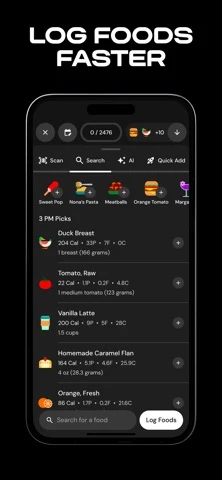
Developer-supplied App Store screenshot. MacroFactor shows food logging and calorie and macro totals.
MacroFactor uses food and weight records to adjust calorie and macro targets. It is a subscription product with a trial; the current listing explicitly says it has no ongoing free subscription tier.
Choose it for: keeping intake and targets alongside your progress record. Limit: it requires food logging, and the nutrition record answers a different question from a physique photo. See the MacroFactor review for more detail.
How do you choose a manageable combination?
| Your main question | Start here | Add if useful |
|---|---|---|
| How is my physique changing? | Repeatable progress photos | Training record |
| How are my measurements changing? | Tape or scan-based measurement record | Matching photos |
| What is my weight trend? | Consistent scale record | Food intake log |
| Am I progressing in training? | Workout log | Dated photo comparison |
First, choose the unanswered question. Second, try a small record in the relevant category. Third, add a second tracker only if it gives you useful context you will actually review.
What else should you know?
What is the best body tracking app?
Choose according to the information you need. Photo trackers document visible physique changes, scan apps estimate body composition or circumferences, and connected scale apps record weight trends. Workout and nutrition logs add context about your habits. Test a small record first so you know whether the category answers your question.
Which app works as a physique tracker?
A physique tracker should keep dated photos together, help you repeat poses and let you compare matching views over time. Some also add muscle-group estimates and training context. Check existing-photo imports, the comparison workflow and current usage limits before committing your full history to a particular app.
Do I need more than one body tracking app?
You may find a second app useful when it answers a different question, such as pairing physique photos with your training log. Start with one workflow you can maintain. Add another only when you know what missing context it supplies and how you will use that information.
Are body tracking app measurements exact?
That depends on the input and method, but photo and scan-based body-composition outputs are estimates. Camera conditions, pose and the model can affect them. Connected devices also have their own measurement methods. Review comparable records over time and avoid interpreting one small change as a precise change in muscle or fat.
Is there a useful free body tracking option?
A photo album and a repeatable capture routine can create a useful free visual record within your available storage. Some dedicated apps also provide limited free check-ins or workout logging. Confirm the feature allowance you need, since free downloads may still charge for imports, history, comparisons or advanced reports.
Start with the type that shows your goal
GainFrame scores a single progress photo - body fat estimate, FFMI, a 1 - 100 physique score, and 12 muscle-group ratings - then tracks all of it across months. On-device, no account, free to start on iOS.
Download GainFrame Free